
24/7 Booking: Voicemail vs. Live Answering for Local Service Firms
See why live answering beats voicemail for local service firms: capture leads 24/7, qualify callers, and book appointments before they call elsewhere.

How many customers are slipping away before you can answer?
Answer 4 quick questions and get a simple missed-call estimate for your business.
Answer with one tap. Contact details come after your result.
Here is the estimate.
Thanks. Your result was received.
Live answering, whether staffed by a person or an AI receptionist, wins over voicemail for local service firms that depend on phone leads and booked jobs. Immediate capture, qualification, and scheduling keep revenue that voicemail routinely loses to caller drop-off. For businesses weighing the two, we built RingPort around exactly this job: catching every call and turning it into an appointment.
TL;DR:
- Choose a system that checks availability, books appointments, sends confirmations, and sends lead details directly to your CRM instead of merely taking messages.
- Run a pilot for two to four weeks, link your calendar and CRM, then track bookings, conversion rates, and time to first contact.
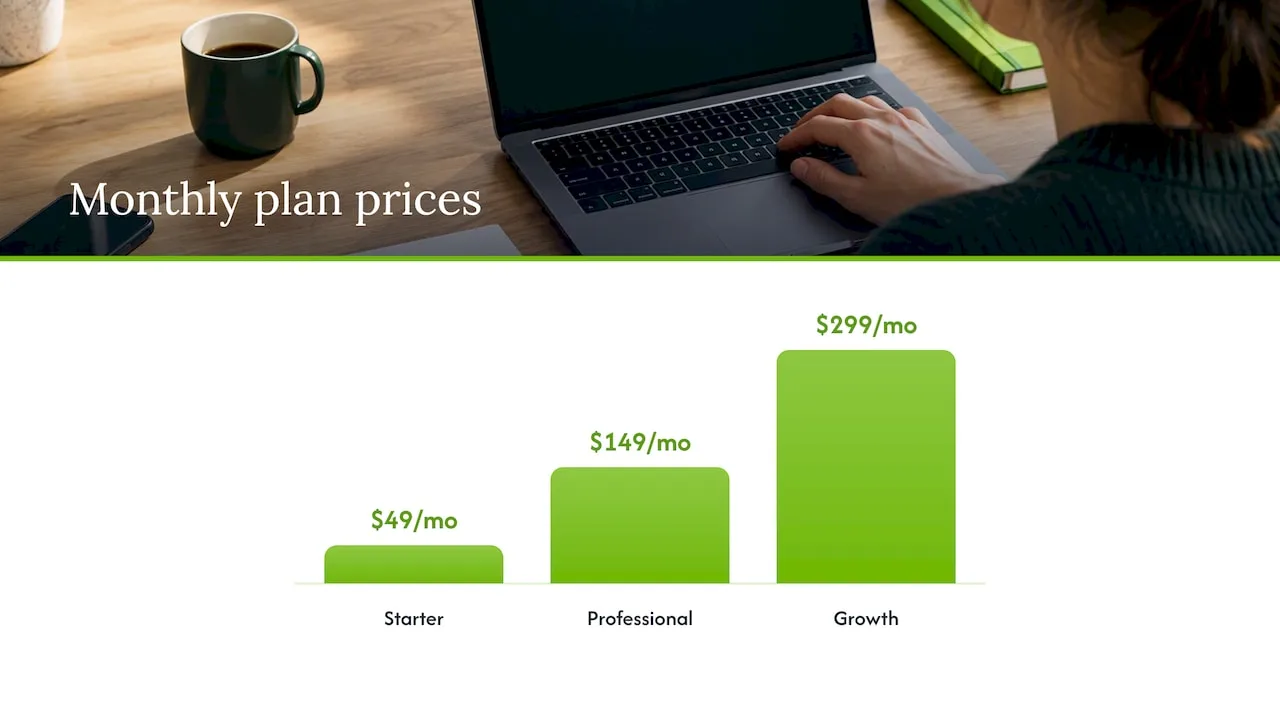
- RingPort charges $49 monthly for Starter, $149 for Professional, and $299 for Growth; businesses with variable call volume can request pay as you go pricing.
- Keep voicemail available for outages and peak call volume, but use it as a backup rather than the primary line.
- Get prior express consent before AI generated or voice cloned outbound calls that resemble human voices, as TCPA restrictions apply.
Table of Contents
- How voicemail and live answering actually compare
- Feature checklist: what to require from live answering
- How to choose: evaluation steps and vendor questions
- A 30-day rollout plan for small teams
- Why we recommend live answering over voicemail
- Get 24/7 live answering, booking, and lead capture with RingPort
- FAQ
- Sources
How voicemail and live answering actually compare
Voicemail asks a caller to do all the work. They have to wait for a beep, explain their problem, leave a number, and then trust that someone calls back before they move on to the next search result. Every one of those steps adds friction, and friction is where leads disappear. A voicemail box also can't confirm an appointment slot, check availability, or text a reminder. It stores information; it doesn't act on it.
Live answering, by contrast, handles the whole exchange in real time. A receptionist, human or AI, asks qualifying questions, checks the calendar, books the slot, and logs the contact in your CRM automatically. The caller gets an answer before they hang up, which is often the difference between winning the job and losing it to the next business on the list.
Missed calls carry a real cost for small businesses that depend on phone leads, since a caller who reaches voicemail has little incentive to wait for a callback when a competitor might pick up immediately.
The day-to-day trade-offs look like this:
- Coverage: Voicemail is always "on" but never responsive; live answering can cover nights, weekends, and holidays without anyone working a shift.
- Cost shape: Staffing a phone line costs wages and training time; a subscription-based receptionist scales with call volume instead of headcount.
- Speed to launch: Voicemail needs no setup at all, but live answering through a platform like RingPort can be configured in days, not months.
Picture a plumber who gets a burst-pipe call at 9 p.m. Voicemail means that customer calls three more plumbers before bed. Live answering books the appointment on the spot. Or picture a hair salon fielding a rescheduling request during a busy Saturday. A receptionist who can see the calendar handles it in under a minute; a voicemail just adds another callback to the pile.
Feature checklist: what to require from live answering
Not every answering tool does the same job, so it helps to separate what you need from what's simply nice to have.
- 24/7 answering that never sends a caller to a dead end, including nights and holidays.
- Appointment booking with calendar sync, so the receptionist can check real availability, not just take a message.
- Lead capture that feeds your CRM automatically, eliminating manual data entry.
- Customizable booking rules, like service windows, buffer times, or job-specific intake questions.
- Confirmations and reminders sent by SMS or email to cut down on no-shows.
- A reliable fallback to voicemail for the rare moment when live capture isn't available.
Beyond the core list, a few operational details matter just as much: setup should be simple enough for a solo owner to manage, scripts should be editable without a developer, and pricing tiers should be clear from the start. A trial or pilot period lets you test real call volume before committing.
Once those basics are covered, a few extras are worth asking about: review management workflows, outbound follow-up calling, webhook or API support for connecting other tools, and usage-based add-ons for busier months.
Pro Tip: Prioritize integrations that remove manual copy-and-paste between your phone system, calendar, and CRM. That single change saves more time than almost any other feature on the list.
How to choose: evaluation steps and vendor questions
Choosing between voicemail and a live-answering platform starts with understanding your own numbers, not just comparing features.
- Calculate revenue per lead. If one missed call can cost you a $400 job, the math for live answering becomes straightforward fast.
- Measure your current voicemail performance. Track how many messages go unanswered for more than an hour; that gap is what you're trying to close.
- Set a pilot window. Two to four weeks of real call data tells you more than any sales pitch.
When you talk to a vendor, ask direct questions:
- How does the system capture and qualify leads, and does it book directly into your calendar?
- What CRM and calendar integrations are supported out of the box?
- How are confirmations sent, and can customers reschedule without calling back?
- Can you export your data if you switch tools later?
- If outbound AI calling is part of the plan, how does the vendor handle consent and compliance?
- What service levels or guarantees apply if the system goes down?
Cost usually follows a tiered structure: a base subscription covers a set volume of calls, with pay-as-you-go add-ons for extra minutes, outbound calls, or messaging. RingPort's plans start at $49 per month for the Starter tier, $149 for Professional, and $299 for Growth, with pay-as-you-go pricing available on request for businesses with variable call volume.
Voicemail still has a place during rollout. Keep it as a fallback for the rare outage or peak-volume moment, not as your primary line.
A 30-day rollout plan for small teams
Switching from voicemail, or adding live answering alongside it, doesn't require a long runway. A four-week pilot is usually enough to see whether it changes your booking rate.
- Week 0 to 1: Define your pilot scope. Pick the hours or days you want covered, write your booking rules and call scripts, and connect your calendar and CRM.
- Week 1 to 2: Route your business number to the new system, set up SMS or email confirmations, and keep voicemail as a backup. Walk your team through the new workflow so everyone knows what changed.
- Week 2 to 4: Run the pilot and track results daily. Watch your answered-call rate, leads captured, appointments booked, and no-shows, then adjust scripts based on what callers actually ask.
Appointments confirmed automatically by SMS or email tend to reduce no-shows, since reminders go out the moment a booking is made rather than relying on someone to follow up later.
Our own guide to deciding between an answering service and voicemail walks through this same two-week comparison window in more detail, including what metrics to watch before extending a trial. For businesses that want automation live faster, our lead follow-up automation guide outlines a three-to-seven-day setup path.
Track five numbers throughout: answered rate, leads captured per day, appointments booked, conversion rate against your voicemail baseline, and average time to first contact. Those five tell you whether the switch is paying off.
Why we recommend live answering over voicemail
We built RingPort because we kept seeing the same pattern: service businesses losing jobs not from bad service, but from a phone that nobody answered fast enough. Our piece on stopping missed calls digs into why a live or AI receptionist consistently outperforms a voicemail box for appointment-driven work, and our missed-call recovery guide covers how to follow up compliantly once a lead slips through. If you're weighing a pilot, those two posts are a practical starting point.
— Serhii
Get 24/7 live answering, booking, and lead capture with RingPort
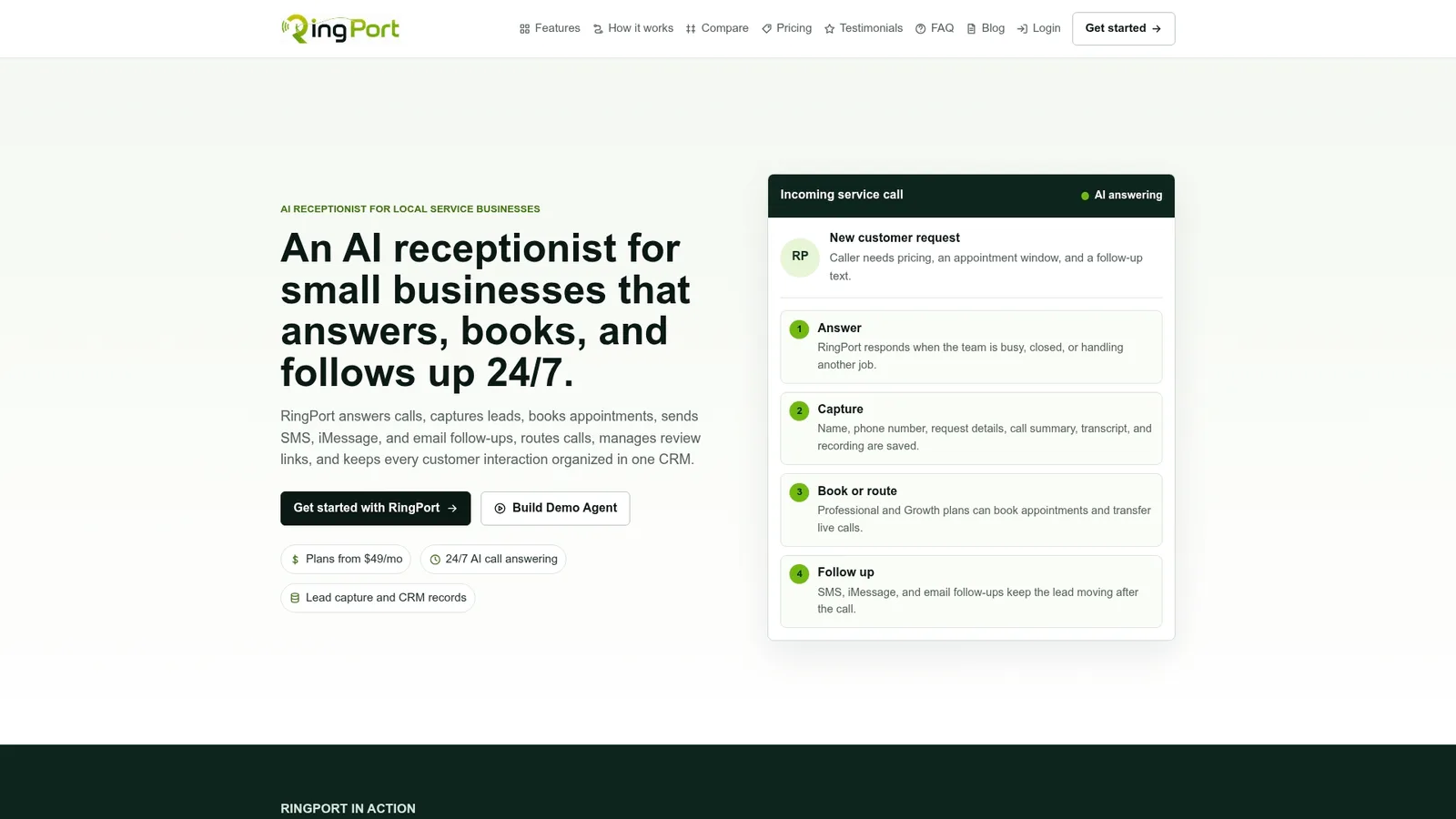
We designed RingPort specifically for local service businesses that live and die by the phone: home services, salons, medical offices, and property managers who can't afford a missed call to become a missed job. Our platform answers around the clock, books directly into your calendar, captures every lead into your CRM, and follows up by SMS, email, or iMessage, all without adding a full-time receptionist to your payroll.
Getting started is simple:
- Pick a plan: Starter at $49 per month, Professional at $149, or Growth at $299.
- Connect your calendar and CRM in a single setup session.
- Try our Fast Agent option if you want a live-answering flow running within days instead of weeks.
If you want help managing the inbox side of follow-up once leads come in, SendSync's after-hours email guidance pairs well with a live-answering setup. And for businesses ready to layer in more advanced automation down the line, Mindpod's work on agentic AI for SMBs is worth a look.
Visit Ringport to see which plan fits your call volume and start your pilot.
FAQ
Is voicemail effective for small service businesses?
Voicemail captures a message, but it does little to convert a caller into a booked job because most callers won't wait for a return call when a competitor can answer immediately. For businesses that depend on phone leads, voicemail works best as a fallback rather than a primary system.
What are the advantages of live answering over voicemail?
Live answering qualifies the caller, checks real-time availability, and books an appointment during the call itself, which voicemail cannot do. It also feeds lead data directly into a CRM and can trigger SMS confirmations, cutting down on no-shows.
Does an AI receptionist comply with calling regulations?
Inbound AI call answering is different from AI-initiated outbound calling under current rules. The FCC's 2024 ruling confirmed that AI-generated or voice-cloned calls resembling a human voice fall under TCPA restrictions on artificial or prerecorded voice calls, generally requiring prior express consent before placing outbound calls.
How much does RingPort cost?
RingPort's plans start at $49 per month for Starter, $149 for Professional, and $299 for Growth, with pay-as-you-go pricing for extra minutes or outbound calling available on request. Pricing and plan details are listed on the RingPort website.
How long does it take to switch from voicemail to live answering?
A pilot can typically launch within one to two weeks, covering number routing, booking rules, and calendar integration, with a two-to-four-week test window to measure results. Our automated call answering setup guide walks through the steps small businesses follow during that window.


