Small Service Owners: Get Lead Follow Up Automation Live in 3–7 Days
Get lead follow up automation live in 3–7 business days. For solo owners and small teams: calendar sync, warm transfers, and a demo script.
How many customers are slipping away before you can answer?
Answer 4 quick questions and get a simple missed-call estimate for your business.
Answer with one tap. Contact details come after your result.
Here is the estimate.
Thanks. Your result was received.
Lead follow-up automation is an AI receptionist that answers calls 24/7, books appointments straight into your calendar, and sends SMS or email follow-ups so you never lose a phone lead again. For a plumber, salon owner, or property manager, that means the customer calling at 9:00 PM on a Saturday gets booked instead of routed to voicemail. Some companies build this kind of system specifically for small local service businesses that need the coverage without adding payroll.
TL;DR:
- A true AI receptionist must synchronize live calendars, handle complex interactions, and execute actions automatically to truly replace manual scheduling and follow-up.
- It can recover up to 25 hours weekly for small teams and reduce no-shows by approximately 40 percent through automated confirmations and reminders.
- Evaluation should confirm integration capabilities, warm transfer options, CRM sync, and clear escalation rules, with demo tests for after-hours booking and reschedule functionality.
- Implementation typically takes three to seven days, requiring detailed setup, testing, and weekly transcript reviews for continuous tuning.
- Owners should treat launch as an ongoing tuning process, setting conservative escalation rules early to maintain reliability and customer satisfaction.
Table of Contents
- What Does Lead Follow-Up Automation Actually Do for Phone Leads?
- How Does It Work? Core Capabilities Your AI Receptionist Needs
- What ROI Should You Expect From Automated Lead Follow-Up?
- How Do You Evaluate and Choose an AI Receptionist?
- What Does Implementation Look Like, and How Long Does It Take?
- Common Pitfalls and How to Keep the System Reliable
- What Owners Consistently Get Wrong About Going Live
- Where Ringport Fits Into Your Follow-Up Setup
- Sources
What Does Lead Follow-Up Automation Actually Do for Phone Leads?
Lead follow-up automation, in this context, is narrow and specific: it is software that answers your business phone, understands what the caller wants, books them into your schedule, and follows up by text or email. It is not the same thing as marketing automation that scores email lists or drips LinkedIn messages. This is about the phone ringing and what happens in the next sixty seconds.
An AI receptionist works across a few core touchpoints:
- Incoming call handling — answers every call, day or night, instead of sending it to voicemail
- Appointment booking — checks your real calendar and locks in a time slot during the call
- Confirmations and reminders — sends a text or email so the customer doesn't forget
- Post-call follow-up — reaches out to leads who didn't book on the first call
- CRM logging — records the caller's name, request, and outcome automatically
The system layers speech recognition, intent classification, and action execution together, so it does not just transcribe a message. It actually schedules the appointment while the caller is still on the line.
How Does It Work? Core Capabilities Your AI Receptionist Needs
A voicemail system that just takes messages is not automation. A real AI receptionist needs five capabilities working together, and missing even one turns the whole setup into a glorified answering machine.
- Speech-to-text with intent classification. The AI needs to reliably tell the difference between "I want to book a cleaning" and "I have a billing question," and route accordingly.
- Action execution. Scheduling, sending confirmations, queuing reminders, and firing off follow-up messages all need to happen automatically, not get flagged for a human to do later.
- Warm transfer and escalation. When a call needs a person, the system should connect the caller live rather than dropping them into a queue.
- CRM and calendar integration. Every booked call and missed lead should log itself into your existing tools, whether that's Google Calendar or a practice management system.
Pro Tip: Ask any vendor to demo a reschedule mid-call. If the AI can move an existing appointment without human help, you're looking at a system that actually takes action, not one that just collects information.
What ROI Should You Expect From Automated Lead Follow-Up?
The math here is straightforward once you see the numbers side by side. Small service businesses lose real money to missed calls, no-shows, and slow follow-up, and each of those has a documented fix.
- After-hours capture: 82% of service professionals say customer expectations for responsiveness are higher than they've ever been, which makes 24/7 coverage less of a luxury and more of a baseline.
- No-show reduction: Automated confirmations and reminders commonly cut no-shows by roughly 40%, which for a salon booking 30 appointments a week can mean several recovered slots.
- Staff time recovered: Small teams often reclaim 15 to 25 hours a week that used to go toward phone tag and manual scheduling.
How Do You Evaluate and Choose an AI Receptionist?
Not every system marketed as an "AI receptionist" actually books appointments. Some just take a message and email it to you, which defeats the purpose. Before signing anything, run the vendor through this checklist and demo script.
Evaluation criteria:
- Native calendar and booking integration (not just a message left for you to act on)
- Warm transfer capability for calls that need a real person
- CRM or practice management system sync
- Configurable escalation rules for your specific business
- Data security and compliance handling for caller information
Six quick demo tests:
- Call after hours and see if it books a real slot
- Ask to be transferred to a human and see how the handoff feels
- Request a reschedule of an existing appointment
- Confirm you receive an SMS confirmation within minutes
- Try to book a slot that's already taken and see how it handles the conflict
- Check whether the call and outcome show up in your CRM afterward
Watch pricing structure closely. Some vendors advertise a low base rate, then tack on per-minute overage or per-booking fees that quietly double your bill. A short demo covering transfer and reschedule scenarios reveals within minutes whether a system truly acts or just listens. Red flags include no calendar sync, no warm transfer option, vague answers about escalation, and setup timelines stretching past two weeks.
What Does Implementation Look Like, and How Long Does It Take?
Going live is faster than most owners expect, but it still needs real prep work, not a five-minute signup.
Before you start:
- Pick the calendar or booking tool you'll connect (Google Calendar is the most common)
- Write down your FAQs, hours, pricing, and cancellation policy
- Decide who the primary contact is for escalations
During onboarding, expect a setup call, a knowledge-base training session where you feed the AI your business details, calendar and CRM integration, and a round of test calls before anything goes live.
| Phase | Timeframe | What happens |
|---|---|---|
| Setup | Day 1 | Account creation, calendar connection, basic script |
| Integration and testing | Days 2 to 7 | CRM sync, test calls, confirmation message checks |
| Tuning | Weeks 2 to 4 | Prompt adjustments, escalation refinement |
Typical go-live windows run three to seven business days, with the owner investing roughly four to six hours total getting the system trained on their business. After launch, review call transcripts weekly for the first month and adjust the script wherever the AI stumbles.
Common Pitfalls and How to Keep the System Reliable
Automation fails when owners treat it as "set and forget." A few habits keep it working the way it should.
- Route complex, emotional, or legally sensitive calls to a human, always
- Keep your hours, pricing, and policies updated in the knowledge base so the AI never books against reality
- Review transcripts regularly and tune prompts based on what's actually going wrong
- For medical or legal offices, route anything touching protected health information or sensitive personal details to staff, never the AI
The strongest implementations automate the routine and flag the complex, so your staff only handles calls that genuinely need judgment. Most successful rollouts also start with escalation thresholds set conservatively, then loosen them once the system proves itself.
Pro Tip: Set your escalation rules tighter than you think you need in week one. It's far easier to loosen them once you trust the system than to win back a customer's patience after a bad automated interaction.
What Owners Consistently Get Wrong About Going Live
Most owners worry the same thing before flipping the switch: will this sound robotic and annoy my customers? In practice, the failures I've seen traced back to loose knowledge-base setup and escalation rules left too permissive from day one, not the underlying technology.
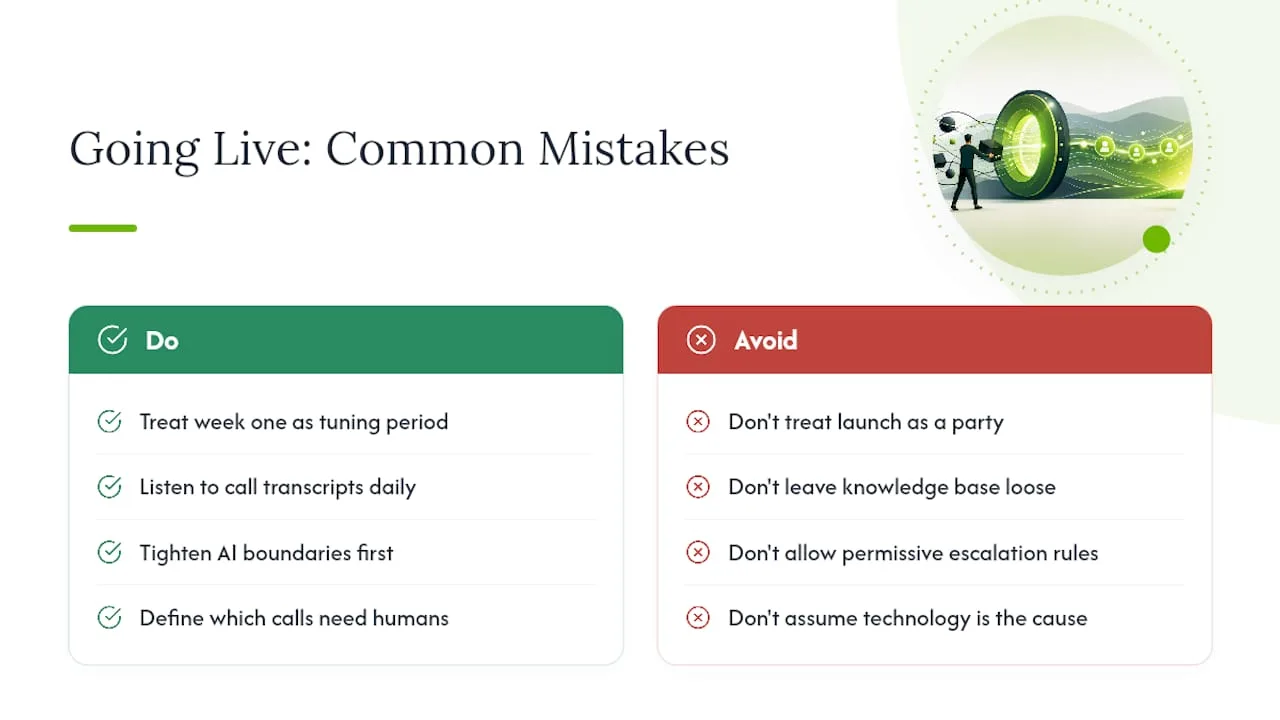
The owners who do this well treat week one as a tuning period, not a launch party. They listen to transcripts, tighten the AI's boundaries before loosening them, and tell the system exactly which calls belong to a human.
The checklist earlier in this piece isn't theoretical. It's the same set of questions worth asking before you commit to any AI receptionist system.
— Serhii
Where Ringport Fits Into Your Follow-Up Setup
Some AI receptionist services are built around the checklist covered above: calendar sync, warm transfers, CRM logging, and SMS or email follow-ups, running 24/7 without adding a front-desk hire. Such services answer calls, book directly into your existing schedule, and hand off to a real person when a caller needs one, with full context passed along so nobody has to repeat themselves.
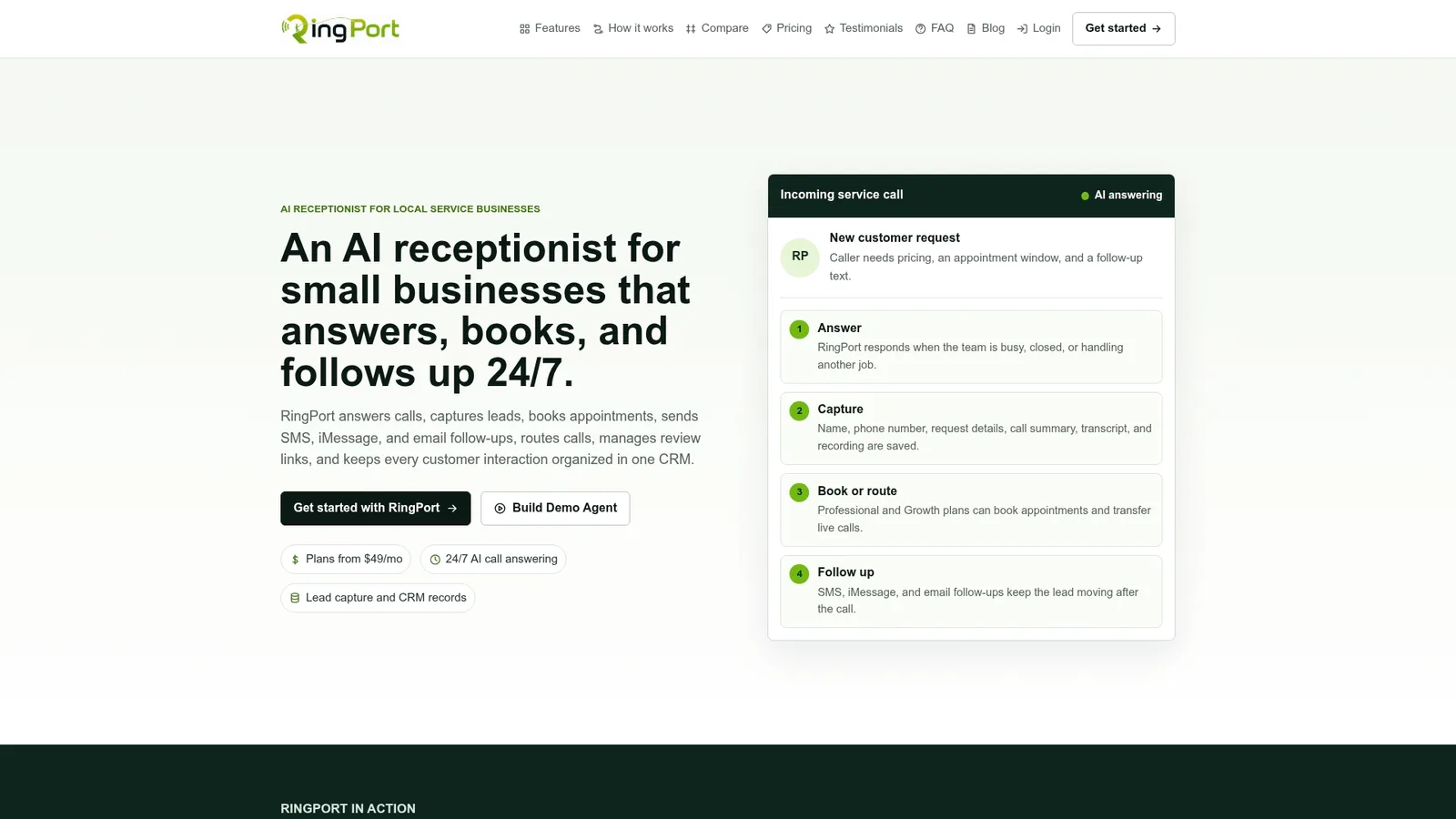
Onboarding follows the same pattern outlined for implementation: a setup call, knowledge-base training on your services and hours, calendar integration, and test calls before go-live. Most businesses combine phone-based booking with email follow-up automation and reminder texts to cover every channel a lead might use. If you're weighing tools to round out your email side, an AI follow-up email generator can help pair nicely with phone automation.
If you want to see how it handles your specific call scripts and calendar setup, start with the Ringport Fast Agent page and request a live demo of after-hours booking and warm transfer before you decide.