
Automated Call Answering: A Small Business Setup Guide
Discover how automated call answering can boost your small business by resolving customer inquiries quickly and improving response times.
How many customers are slipping away before you can answer?
Answer 4 quick questions and get a simple missed-call estimate for your business.
Answer with one tap. Contact details come after your result.
Here is the estimate.
Thanks. Your result was received.
Automated call answering uses AI voice technology to greet callers, understand why they're calling, and either resolve the request or route it to the right person, without a human picking up first. If you're missing calls during busy hours or after close, the fastest path forward is to start with a short trial: pick an AI receptionist like RingPort, configure it for your busiest call reasons, and measure what it catches. Salesforce's call routing framework and the SBA's small-business guidance both point to the same operational truth: unanswered calls are lost revenue, and small teams rarely have the staff to fix that manually.
What to do in the next 7 days:
- List your top 3 call reasons (booking, pricing, emergency service).
- Set up one AI receptionist trial with routing rules for those 3 reasons.
- Track missed calls, bookings, and misrouted calls daily.
Key Takeaways
Automated call answering works best when intent recognition, routing rules, and integrations are tested deliberately before going live, not assumed to work out of the box.
| Point | Details |
|---|---|
| Start with a short trial | Configure an AI receptionist for your top 3 call reasons and measure results over 7 days. |
| Routing beats forwarding | Use rule-driven call routing for context-aware handling instead of static call forwarding. |
| Prioritize must-have features | Intent recognition, 24/7 coverage, calendar booking, and CRM integration matter most. |
| Watch carrier limitations | Forwarded calls bill against your regular plan and rarely work for international numbers. |
| RingPort fits the checklist | RingPort offers 24/7 answering, booking, smart routing, and CRM integration in tiered plans. |
Table of Contents
- What Is Automated Call Answering and How Does It Work?
- Automated Answering vs Virtual Receptionists vs Voicemail: Which Fits Your Business?
- What Features Should a Small Business Look for in an Automated Answering System?
- How Much Does Automated Call Answering Cost?
- How Do You Set Up Automated Call Answering Step by Step?
- Where Does Automated Answering Fail and How Do You Prevent Caller Frustration?
- Call Forwarding vs Call Routing: What's the Real Difference?
- How Do You Choose the Right Automated Answering Provider?
- Get Started With RingPort's AI Receptionist
- Sources
What Is Automated Call Answering and How Does It Work?
Automated call answering has come a long way from the button-mashing phone trees of the early 2000s. There are three generations of this technology still in active use, and knowing which one you're dealing with matters when you're evaluating a system.
Legacy IVR uses DTMF tones, the "press 1 for sales" menus everyone dreads. Simple pre-recorded prompts just play a message and either take a voicemail or forward the call somewhere. Modern AI voice assistants use natural language processing to understand what a caller actually says, in plain English, and act on it. That third category is what most people mean today when they talk about an AI receptionist, and it's the one worth your time in 2026.
Here's the caller's actual experience, step by step:
- The system intercepts the incoming call before it rings through to a human.
- An automated greeting plays, often customized with the business name and a quick menu of what the caller can say.
- The caller states their reason for calling in natural language ("I need to reschedule my appointment").
- Natural language processing captures the intent and pulls out relevant details, like a date, a service type, or a name.
- The system either completes the task directly (books the appointment, answers a common question) or routes the call to the right person or department.
- If the system can't confidently identify the intent, it falls back to a human agent or takes a detailed message.
Picture a plumbing company on a Tuesday morning. A caller says, "My water heater is leaking, I need someone today." The AI receptionist recognizes "leaking" and "today" as urgency signals, checks the calendar for the nearest available technician, offers a two-hour window, confirms it by voice, and texts a confirmation. No one on staff touched the phone. That's the entire loop: greeting, intent recognition, routing or action, confirmation.
The technology behind this depends on a stack of integrations working together. A capable system connects to:
- CRM software, so caller history and notes are pulled up automatically.
- Calendar or booking platforms, so appointments get scheduled in real time, not manually re-entered later.
- SMS, so confirmations and follow-ups go out without staff involvement.
- Webhooks, so call data can trigger actions in other business tools.
- Voicemail transcription, so messages that do get left are readable, not just an audio file no one plays back.
The distinction between routing and forwarding matters here too. As Salesforce explains, call routing is rule-driven and context-aware. It uses caller input and back-end data to decide where a call goes. Call forwarding is just a static redirect, the same number, every time, no matter what the caller needs. Automated answering systems rely on routing logic, not simple forwarding, to make smart decisions.
Pro Tip: Ask any vendor to show you their fallback behavior before you sign up. The best systems have a clear, graceful exit to a human when intent recognition fails twice. The worst ones just loop the caller back to the main menu.
Automated Answering vs Virtual Receptionists vs Voicemail: Which Fits Your Business?
Each of these three options solves a different problem, and picking the wrong one is usually about mismatched expectations rather than bad technology.
Automated answering (AI receptionist)
- Pro: Available 24/7, handles unlimited simultaneous calls, costs a fraction of a staffed line.
- Pro: Consistent scripting, no bad days, no forgotten follow-ups.
- Con: Struggles with highly unusual or emotionally complex calls without a strong human fallback.
Virtual receptionist (human, outsourced)
- Pro: Handles nuance and empathy better, especially for sensitive industries like healthcare.
- Con: Costs scale with call volume and staffing hours; coverage gaps still happen during shift changes.
Voicemail or basic forwarding
- Pro: Free or nearly free, requires zero setup.
- Con: Most callers hang up rather than leave a message, and forwarded calls still need a human on the other end.
For most local service businesses, the right answer isn't picking one and discarding the others. It's a hybrid: automated answering handles the volume and the routine bookings, a live team member or on-call staffer takes the calls the system flags as high-priority, and voicemail-to-text catches whatever's left. During business hours, route straightforward requests through the AI and keep a live transfer path open for anything urgent. After hours, let the automated system fully own the line since a live receptionist isn't an option anyway.
What Features Should a Small Business Look for in an Automated Answering System?
Not every feature on a vendor's landing page matters equally. Here's how to prioritize.
Must-have:
- Intent recognition powered by NLP, not rigid keyword matching.
- 24/7 coverage, including holidays and after-hours.
- Calendar and booking integration that writes directly to your existing system.
- CRM integration so caller history isn't lost.
- SMS follow-up for confirmations and reminders.
Nice-to-have:
- Voicemail transcription for anything the system can't resolve.
- Transfer by name (routing to "Mike in service" rather than a generic department).
- Multilingual support if your customer base needs it.
- Reporting and analytics on call volume, booking rates, and missed intents.
Add-ons worth asking about:
- Outbound calling for lead follow-up or appointment reminders.
- Webhook access for connecting to tools outside the standard integrations.
Before committing to a plan, run these checks during your free trial:
- Book a real appointment through the system and confirm it lands correctly on your calendar.
- Ask the system to transfer you to a specific team member by name.
- Give it context mid-call (mention a returning customer) and see if it pulls up prior history.
- Deliberately say something confusing or off-script and watch how it handles the failed intent.
Integration friction shows up most often around calendar types (Google Calendar behaves differently than a proprietary scheduling tool) and CRM APIs that require custom field mapping. Ask any vendor, including RingPort, exactly which calendar and CRM platforms are natively supported before you assume compatibility.
How Much Does Automated Call Answering Cost?
Pricing for automated call answering generally follows one of three models: flat subscription tiers, per-minute usage billing, or a hybrid with a base subscription plus add-ons for extra minutes, outbound calls, or SMS credits.
What drives the cost up or down:
- Total call minutes handled per month.
- Number of employees or extensions needing routing.
- Required integrations (a basic CRM sync costs less than a custom API build).
- Multilingual support, which often adds a premium.
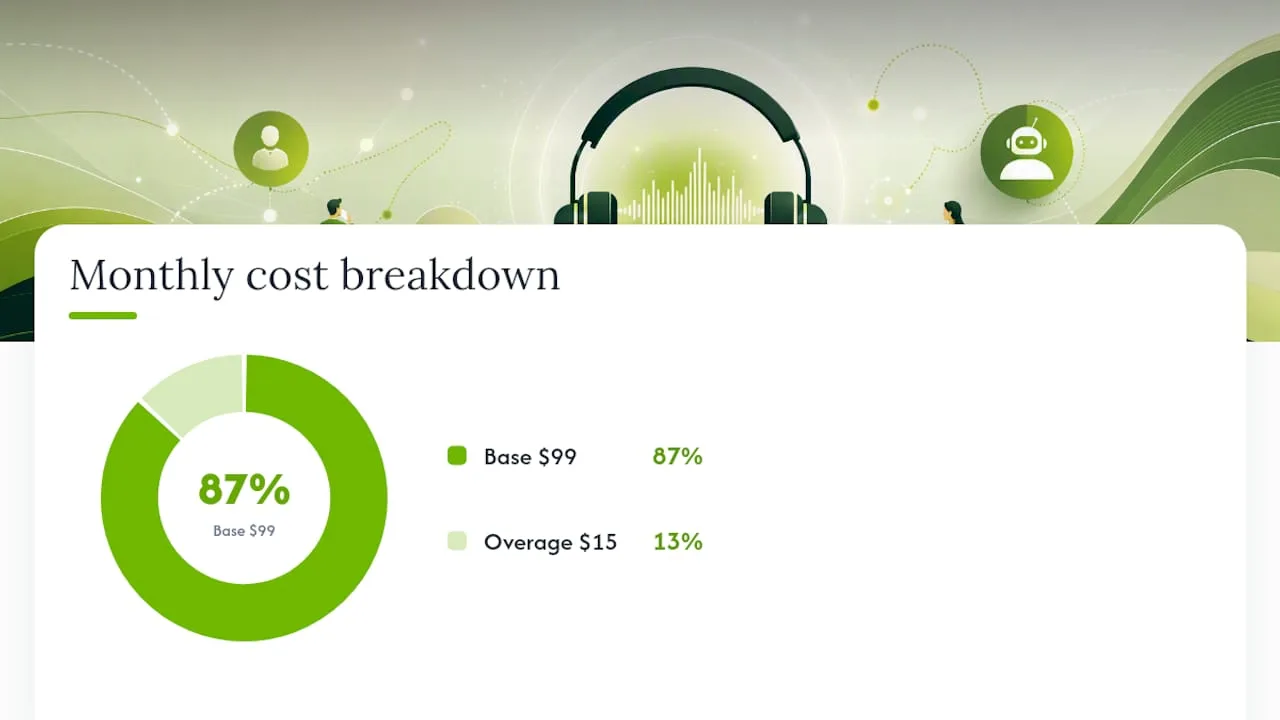
Here's a simple way to estimate your own monthly cost. Say your business handles 400 minutes of inbound calls a month, and a plan charges a $99 base subscription that includes 300 minutes, with overage billed at $0.15 per minute. Your estimate: $99 base + (100 overage minutes × $0.15) = $114 for the month. Adjust the base number and per-minute rate to whatever a vendor actually quotes you, but this structure holds across most SaaS-style receptionist pricing.
Billing caution: If you're using basic call forwarding as a stopgap instead of a dedicated automated system, remember that forwarded calls are typically billed against your regular wireless plan, and forwarding to international numbers is commonly blocked outright. This can quietly inflate your phone bill if you're forwarding a high volume of calls to a personal cell line.
Small businesses often underestimate seat-based costs too, plans that charge per line or per employee rather than per minute. If you have five team members who all need call access, confirm whether pricing scales with headcount or stays flat regardless of how many people are receiving routed calls.
How Do You Set Up Automated Call Answering Step by Step?
Setting this up isn't a weekend afterthought, but it's also not the multi-week IT project some businesses fear. Here's the practical sequence.
Before you touch any settings:
- Write down your busiest call reasons, most businesses have three to five that account for the majority of volume.
- Define your critical business hours and what absolutely must reach a live human (medical emergencies, high-value leads, angry customers).
- Gather your CRM login details and calendar access so integrations don't stall the setup.
Configuration steps:
- Reserve a new business phone number through your provider, or port your existing number if you want to keep it.
- Configure your greeting script and build routing rules around the call reasons you identified.
- Connect your calendar so booking requests write directly into your existing schedule.
- Connect your CRM so caller history populates automatically.
- Set separate flows for business hours versus after-hours, since your fallback options differ (a live transfer during the day, voicemail or callback scheduling at night).
Testing before go-live:
- Run scripted test calls covering each of your top call reasons.
- Test edge cases deliberately: what happens on a busy line, what happens when a transfer target doesn't answer, what happens when someone mumbles or speaks off-script.
- Measure intent recognition accuracy across at least 15 to 20 test calls before trusting the system with real customers.
Pro Tip: Recruit a friend or family member who's never heard your script to make test calls. Employees who helped write the greeting will unconsciously phrase things the "right" way. A stranger calls the way real customers do, awkward, vague, and impatient.
Once you go live, don't walk away for two weeks. Run a 7 to 14 day monitoring window where you check daily: how many calls were fully resolved by the system, how many were misrouted, and how many callers hung up mid-flow. If misrouting or hang-up rates stay high past day 5 or 6, that's your signal to adjust the greeting script or routing rules, not to scrap the whole approach. Most tuning issues resolve with small script edits, not a system swap.

Where Does Automated Answering Fail and How Do You Prevent Caller Frustration?
No automated system is flawless, and the businesses that get the most value are the ones that plan for failure modes instead of pretending they won't happen.
The most common breakdowns:
- Misrecognized intent, where the system hears "reschedule" as "cancel" and takes the wrong action.
- Bad routing rules, sending urgent calls into a generic queue instead of a live transfer.
- Long or looping menus, which frustrate callers faster than almost anything else.
- Failed transfers, where the system tries to connect a caller to someone unavailable and doesn't have a graceful backup.
- Carrier-side forwarding issues, where a forwarded call drops or never completes due to network limitations.
The fix for most of these isn't more technology, it's better fallback design. Every automated flow needs a clear, simple exit to a human agent after one or two failed attempts at understanding the caller. Estimated wait times and callback offers reduce abandonment significantly compared to silent holds. Keep prompts short; a caller who has to listen to a 20-second menu before saying a word is already annoyed.
When you're evaluating a vendor, ask for real numbers, not marketing language. Reasonable things to demand:
- Uptime guarantees, ideally 99.9% or better, in writing.
- Recognition accuracy rates based on real call data, not lab conditions.
- Response time benchmarks for how quickly the system answers and processes intent.
Pro Tip: If a vendor can't tell you their recognition accuracy rate on the spot, that's often a sign they don't measure it internally, which means you won't get support when accuracy issues show up later.
Call Forwarding vs Call Routing: What's the Real Difference?
These two terms get used interchangeably in casual conversation, and that confusion causes real setup mistakes.
Call forwarding is a static redirect. Every call to your business line goes to the same destination, no matter who's calling or why. Call routing is rule-driven and context-aware, using caller input and back-end data to send each call to the most appropriate destination, as Salesforce's breakdown of routing systems lays out clearly.
| Aspect | Call Forwarding | Call Routing |
|---|---|---|
| How it decides | Redirects all calls the same way, always | Uses caller input and data to choose a destination |
| Flexibility | Static, one rule for every call | Dynamic, different outcomes per caller |
| Typical use | Simple stopgap, single-line small business | Multi-line business with different departments or staff |
Carrier and device constraints matter more than most people expect. Most wireless carriers require you to manage core forwarding settings directly on the mobile device rather than through an online portal, largely for security reasons. Forwarding to international numbers is commonly blocked outright, and some legacy plans carry extra fees for forwarded minutes. If you're relying on basic forwarding as your entire phone strategy, these constraints will eventually bite you.
Dialer codes for enabling or disabling forwarding vary by carrier and device, and reproducing every combination here wouldn't serve you well since they change periodically. Your carrier's own support page, or your phone's settings menu, is the reliable source for the exact code your device needs.
How Do You Choose the Right Automated Answering Provider?
Narrowing down vendors gets easier once you know what actually separates a good fit from a bad one.
Core selection criteria:
- Ease of setup, can you get a basic flow running without a developer?
- Integration compatibility with your existing calendar and CRM.
- Pricing transparency, no hidden per-minute surprises after the sales call.
- Recognition accuracy under real, messy conversational conditions.
- Transfer reliability, does the handoff to a human actually work every time?
- Support responsiveness and any SLA commitments in writing.
Questions worth asking every vendor during a trial:
- What's your actual intent recognition accuracy, and how is it measured?
- What happens when the system can't understand a caller after two attempts?
- Can I see call transcripts and analytics during the trial period, not just after I've paid?
A tight trial test plan beats a vague "try it for a week" approach. Run these five scripted calls:
- Book a new appointment from scratch.
- Ask to speak to a specific employee by name.
- Request something the system likely can't handle, to test escalation.
- Leave a message and check the voicemail transcription for accuracy.
- Trigger an outbound follow-up (a missed-call callback or a booking confirmation text) and confirm it actually sends.
Why an AI receptionist often beats DIY call trees for local service businesses
Static call trees fail for a simple reason: they force callers to guess which button matches their problem, and most real problems don't fit neatly into a five-option menu. Modern voice AI removes that guesswork by letting people talk the way they normally would, which is why recognition accuracy has improved enough to handle real booking conversations, not just simple triage.
My honest recommendation: a fully staffed receptionist still makes sense for high-touch, emotionally complex practices like therapy offices. For most local service businesses, plumbers, salons, property managers, a hybrid model wins, automated answering for volume and routine bookings, live staff for the calls that truly need a human ear. The SBA's small-business research consistently shows that limited staff time is the core constraint smaller operators face, and that's exactly the gap automated answering is built to close.
Get Started With RingPort's AI Receptionist
If you've read this far, you already know what a solid automated answering setup needs: 24/7 coverage, real booking capability, CRM and calendar integration, and a fallback that doesn't leave callers stranded. RingPort was built specifically for local service businesses trying to solve exactly that, without hiring a full-time front desk person to do it.
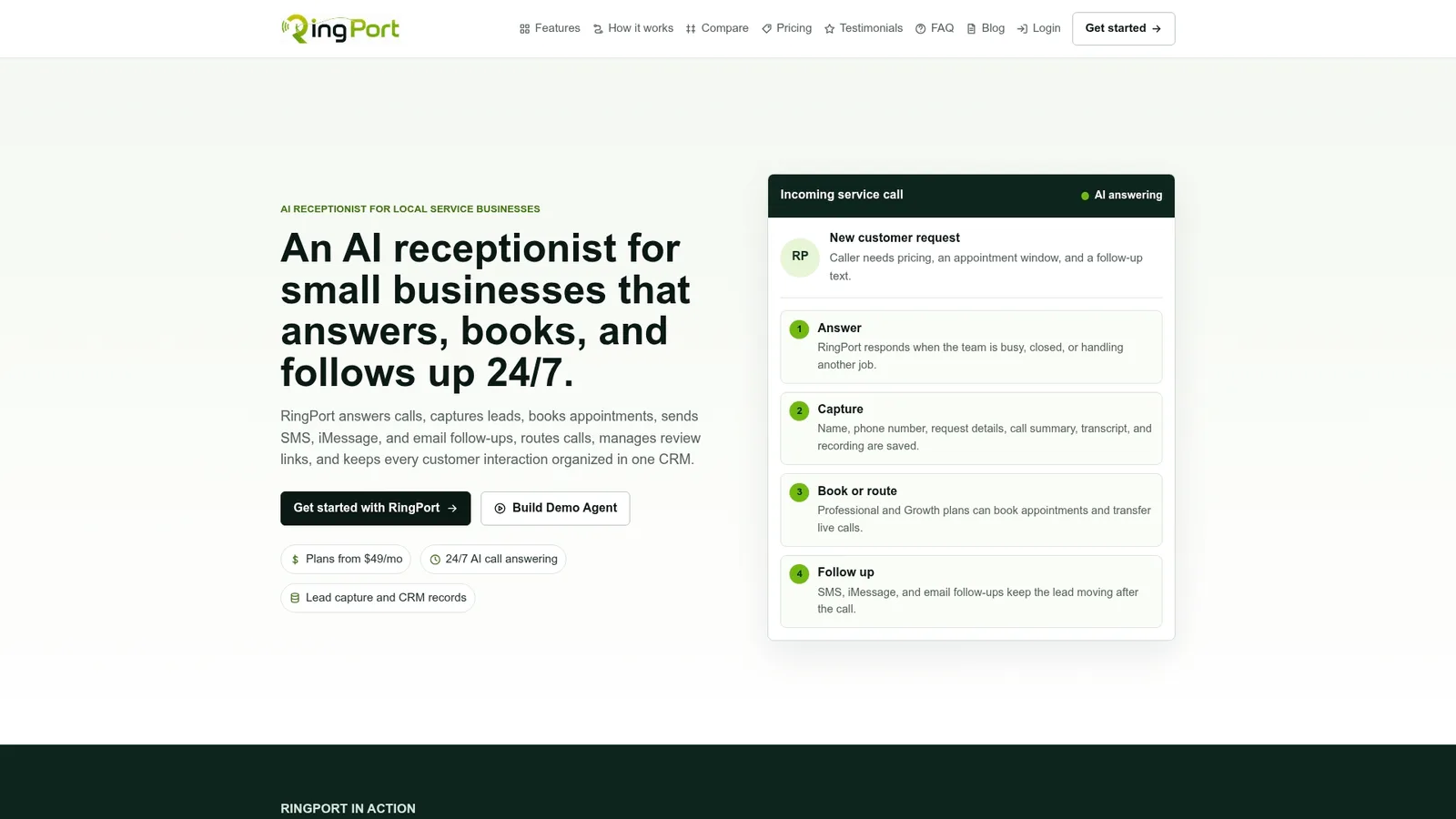
Here's how it maps to the checklist you just read. Need 24/7 coverage? RingPort answers every call, day or night, with no shift gaps. Need calendar booking? It books appointments directly into your existing schedule during the call itself. Need CRM visibility? Caller history and notes populate automatically, so nothing gets lost between calls. Need smart routing? It transfers by name and context, not a generic department menu. Need follow-up? SMS and email confirmations go out without anyone lifting a finger.
RingPort offers tiered plans, Starter, Professional, and Growth, so you can match your subscription to your actual call volume rather than overpaying for capacity you don't use. The most useful next step is a short trial: configure it for your three busiest call reasons, run the same scripted test calls covered earlier in this guide, and see what it catches in the first week. Start a RingPort trial and find out how many calls you've been missing.
Sources
- What is Call Routing? Types, Benefits & How It Works | Salesforce
- Call Forwarding FAQs | Verizon Support
- Call Forwarding for Wireless - AT&T Wireless Customer Support
- Natural language processing (NLP) article | Coursera
For device-specific dialer codes, check your carrier's own support page rather than general guides, since codes vary by network and change periodically.


