Stop Missing 15 Calls a Week: Virtual Receptionist vs AI for Local Biz
A pilot-first guide for local service owners. Compare virtual receptionists and AI, track missed calls and bookings, and run a 30-day after-hours test.

How many customers are slipping away before you can answer?
Answer 4 quick questions and get a simple missed-call estimate for your business.
Answer with one tap. Contact details come after your result.
Here is the estimate.
Thanks. Your result was received.
For most small service businesses, the right move is to start with an AI receptionist for after-hours calls and overflow, and keep a human virtual receptionist (or your own staff) for complex, high-stakes conversations. AI wins on availability and cost per call; humans win on judgment and warmth. A hybrid setup, with clear escalation rules, tends to outperform either option running alone.
TL;DR:
- AI receptionists are ideal for handling after-hours calls and high call volumes, significantly reducing missed calls during peak times and weekends.
- Human virtual receptionists excel in complex, emotionally nuanced conversations such as disputes or troubleshooting, which AI still struggles to manage effectively.
- The combined use of AI and humans can optimize call handling by automating routine tasks while reserving human intervention for high-stakes or sensitive issues.
- Costs for AI options are generally flat monthly fees with usage-based add-ons, whereas human services typically charge by the minute or tiered plans, affecting total expense based on call volume.
- Running a pilot for at least two billing cycles, focusing on answer rate, missed calls, and booked appointments, helps determine the most effective call handling mix for your business.
Table of Contents
- Virtual Receptionist vs AI: What's the Real Difference?
- Pros and Cons of AI vs Human Receptionists
- How Much Do Virtual Receptionists and AI Receptionists Cost?
- How Do You Choose Between AI, Human, or Hybrid?
- How Should AI and Humans Split the Work?
- How Do You Set Up and Test an AI Receptionist Pilot?
- Where Does Ringport Fit for Local Service Businesses?
- What Should Small Business Owners Actually Do Next?
- Try an AI Receptionist Built for Local Service Calls
- Sources
- FAQ
Virtual Receptionist vs AI: What's the Real Difference?
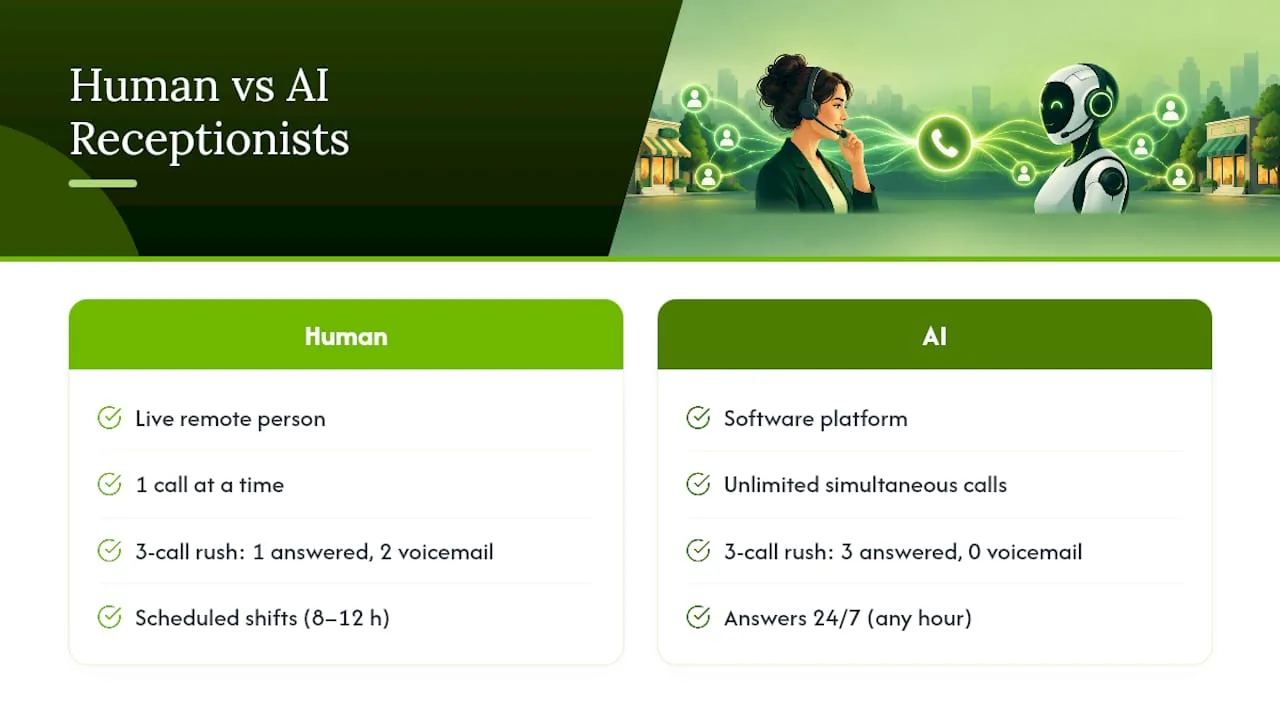
A virtual receptionist is a real person, usually working remotely for a staffing or call-answering company, who picks up your business line, greets callers, and handles basic scheduling or message-taking. An AI receptionist is software, like the platform Ringport builds, that answers calls automatically using voice recognition and conversational logic, then books appointments, routes calls, or logs leads without a human on the line.
Both solve the same core problem: you're not there to answer every call. But they solve it in different ways, and that difference shows up the moment call volume spikes or a caller says something unexpected.
Availability and hours covered. A human virtual receptionist typically works scheduled shifts, often 8 to 12 hours a day, sometimes extending into evenings for an added fee. An AI receptionist answers every call, every hour, including 2 a.m. on a Sunday. This matters more than most owners expect. Missed calls concentrate during lunch breaks, after hours, and weekends, exactly when a human-only setup goes quiet.
Concurrency and scale. A human can handle one call at a time. If three customers call simultaneously during a Monday morning rush, two go to voicemail. AI receptionists field unlimited simultaneous calls, which matters most for businesses with seasonal spikes, like HVAC companies during a heat wave.
Judgment and empathy. This is where humans still lead. A caller who's upset about a botched job, negotiating a refund, or asking a nuanced medical question needs someone who can read tone and improvise. AI handles scripted flows well but can stumble on ambiguity.
Integrations. Modern AI receptionists sync directly with calendars, CRMs, and payment systems, often out of the box, as enabled by platforms like Orphora AI. Human services can integrate too, but usually through manual entry or a slower setup process involving a third-party dispatcher.
Consistency and reporting. AI logs every call the same way and produces reportable data instantly. Human quality varies by shift, mood, and training day.
Pros and Cons of AI vs Human Receptionists
Picking a side without seeing the tradeoffs mapped to real calls is how businesses end up disappointed six months in. Here's how each option performs against actual scenarios small business owners face weekly.
- A plumber gets a burst-pipe call at 11 p.m. An AI receptionist answers instantly, captures the address and urgency level, and either books an emergency slot or texts the on-call tech. A human answering service might route it correctly too, but only if that shift is staffed. Miss the window, and the caller dials a competitor.
- A dental patient calls to complain about a billing error. This favors the human. Billing disputes require reading frustration, offering flexibility, and sometimes just listening before solving anything. AI receptionists can log the complaint and escalate, but resolving it usually needs a person.
- A salon gets 40 calls in one Saturday morning. AI handles the volume without a queue. A single receptionist, human or virtual, physically cannot take more than one call at a time, so overflow goes to voicemail, and most callers who hit voicemail don't call back.
- A property manager needs a tenant walked through a multi-step maintenance request. Complex, branching conversations with edge cases still trip up AI more often than simple booking calls, which is the common failure mode worth planning around.
The tradeoff isn't AI versus human. It's training a human (which takes weeks and whose turnover resets the clock) versus tuning an AI's call flows (which takes hours but never fully replaces contextual judgment).
Pro Tip: Route your top three call types (angry customer, urgent emergency, simple booking) through a real test call before launch. If the AI mishandles the emergency script, fix it before it costs you a customer.
How Much Do Virtual Receptionists and AI Receptionists Cost?
Human virtual receptionist services typically bill by the minute or through tiered monthly plans, often costing several hundred to over a thousand dollars a month depending on call volume and hours covered. Add-on services like after-hours coverage or bilingual staff push costs higher. AI receptionists, including Ringport's plans, run on flat monthly software fees layered with usage based add-ons for extra minutes or messaging.
Here's how to actually estimate what each option costs your business per handled call:
- Count your monthly call volume from your phone provider or a missed-calls report, which shows exactly when calls go unanswered.
- Divide your monthly service cost by total calls handled to get a cost-per-call figure.
- Multiply your average missed-call rate by your average customer value to estimate lost revenue from gaps in coverage.
- Compare that lost-revenue figure against the incremental cost of adding after-hours AI coverage.
A business missing 15 calls a week at an average job value of $200 is looking at real money walking away every month, often more than an AI subscription costs to close that gap. Our breakdown of typical virtual receptionist costs walks through fuller math.
Hidden costs deserve attention too. Human services often charge extra for call transfers or complex scripts. AI services can rack up usage fees if you underestimate call volume, and both options carry a hidden cost in escalation staffing, someone still has to be reachable when either system needs a human to step in. Budget a pilot month before committing to annual pricing on either side.
How Do You Choose Between AI, Human, or Hybrid?
The right choice depends on what your calls actually look like, not on which option sounds more modern. Run through this before deciding:
- Count your after-hours and overflow call volume. If a meaningful share of calls happen outside business hours or during predictable rush periods, AI receptionists close that gap immediately.
- Audit call complexity. If most calls are booking, rescheduling, or basic Q&A, AI handles that well. If most calls involve troubleshooting, negotiation, or sensitive topics, weight toward human coverage.
- Check your current missed-call rate. Pull a report and see how many calls go to voicemail versus get answered live.
- Ask any AI vendor pointed questions: What's the escalation process when the AI can't resolve something? What CRM and calendar integrations exist? How is voice data stored and used, and can they show that in writing?
That last question matters more than it sounds. The Federal Trade Commission has taken enforcement action against companies that made misleading claims about AI listening and marketing capabilities, so don't take a vendor's pitch at face value; ask for it in writing.
Track three numbers during any pilot: answer rate, missed-call rate, and appointments booked. If AI improves those numbers without a spike in customer complaints, expand it. If it doesn't, adjust the script or reconsider scope.
Pro Tip: Run your pilot for at least two full billing cycles before judging results. One slow week skews the data either way.
How Should AI and Humans Split the Work?
The strongest setups aren't AI-only or human-only. They split duties by call type and hand off cleanly when something exceeds the AI's lane.
AI typically owns routine bookings, rescheduling, FAQs, after-hours capture, and initial lead qualification. Humans own complaints, high-value sales conversations, and anything requiring negotiation or emotional read.
- Build a warm handoff that passes a one-line summary (caller name, reason for calling, relevant appointment or account ID) so the human doesn't make the customer repeat everything.
- Set escalation triggers around specific keywords ("refund," "cancel," "lawsuit"), repeated caller frustration, or flagged VIP accounts.
- Route any call where the AI can't confidently classify intent within a couple of exchanges, straight to a human queue.
- Review a sample of AI-handled calls weekly to catch scripts that need tuning before small friction becomes a pattern of lost bookings.
A tool like Ringport builds these handoff rules into its smart routing, so the AI doesn't just drop calls when it hits a wall. It passes context forward.
How Do You Set Up and Test an AI Receptionist Pilot?
Before going live, map your five most common call types and write a short brief for each: what the caller needs, what information to collect, and what a successful outcome looks like. Most AI receptionist platforms use this to build initial call flows.
- Connect your calendar, CRM, and payment tools before testing, not after.
- Run role-play calls covering your worst-case scenarios (angry caller, wrong number, dead air) before opening it to real traffic.
- Roll out in stages: after-hours only for week one, full-time coverage once you trust the flow.
- Check phone-level settings like call routing and carrier features such as "Silence Unknown Callers," which can block legitimate calls from ever reaching your AI line.
- Verify any vendor's claims about voice-data handling in writing. The FTC's 2026 enforcement actions against companies overstating AI listening capabilities show this isn't a hypothetical risk.
Missed calls aren't a rounding error. Call analytics data consistently shows unanswered calls cluster in predictable windows, exactly the windows most small businesses have no coverage plan for.
Where Does Ringport Fit for Local Service Businesses?
Ringport was built specifically for local service businesses, plumbers, salons, medical offices, property managers, running on phone calls and appointments they can't afford to miss. It handles the scenarios where AI has the clearest edge: after-hours capture, overflow during rush periods, and repetitive booking flows that eat staff time.
What it covers, based on its own feature set:
- 24/7 automated call answering, so no lead waits until Monday morning.
- Appointment booking synced directly to your calendar.
- Smart call routing and transfers when a call needs a human.
- CRM management and multi-channel follow-up (SMS, email) to keep leads from going cold.
For a business already losing bookings to voicemail during lunch rushes or weekends, this maps directly onto the highest-value gaps identified earlier in a call audit.
What Should Small Business Owners Actually Do Next?
Start small. Pilot an AI receptionist for your after-hours and overflow calls first, since that's where the return shows up fastest and the risk is lowest. Keep a human in the loop for complaints, high-value sales, and anything requiring real judgment.
Whatever you choose, tell your staff and regular customers what's changing before it changes. A quick heads-up ("you might notice a new voice answering after 6 p.m.") avoids confusion and complaints about a system nobody explained. Measure answer rate and bookings weekly, not monthly. The data tells you faster than instinct will.
— Serhii
Try an AI Receptionist Built for Local Service Calls
Ringport is the alternative to hiring or scheduling a human answering service for local service businesses drowning in missed calls, calls answered instantly, 24/7, without adding payroll or coordinating shift coverage.
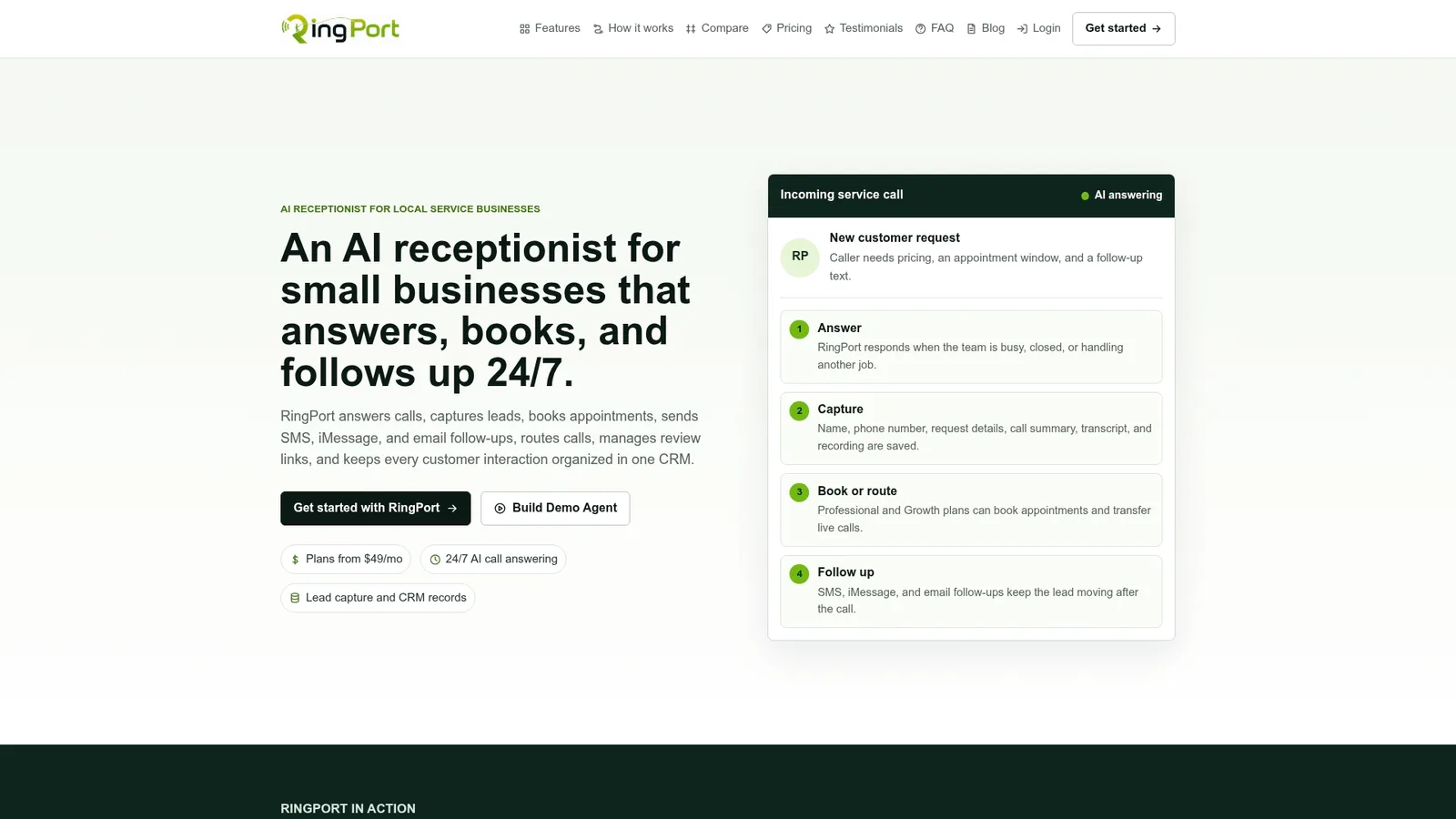
If you've read this far, you already know where your call gaps are: after-hours, lunch rushes, or the Saturday morning rush your front desk can't keep up with. Ringport answers every call, books the appointment directly into your calendar, routes anything complex to a real person, and follows up by text or email so leads don't go cold. Plans start with Starter at $49 a month, scaling up to Professional at $149 and Growth at $299 as your call volume grows, with pay-as-you-go add-ons for extra minutes when you need them.
This is Ringport's own product, and we'd rather you pilot it with real numbers than take our word for it. Track your answer rate and booked appointments for 30 days, then decide. Start with the Ringport plans page or check out Ringport Fast Agent if you need higher-volume handling from day one.
Sources
- FTC: Finalizes orders requiring Cox Media Group and two other firms to pay nearly $1 million to settle charges they deceived customers about Active Listening claims
- Receptionists: Occupational Outlook Handbook — U.S. Bureau of Labor Statistics
- Unanswered calls report – CallRail Help Center
FAQ
Is AI replacing receptionists?
AI is replacing some receptionist tasks, especially after-hours answering, basic scheduling, and overflow call handling, more than it's replacing receptionists outright. The Bureau of Labor Statistics notes that automation is reshaping administrative roles as businesses adopt tools that handle routine contact points. Most businesses that adopt AI still keep humans for complex or sensitive calls.
Are virtual assistants getting replaced by AI?
Some virtual assistant tasks, particularly scheduling, call answering, and basic customer questions, are shifting to AI tools because they're available around the clock and handle unlimited simultaneous calls. Human virtual assistants still hold ground on judgment-heavy work like negotiations, complaints, and nuanced customer service.
Is an AI receptionist a good idea?
For most small service businesses, yes, particularly for after-hours coverage and call overflow, where missed calls otherwise translate directly into lost revenue. The tradeoff is judgment: AI handles routine bookings well but should hand off complex or emotionally charged calls to a person. A tool like Ringport is designed around that split, with smart routing built in.
Are virtual assistants considered AI?
Not by default. A traditional virtual assistant or virtual receptionist is a human worker, often remote, handling calls and tasks personally. Only software-based assistants that use automated voice or conversational technology, like an AI receptionist, actually qualify as AI.