
One Hour SLA That Stops Missed Calls for Small Service Businesses
Learn low-cost, compliance safe steps—missed-call text-backs, voicemail-to-text, and a one hour callback SLA—to stop losing leads at small service businesses.
How many customers are slipping away before you can answer?
Answer 4 quick questions and get a simple missed-call estimate for your business.
Answer with one tap. Contact details come after your result.
Here is the estimate.
Thanks. Your result was received.
Start with 24/7 automated capture plus a one-hour callback SLA: this combination stops most missed-call leakage before it costs you a customer. Pairing instant text-back and voicemail-to-text with a fast human follow-up recovers leads that would otherwise go cold, and a platform like RingPort gives you a practical way to set this up without hiring extra staff. Just build in consent safeguards for automated texts, since TCPA rules apply the moment you send one.
TL;DR:
- Start with a free voicemail greeting and text back, assign a one hour callback rotation, and track missed call rates and first response times.
- Keep service confirmation texts separate from marketing, obtain written consent for promotional outreach, save opt in records, and identify your business in every message.
- RingPort lists plans at $49, $149, and $299; start with free voicemail and text back, then add paid automation if call volume warrants it.
- Run text back with a one hour callback target for 30 days, then compare missed call rates, response times, and bookings before expanding automation.
Table of Contents
- Why missed calls cost more than one lost sale
- Where missed calls actually come from
- Fast, low-cost actions you can implement today
- Which technology to choose for call handling
- Compliance checklist for automated texts and calls
- A 30/90/180-day plan and the metrics to watch
- How-to resources for setting up these flows
- Training and scripts that help staff stop missing calls
- Best practices for scheduling calls around your busiest hours
- Connecting missed-call management to your CRM
- What these technology options actually cost
- Examples of small service businesses closing the gap
- A short note on testing before committing
- Try RingPort for your missed-call problem
- FAQ
- Sources
Why missed calls cost more than one lost sale
A missed call rarely means a single lost job. It usually means a lost customer relationship, because the caller moves to the next name on their list within minutes. Response speed matters more than most owners assume: the longer a lead sits unanswered, the colder it gets, and conversion drops the longer you wait to call back.
You can estimate your own exposure with a simple formula: missed calls per week multiplied by your average close rate, multiplied by your average job value.
Billing and consent rules around automated outreach carry real enforcement weight. The FCC's prior express written consent rules require one-to-one consent for certain automated texts and calls, meaning the stakes of getting your follow-up process wrong go beyond lost revenue.
Where missed calls actually come from
Before you pick a fix, it helps to know which part of your operation is actually leaking calls. Most small service businesses fall into one or more of these patterns:
- Staffing gaps: a single owner or technician is on-site and physically can't answer while working.
- No rotation system: calls pile up because no one is designated to pick up during busy stretches.
- Missing callback SLA: messages sit in a shared inbox or sticky note with no deadline attached.
- Peak-hour overload: lunchtime, early evening, and weekend call spikes overwhelm whoever is answering.
- After-hours silence: no plan exists for calls that come in once the shop closes.
- Tech gaps: no voicemail-to-text, no smart routing, and no booking link to hand off interested callers.
Most businesses have two or three of these stacked together, which is why a single fix rarely solves the whole problem.
Fast, low-cost actions you can implement today
You don't need new hardware or a big budget to stop the bleeding this week. Start with the basics and build from there.
- Turn on missed-call text-back. Send an automatic text within seconds of a missed call, something like "Sorry we missed you! Reply here or tap to book: [link]." Collect opt-in language in that first text so recipients know they can reply "STOP" at any time.
- Set a callback SLA. Commit to calling back within one hour during business hours, and assign a rotation so one person isn't the single point of failure.
- Rewrite your voicemail greeting. Keep it under 20 seconds, state your hours, and invite the caller to text instead of waiting on hold.
- Turn on voicemail-to-text forwarding. This turns messages into readable texts or emails so nothing sits unheard for hours.
- Update your Google Business Profile and website with accurate hours and a visible booking link, so callers who can't reach you can self-serve.
- Track two numbers weekly: your missed-call rate and your average time-to-first-response.
Pro Tip: Keep your text-back message under 160 characters so it sends as a single SMS and reads instantly on any phone.
Which technology to choose for call handling
Once the basics are in place, the next decision is which tool actually closes the gap. A few categories cover most small business needs:
- Virtual receptionist: a human answers remotely on your behalf, good for businesses that want a live voice without hiring in-house.
- AI receptionist: software answers calls, books appointments, and routes messages around the clock, which suits solo owners and small teams who can't staff phones full-time.
- IVR and smart routing: calls get directed based on time of day, caller intent, or staff availability, reducing dead-end rings.
- Voicemail-to-text: transcribes messages so you can scan and respond from a text thread instead of playing back audio.
- Unified lead inbox with calendar or CRM sync: every missed call, text, and booking request lands in one place instead of scattered across apps.
The tradeoffs are predictable: live receptionist services cost more and offer a human touch, while AI-driven tools cost less and run continuously but require you to write good scripts upfront. A typical flow looks like this: a missed call triggers an automatic text, the voicemail gets transcribed and pushed to your inbox, and a booking link lets the caller grab a slot without waiting for a callback. RingPort's automated call answering and voicemail-to-text guides walk through exactly this kind of setup for service businesses.
Compliance checklist for automated texts and calls
Automating your follow-up is worth doing, but it comes with rules you can't skip. Before you turn anything on, run through this short list:
- Use one-to-one prior express written consent for marketing texts, as required under the FCC's Second Report and Order, which also mandates blocking and Do-Not-Call protections for noncompliant senders.
- Separate service-confirmation texts from marketing texts. A missed-call text-back confirming you got their message is lower risk than a promotional follow-up, which typically needs explicit written consent.
- Keep records. Save timestamps of opt-ins and the content of automated messages, since consent must be tied to the specific number and seller rather than shared across a lead list.
- Include your business name in every text. A court filing on TCPA enforcement shows that omitting the seller's name from a text campaign can create legal exposure.
Billing rules apply too if you buy leads through pay-per-call channels. The FTC's 900-number guidance places liability on billing providers and sets disclosure requirements for call-based advertising.
When in doubt, start with service-confirmation texts and opt-in flows, and loop in counsel before launching anything that looks like a marketing campaign.
A 30/90/180-day plan and the metrics to watch
Rolling this out in stages keeps risk low while you learn what actually moves the needle for your business.
- Days 1 to 30: set your callback SLA, turn on voicemail-to-text, launch missed-call text-back with opt-in language, and update your Google Business Profile hours and booking link.
- Days 31 to 90: trial an AI receptionist or hosted phone system, consolidate leads into one inbox, and connect your calendar or CRM.
- Days 91 to 180: refine call routing around your actual peak windows and measure whether the automation is paying for itself against staffing costs.
| Metric | Why it matters |
|---|---|
| Missed-call rate | Shows how much demand you're currently losing |
| Time-to-first-response | Drives conversion more than almost any other factor |
| Lead-to-booking conversion | Tells you if captured leads actually turn into jobs |
| No-show rate | Flags whether booked appointments are sticking |
| Average deal value | Helps you calculate real dollar impact of fixes |
How-to resources for setting up these flows
We built our missed-call text-back guide and smart call routing breakdown to walk through the exact setup steps above. RingPort's core features, 24/7 AI call answering, automated routing, and CRM management, are designed around these same flows for local service businesses.
Training and scripts that help staff stop missing calls
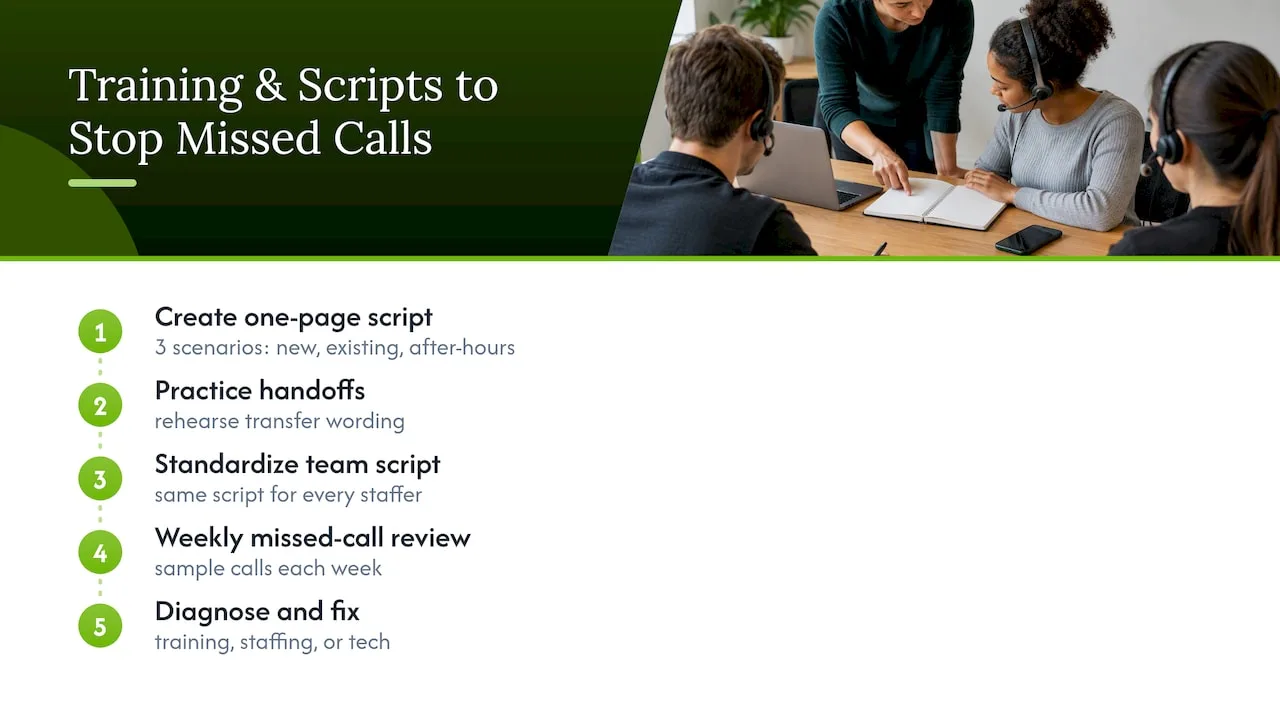
Technology handles the gaps when no one's available, but trained staff reduce how often that gap opens in the first place. A short script for answering calls, confirming the caller's need, and offering a booking time keeps calls shorter and frees the line faster for the next ring.
Write a one-page script covering three scenarios: a new customer inquiry, an existing customer with a question, and an after-hours caller who needs to be routed to voicemail or text-back. Practice the handoff language for when a call needs to go to someone else, since a clumsy transfer often turns into a dropped call. If more than one person answers phones, keep the script identical across the team so callers get a consistent experience regardless of who picks up.
Review a sample of missed calls each week and ask what happened: was no one near the phone, was the caller on hold too long, or did the call simply ring out? That pattern tells you whether the fix is more training, a staffing adjustment, or a technology gap.
Best practices for scheduling calls around your busiest hours
Most small businesses see call volume cluster around predictable windows: lunchtime, early evening, and weekends, when customers have time to call but staff are often busiest doing the actual work. Mapping your call volume by hour for two weeks will show you exactly when your peaks hit.
Once you know your peak windows, build a routing rule around them. During identified busy periods, forward calls to an off-site agent, an AI receptionist, or a rotating teammate, while routing quieter hours straight to the owner's phone to keep personal control when volume is light. This kind of peak-aware routing cuts down on the rushed, distracted answers that often turn into missed follow-ups.
Staggering breaks and designating a back-up answerer for your busiest hour of the day also helps, especially for single-location businesses where one person stepping away can mean every call goes unanswered for twenty minutes.
Connecting missed-call management to your CRM
A missed call that doesn't make it into your CRM is a lead that's easy to forget. Once a voicemail or text-back reply comes in, it should land in the same system where you track every other customer interaction, not a separate notebook or a phone's call log.
A unified setup means every missed call automatically creates a lead record, tags the source, and sets a follow-up reminder, so nothing depends on someone remembering to write it down. If you already use a CRM for invoicing or scheduling, check whether it supports call or text integrations before adding a separate tool on top.
This connection matters most for follow-up timing. A lead sitting in your CRM with a scheduled reminder is far more likely to get called back inside your SLA window than one buried in a missed-calls list on your phone.
What these technology options actually cost
Budget is often the real reason owners put off fixing their missed-call problem, so it helps to see the options side by side. A live virtual receptionist service tends to sit at the higher end of the spectrum because you're paying for a person's time on every call. AI receptionist subscriptions typically scale with usage tier instead, which suits businesses with variable call volume.
RingPort's own plans illustrate that range: the Starter plan runs $49 per month, Professional is $149 per month, and Growth is $299 per month, with a pay-as-you-go option for extra minutes available on request. Compare that monthly cost against the revenue formula from earlier: if missed calls are costing you even a few hundred dollars a week, a mid-tier plan often pays for itself inside the first month.
The cheapest fixes, a better voicemail greeting and a text-back template, cost nothing but your time to set up. Treat those as your starting point, then layer in paid automation once you've confirmed the volume justifies it.
Examples of small service businesses closing the gap
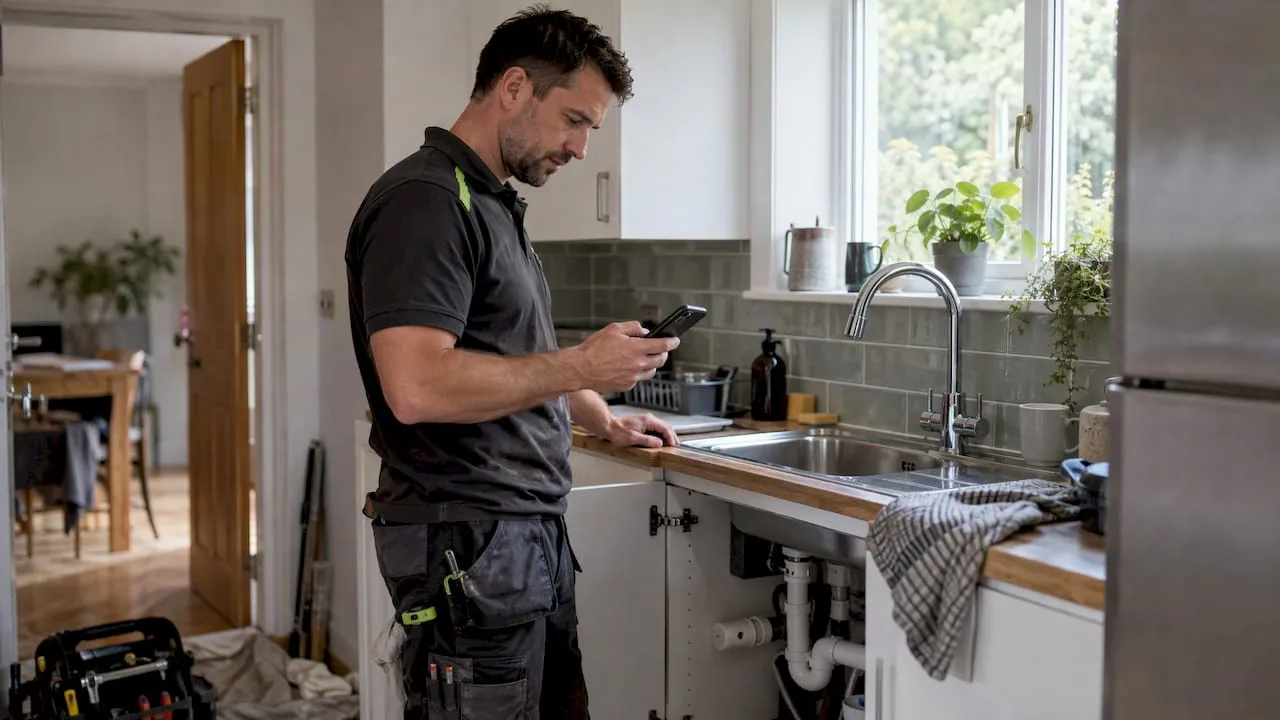
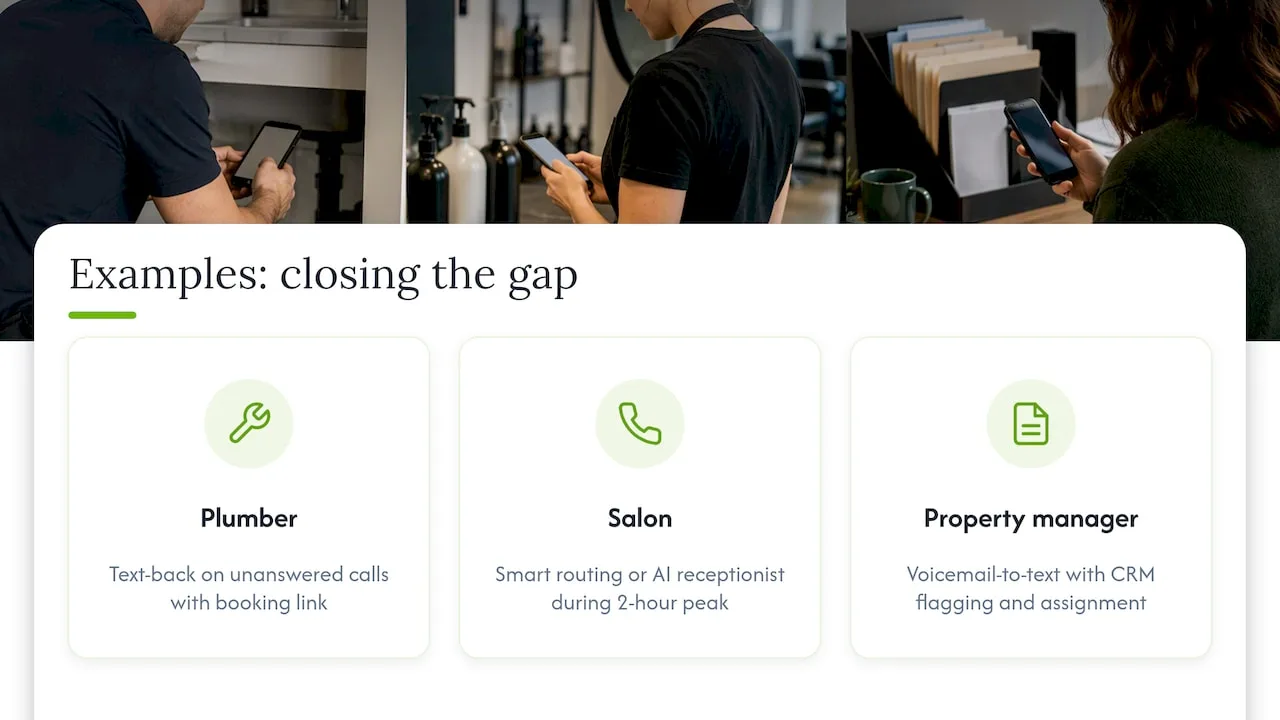
A single-technician plumbing business that can't answer calls while under a sink is a textbook case for missed-call text-back: the moment a call rings out, a text goes to the caller with a booking link, so the job gets captured even though no one picked up live. A salon with one front-desk person during peak hours faces the opposite problem: too many calls at once, solved better by smart routing that spreads incoming calls across a rotation or an AI receptionist during the busiest two-hour block.
A property management office handling after-hours maintenance requests often benefits most from voicemail-to-text paired with a CRM integration, since urgent requests need to be flagged and assigned rather than just logged. Across these examples, the pattern repeats: diagnose the actual cause of the missed call, match a fix to that specific gap, and measure whether time-to-first-response actually improves afterward. For businesses leaning on pay-per-call advertising to generate leads, it's also worth knowing that pay-per-call billing typically only charges advertisers for calls meeting a quality threshold, like lasting at least a minute, which is a separate consideration from the organic missed-call problem this guide addresses. Businesses in local search–heavy categories can also pair these fixes with local listing optimization to make sure the booking link and hours surfacing in search match what your phone system actually supports.
A short note on testing before committing
Pick one small experiment, like text-back plus a one-hour SLA, and run it for 30 days before investing further. Measure what changed, then decide what's worth scaling.
— Serhii
Try RingPort for your missed-call problem
Everything in this checklist maps directly to what we built RingPort to do: 24/7 automated call answering catches the calls you can't, smart routing sends peak-hour volume to the right place, and CRM management keeps every lead and follow-up in one inbox instead of scattered across texts and voicemail.
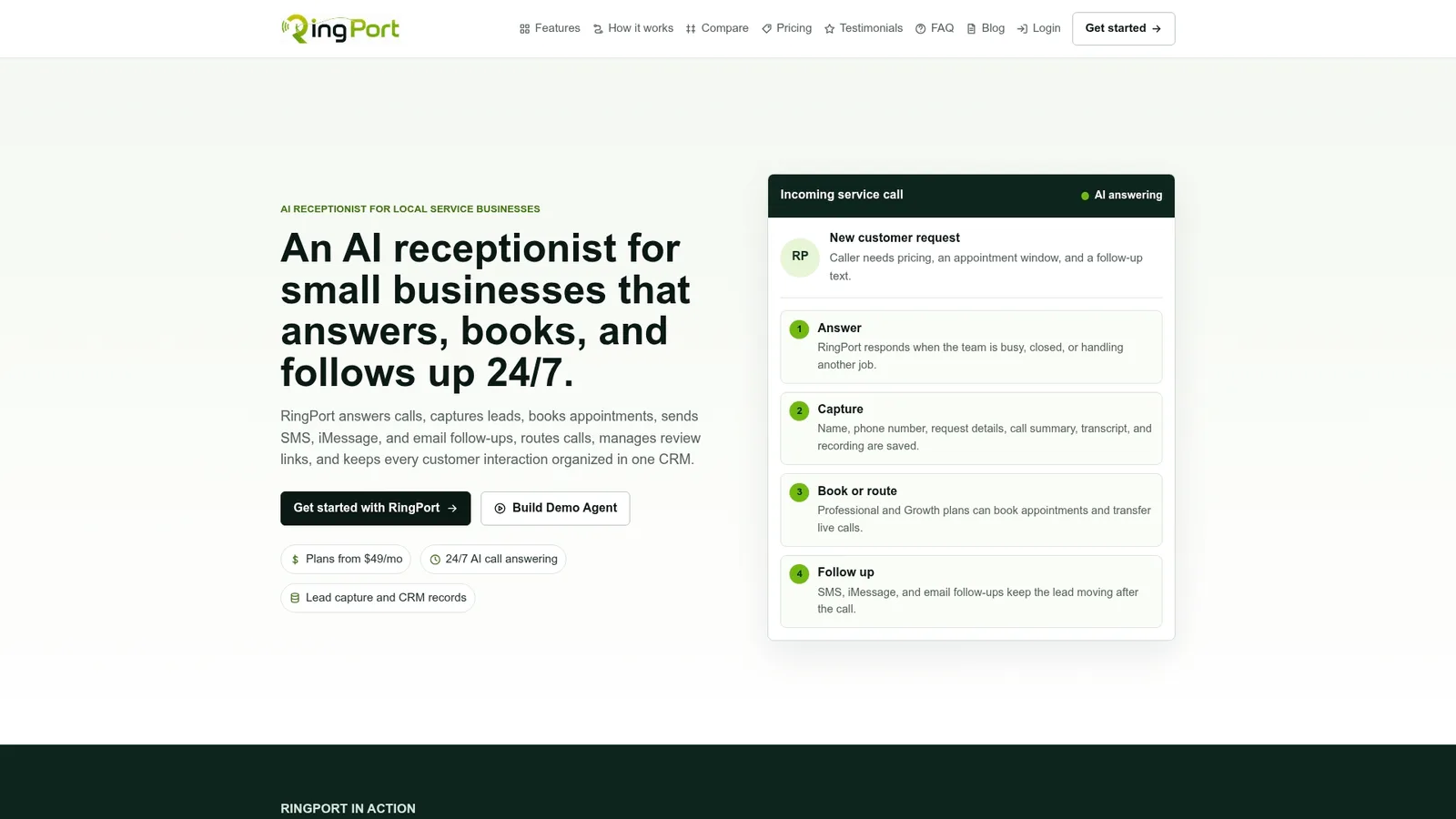
- Instant capture: automated answering and text-back run around the clock, even when you're on a job site.
- Built-in follow-up: leads sync into a CRM with reminders, so your callback SLA isn't dependent on memory.
- Flexible plans: Starter, Professional, and Growth tiers scale with call volume, plus pay-as-you-go minutes for busy months.
Check RingPort's plans or see the Fast Agent demo to see how it fits your call volume before you commit.
FAQ
I'm receiving missed calls from unknown numbers. What should I do?
Let unrecognized numbers go to voicemail or an automated text-back system rather than answering live every time, since this filters spam while still capturing legitimate leads. If a number calls repeatedly without leaving a message, it's often safe to treat as low priority.
What is pay per call advertising?
Pay per call is a performance-based advertising model where businesses pay only for phone calls generated by an ad, usually calls that meet a quality threshold like lasting at least one minute. It's billed to the advertiser, not the caller, and works alongside, not in place of, fixing your own missed-call handling.
How late can you make business calls?
There's no single universal cutoff, but automated marketing texts and calls fall under consent rules like the FCC's one-to-one consent requirements, so businesses should confirm timing restrictions apply to their specific outreach type. For routine callbacks, sticking to normal local business hours avoids most complaints.
How do I say I missed your call in a professional way?
A simple, direct message works best: "Sorry we missed your call! We'll get back to you within the hour, or reply here anytime." Keeping it short and including a next step, like a booking link, turns an apology into a chance to still capture the lead.
Sources
- Targeting and Eliminating Unlawful Text Messages — FCC (DA-24-910A1)
- Complying with the 900 Number Rule | Federal Trade Commission
- Pay per call — Wikipedia
- Newell v. JR Capital (court filing) — govinfo


