
Voicemail to Text: Enable It, Export It, or Automate It
Transform your voicemails into text effortlessly! Learn three easy methods to enable, export, and automate voicemail transcription today.

How many customers are slipping away before you can answer?
Answer 4 quick questions and get a simple missed-call estimate for your business.
Answer with one tap. Contact details come after your result.
Here is the estimate.
Thanks. Your result was received.
Yes, you can turn any voicemail into readable text today. Three paths get you there: built-in phone transcription, carrier or visual-voicemail forwarding, or a third-party transcription service. Each one fits a different situation, and picking the right one takes about thirty seconds once you know what to look for.
Here's where to start:
- Casual, occasional messages: turn on transcription in your phone's built-in settings (Android or iPhone).
- Higher accuracy needed: export the audio file and upload it to a dedicated transcription service.
- Ongoing, automatic delivery: set up a third-party service or business phone system that captures every voicemail as text without you lifting a finger.
One catch worth knowing upfront: accuracy, language support, and even whether transcription works at all depends heavily on your device, your carrier, and which service you choose.
Key Takeaways
Getting voicemail as text is straightforward, but matching the method to the stakes of the message is what actually saves time.
| Point | Details |
|---|---|
| Built-in transcription is free | Android's Phone by Google and iPhone Visual Voicemail both transcribe automatically when supported by your carrier. |
| Export audio for accuracy | Save the .m4a or .amr file and upload it to a dedicated service when a message really matters. |
| Cloud processing improves results | Third-party AI transcription tends to handle accents and noise better than on-device engines. |
| Cost scales with accuracy needs | Free device transcription, subscription apps, and per-minute human services each serve a different use case. |
| Ringport removes the manual step | It answers calls, captures details, and routes them into a CRM instead of leaving a voicemail to transcribe. |
Table of Contents
- What Is Voicemail Transcription and How Does It Work?
- How Do You Turn On Voicemail Transcription on Android?
- What Should You Expect From iPhone Visual Voicemail?
- When Should You Use a Third-Party Voicemail App or Service?
- How Accurate Is Voicemail Transcription, and What Does It Cost?
- Which Voicemail-to-Text Option Actually Fits Your Situation?
- RingPort Turns Missed Voicemail Into Captured Business
- Sources
What Is Voicemail Transcription and How Does It Work?
Voicemail transcription runs on automatic speech recognition, or ASR, the same underlying technology that powers voice assistants and dictation apps. The software listens to the audio and converts spoken words into text, either right on your phone or on a remote server.
That distinction matters more than most people realize. On-device processing tends to be faster and keeps the audio local, but it's usually limited to whatever language and accuracy the phone's built-in model supports. Cloud-based processing, the kind used by most third-party apps, can run heavier AI models capable of handling accents, background noise, and longer messages more reliably. Cloud infrastructure is what lets these services offer exports, integrations, and continuous improvements that a phone alone can't match.
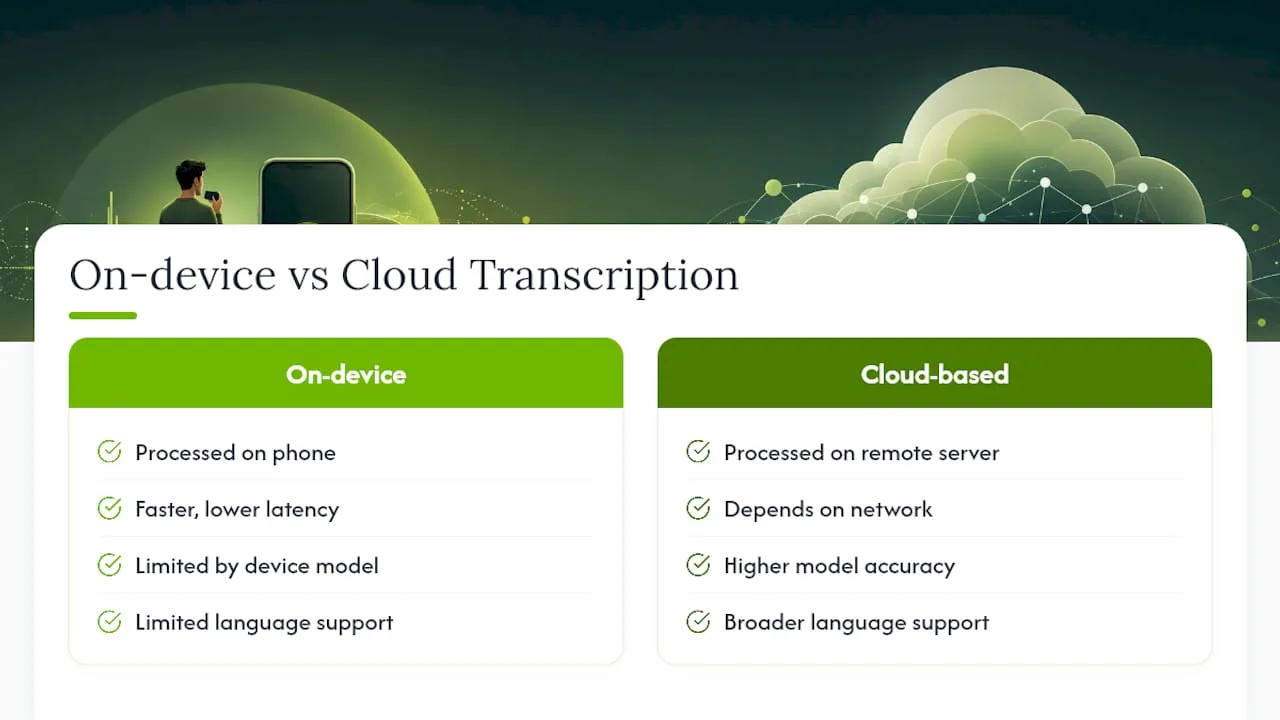
There's also a difference between passive delivery and active upload. Carrier-based visual voicemail and Phone by Google both transcribe automatically the moment a message arrives. Third-party services usually require you to send the audio file yourself, either as a one-time upload or through an ongoing forwarding setup.
Some providers, including Google, note that transcription happens by computer and isn't permanently tied to your account unless you opt in to share transcripts for model improvement. Opted-in data may then get anonymized human review to help refine accuracy.
Pro Tip: Export the raw audio file before you try any transcription method. Having the original .m4a or .amr file on hand means you can always re-run it through a more accurate service later if the built-in transcript comes back garbled.
How Do You Turn On Voicemail Transcription on Android?
Phone by Google, the default dialer on most Android devices, includes transcription as a built-in setting. Here's how to switch it on:
- Open the Phone app.
- Tap the three-dot menu (More options) in the top corner.
- Go to Settings → Voicemail.
- Toggle on Voicemail transcription.
Once enabled, new voicemails show up with a text preview right in your call log, no need to dial in and listen. When it works, you'll see the transcript sitting beneath the caller's name, tappable to expand or play the original audio.
Availability depends on your Android version and, more importantly, your mobile carrier — transcription requires Android 8.0 or later and currently supports English and Spanish. If it's not appearing:
- Update the Phone app and your Android OS to the latest version.
- Check that your carrier supports visual voicemail (some prepaid or regional carriers don't).
- If transcription still fails, export the audio and upload it manually to a dedicated service.
What Should You Expect From iPhone Visual Voicemail?
Visual Voicemail on iPhone works similarly but lives inside the native Phone app under the Voicemail tab. Tap any message and, if transcription is available, the text appears directly below the entry.
- Open Phone → Voicemail.
- Tap the message you want to read.
- Wait a moment for the transcript to load beneath the playback bar.
Compatibility depends on your iOS version and carrier support, and Verizon's own documentation confirms this behavior varies by device and network. Calls from unknown or blocked numbers sometimes skip transcription entirely, and non-English messages often come back blank or garbled.
Pro Tip: If accuracy matters, export the voicemail as an .m4a file (Voicemail → tap message → Share → Save to Files) and run it through a specialized transcription tool instead of relying on Apple's built-in engine.
When Should You Use a Third-Party Voicemail App or Service?
Three workflows cover almost every use case. Device and carrier transcription, the kind built into Android and iPhone, needs zero setup and works fine for quick personal scans. Ongoing third-party services, like voicemail-reading apps that auto-capture and deliver transcripts by text or email, suit people who want every message handled without manual steps. One-off uploads to AI or human transcription tools make sense when you need a specific message done right.
Which workflow fits depends on the stakes:
- Personal use: built-in transcription is usually good enough for a quick read.
- Business notes: a service that forwards voicemail as text into your inbox or CRM saves real time.
- Legal or compliance needs: paid human transcription services, such as SpeakWrite, offer the accuracy level that automated tools can't guarantee.
Carriers like AT&T also support forwarding voicemail as an email with both text and audio attached, which works well if your workflow already runs through email. Exporting audio yourself is simple: on iPhone, use Share → Save to Files; on Android, most voicemail apps have a three-dot menu or download icon for saving .m4a or .amr files ready for upload.
How Accurate Is Voicemail Transcription, and What Does It Cost?
Accuracy swings wildly depending on the method. Built-in phone transcription handles clear, slow speech reasonably well but stumbles on names, phone numbers read aloud, and background noise. Cloud-based third-party services generally do better with accents and longer messages, since they're running more capable models, but even they can misfire in loud environments or with strong non-native accents.

Some platforms, like Aircall's transcription feature, flag when audio is too noisy or silent instead of guessing, which is a small but useful honesty check compared to services that just output a best-effort mess.
Privacy handling follows a similar split. On-device processing keeps audio local; cloud processing sends it off to a server, though reputable providers process it for transcription only and don't permanently store it unless you opt in to a review program.
Cost models fall into three buckets:
- Free: built-in carrier and device transcription, no subscription required.
- Subscription: third-party apps typically run a monthly fee for unlimited auto-transcription and delivery.
- Per-minute or per-message: human transcription services charge for higher accuracy, often used for legal or compliance-sensitive voicemail.
Which Voicemail-to-Text Option Actually Fits Your Situation?
Match the method to what you actually need, not what sounds most advanced. If you're just clearing your inbox, built-in transcription on Android or iPhone handles it for free. If a specific voicemail matters (a client detail, a number, a name), export the audio and re-run it through a dedicated AI or human transcription service instead of trusting the phone's quick guess.
For anything ongoing and business-related, a subscription-based transcription workflow beats managing exports one at a time.
- Quick scan: use your phone's built-in transcription, no setup needed.
- Accurate record: export the audio, upload to a transcription service.
- Integrated business workflow: use a system that auto-captures, transcribes, and routes voicemail into your CRM or scheduling tool.
Small service businesses fielding calls from prospective clients need that third branch. Missed voicemail means missed leads, and manually exporting audio files isn't a system, it's a workaround.
Why Voicemail Transcription Matters More Than It Seems for Small Businesses
I think transcription gets underrated as a productivity tool because people frame it as convenience rather than infrastructure. A searchable text record of every voicemail means you can scan a week of messages in the time it takes to listen to one. Tied into a CRM or scheduling workflow, that transcript becomes a lead you can act on instead of a message you might forget to return.
RingPort Turns Missed Voicemail Into Captured Business
None of the methods above solve the real problem for a busy service business: someone still has to notice the voicemail, read it, and follow up before the caller tries a competitor. Ringport is built for exactly that gap. It answers every call around the clock, captures the details automatically, and routes them straight into your CRM or booking system so nothing sits in a voicemail inbox waiting to be checked.
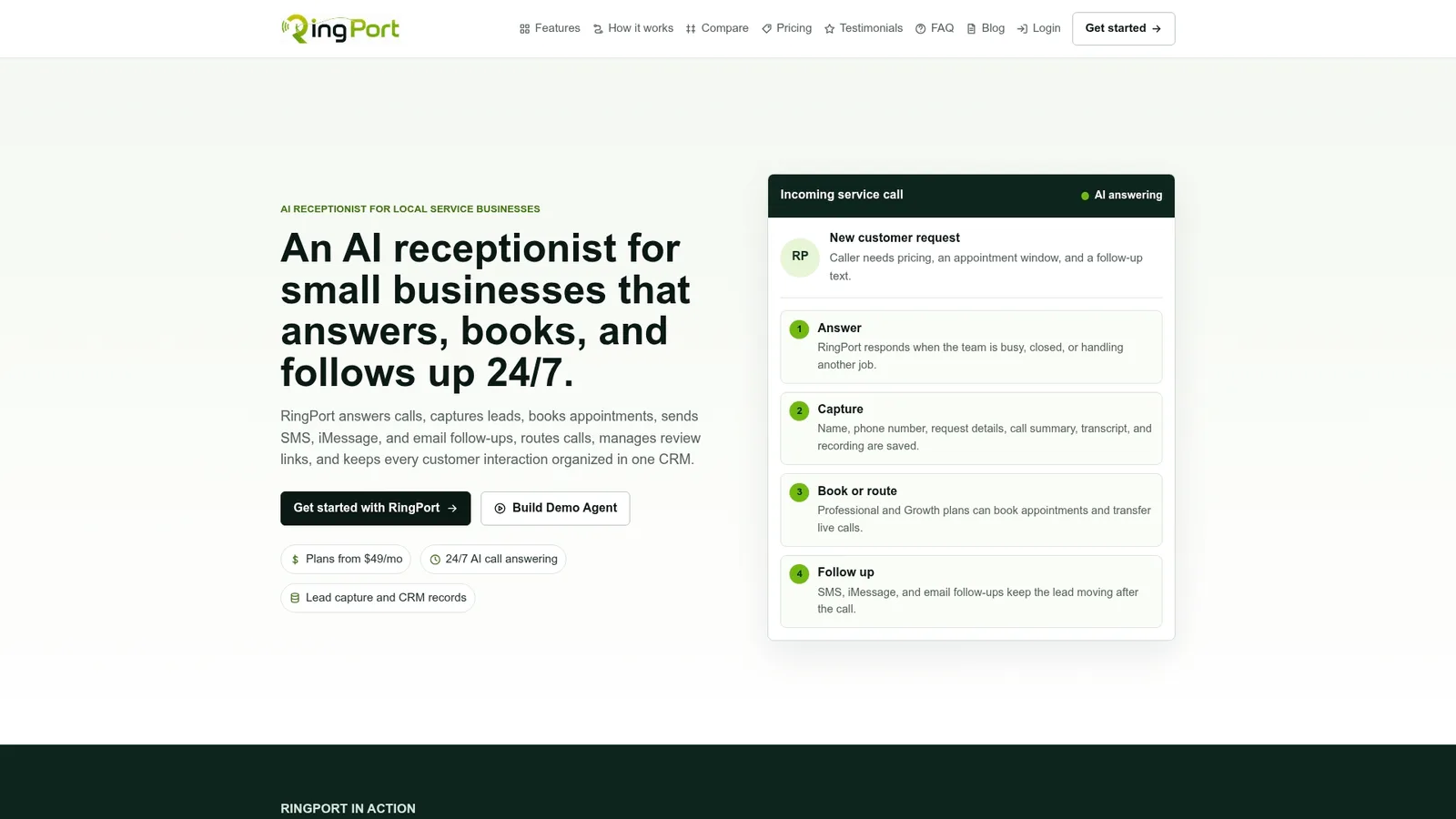
Instead of exporting audio files or hoping your carrier's transcription works that day, Ringport handles the call itself, books the appointment, and hands off structured notes to your existing workflow through webhook integrations. For a solo contractor or a small clinic front desk, that's the difference between chasing voicemail and never having one to chase. If missed calls have been costing you leads, start with Ringport and see how automated call handling compares to relying on transcripts alone.
Sources
- Google Voice – data processing and privacy notes
- What is cloud computing — Microsoft Azure
- AT&T Voicemail-to-Text for Unified Messaging
- Voicemail to Text - Phone by Google | Verizon


