
Webhooks for Developers: Build Secure, Fast, Idempotent Receivers
Learn what a webhook does and how to build reliable receivers: verify signatures, return 2xx fast, and handle retries with idempotent processing.

How many customers are slipping away before you can answer?
Answer 4 quick questions and get a simple missed-call estimate for your business.
Answer with one tap. Contact details come after your result.
Here is the estimate.
Thanks. Your result was received.
A webhook is an automated, event-driven message: the moment something happens in one system, it fires an HTTP POST containing a JSON payload to a URL you've registered in advance. That's the whole idea. Instead of your app repeatedly asking "did anything change yet?", the sending system taps you on the shoulder the second it does. The basic technical shape is simple: an endpoint URL, a JSON body, a signature to prove it's legit, and a fast 2xx reply from your side.
TL;DR:
- Webhook failures may occur if your endpoint takes longer than the provider’s timeout, leading to retries and potential duplicate deliveries without proper idempotency.
- Secure your webhook by verifying signatures, checking timestamps, and storing secrets outside of code to prevent spoofing and replay attacks.
- When setting up, ensure your URL enforces HTTPS, returns a quick 2xx response, and processes the payload asynchronously to avoid timeout issues.
- Failures and out-of-order events are normal due to retries and network issues; robust event processing requires handling duplicates and sequence adjustments.
- While standard webhooks rely on HTTPS POST with JSON payloads, more advanced protocols like GraphQL subscriptions maintain persistent connections for continuous data streams.
Table of Contents
- What Is a Webhook, Really? The Core Components
- How Do Webhooks Work? The Lifecycle From Event to Action
- Webhook vs API: Push vs Pull, and When to Use Each
- Common Webhook Use Cases You'll Run Into Constantly
- Building a Reliable Receiver: Security, Idempotency, and Best Practices
- Testing and Debugging Webhooks Before They Hit Production
- Your Quick-Start Checklist for Setting Up a Webhook Receiver
- Common Webhook Event Types Across Popular Platforms
- What Happens When Webhook Deliveries Fail
- Security Considerations Beyond Signature Verification
- The Real Limitations of Webhooks You Should Plan Around
- Comparing Webhook Protocols and Formats
- RingPort's Take: Webhooks Are What Make "Instant" Actually Instant
- Sources
What Is a Webhook, Really? The Core Components
Once you understand the pieces, the term stops feeling abstract. A webhook has a handful of consistent building blocks, no matter which platform sends it.
Red Hat describes a webhook as an event-driven, automated communication method that sends real-time data from one system to another the instant a specific event occurs. That's the standard industry definition, and it holds true whether you're talking about a payment confirmation from a processor or a new form submission on your own site. Some engineers call webhooks "reverse APIs" or "push APIs," because the server does the calling instead of waiting to be asked.
Here's the vocabulary you'll run into constantly once you start building or debugging webhook integrations:
- Source: the platform or service that detects the event (Stripe, GitHub, a form tool, your CRM).
- Event trigger: the specific action that fires the webhook, like
payment.succeededorpush. - Payload: the actual data sent, almost always formatted as JSON.
- Endpoint: the public URL on your server that receives the POST request.
- Headers: metadata sent alongside the payload, usually including a timestamp, a signature, and a unique event ID.
- Event ID: a unique identifier for that specific event, critical for avoiding duplicate processing.
Webhooks transmit almost universally as JSON over HTTPS POST requests. That combination has become the de facto standard because JSON is lightweight and human-readable, and HTTPS keeps the payload encrypted in transit.
One thing worth clearing up early: a webhook is not a competitor to an API. It's a complement. APIs let you ask a system for information whenever you want it. Webhooks let that same system tell you the instant something changes. Most serious integrations use both.
How Do Webhooks Work? The Lifecycle From Event to Action
Understanding webhooks conceptually is one thing. Understanding what actually happens, in order, between the trigger and your database update, is what lets you build something that doesn't break in production.
- You register an endpoint. Inside the sending platform's dashboard or API, you provide a public URL and subscribe to specific event types, such as
invoice.paidorpull_request.merged. - The event happens. A customer completes a checkout, a developer pushes code, a lead fills out a form. The source system detects it internally.
- The provider sends the POST request. Your endpoint receives a JSON payload along with headers that typically include a timestamp, a signature, and an event ID.
- Your endpoint verifies and acknowledges. You check the signature, confirm the timestamp is recent, and immediately return a 2xx status code, before doing any heavy processing.
- You process the payload asynchronously. Once you've acknowledged receipt, you hand the actual work (updating a record, sending a notification) off to a background job or queue.
- The provider retries if it doesn't get that 2xx. Setup requires registering a publicly accessible URL that responds quickly, or the provider will retry using exponential backoff, meaning the delay between attempts grows longer each time.
That retry behavior is exactly why duplicate deliveries happen. If your server takes eight seconds to process a payload and the provider's timeout is five, it assumes failure and sends the event again, even though you actually received it fine the first time. This is normal, expected behavior, not a bug in the platform you're integrating with.
Pro Tip: Separate acknowledgment from action. Your endpoint's only job in the first few hundred milliseconds is to verify the signature and return 200. Push the real work, updating a CRM record, sending a confirmation text, into a queue or background task. This single habit prevents the majority of webhook timeout issues developers run into.
Webhook vs API: Push vs Pull, and When to Use Each
The cleanest way to understand webhook vs API is to think about who's doing the asking. With an API, your application pulls data by sending a request and waiting for a response. With a webhook, the other system pushes data to you, unprompted, the moment something occurs.
The primary difference between a webhook and an API is initiation: APIs are pull-based, webhooks are push-based. They're frequently used together, where a webhook notifies you that something happened, and a follow-up API call fetches the full record or completes an action.
Here's how the trade-offs shake out in practice:
- Use an API when you need data on demand, want full control over timing, or need to fetch large historical datasets.
- Use a webhook when you need instant notification of change and don't want to waste resources checking repeatedly.
- Combine both in workflows like: webhook says "order updated," then an API call retrieves the complete order details.
- Polling costs add up. Checking an API every 30 seconds "just in case" burns compute and rate-limit budget on both ends, even when nothing changed.
- Webhooks shift the cost. Your receiving endpoint has to stay available around the clock, which is a real operational commitment, not a free lunch.
Common Webhook Use Cases You'll Run Into Constantly
Webhooks show up anywhere a system needs to react to something the instant it happens, rather than finding out about it later. A few patterns dominate real-world usage.
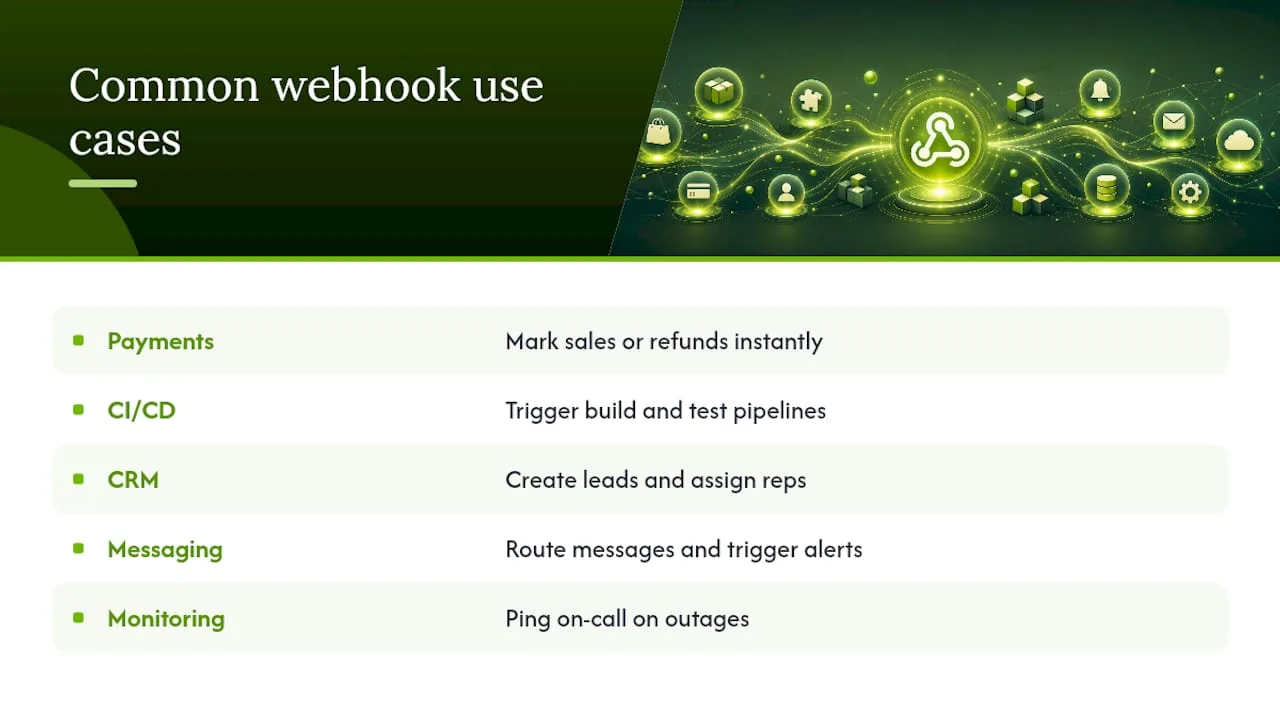
Payments and e-commerce. When a customer completes checkout, the payment processor fires a webhook like payment_intent.succeeded so your order system can mark the sale complete without you polling the processor every few seconds. Refunds work the same way in reverse, notifying your accounting system the moment money moves back.
CI/CD pipelines. A developer pushes code to a repository, and a webhook instantly triggers the build and test pipeline. This is the mechanism behind most modern continuous integration, and it's a large part of why deployments happen in minutes instead of requiring someone to manually kick off a build.
CRM and lead automation. A prospect fills out a contact form, and a webhook fires to instantly create a lead record, assign it to a sales rep, or trigger a welcome email. This is where webhooks for CRM workflows earn their keep for small businesses. A missed lead sitting unrouted for an hour can be the difference between a booked appointment and a call to a competitor.
Messaging and notification routing. Slack, SMS gateways, and email platforms all rely heavily on webhooks to route incoming messages to the right channel or trigger outbound alerts. A follow-up text after a missed call is a textbook example: the call event triggers a webhook, which triggers the message, all within seconds.
Monitoring and alerting. Uptime monitors and error-tracking tools use webhooks to ping your on-call system the instant a server goes down or an exception spikes, rather than waiting for someone to check a dashboard. Webhooks push these updates instantly to registered endpoints, which is precisely why they've become the backbone of real-time monitoring stacks.
Building a Reliable Receiver: Security, Idempotency, and Best Practices
Most webhook failures aren't dramatic outages. They're small, preventable mistakes: a missing signature check, a slow response, or a duplicate charge because nobody thought about idempotency. Here's what actually prevents those problems.
- Verify every signature. Providers include a signing secret you use to generate an HMAC signature and compare it against what arrived in the headers. Skipping this step means anyone who finds your endpoint URL can send you fake events.
- Check the timestamp. Verifying signatures and timestamps helps prevent spoofing and replay attacks, where an attacker resends a valid, old payload to trigger an action twice.
- Return a 2xx immediately. Many providers use aggressive timeouts of just a few seconds. Do your verification, return success, and process the actual work afterward.
- Make processing idempotent. Because retries are common, receivers must be idempotent, using unique event IDs to filter out events already processed. Without this, a retried payment webhook can charge a customer twice.
- Log every delivery. Keep a record of received events, their processing status, and any failures, so you can trace a missing update back to its source instead of guessing.
- Plan for dead-letter handling. Decide what happens to events that fail processing repeatedly, whether that's a manual review queue or an automated alert to your team.
For anything with real financial or customer-facing consequences, a lightweight relay or a dedicated webhook management service is worth the setup time. It queues incoming events, retries deliveries to your internal systems if they're briefly down, and gives you a dashboard instead of grepping through server logs at midnight.
Pro Tip: Store your signing secret the same way you'd store a database password, never in your codebase, never in a public repository. If you suspect it's leaked, rotate it immediately; a leaked signing secret means anyone can forge convincing webhook requests to your endpoint.
Testing and Debugging Webhooks Before They Hit Production
You cannot properly test a webhook by staring at code. You need to actually receive a payload, inspect it, and confirm your logic handles it correctly, including the messy cases like duplicates and malformed data.
- Use a tunneling tool for local development. Tools like ngrok or localtunnel expose your local machine to a temporary public URL so a provider can actually reach it during testing.
- Understand the trade-off. Tunneling tools make endpoints reachable, but that also exposes them to the public internet, so use temporary secrets and careful logging during test sessions rather than production credentials.
- Inspect payloads with a request bin. A request inspector tool lets you see the raw headers and body of an incoming webhook before you've written a single line of handling code, which is invaluable for confirming what a provider actually sends versus what its documentation claims.
- Write automated tests for signature verification. Don't just eyeball it once and move on; a broken signature check that silently starts rejecting valid events is a common regression.
- Test idempotency explicitly. Send the same event ID twice in a test suite and confirm your system doesn't duplicate the resulting action.
- Set up delivery monitoring. Track failed deliveries, latency spikes, and retry counts so a silent failure doesn't go unnoticed for days.
Your Quick-Start Checklist for Setting Up a Webhook Receiver
Getting a basic receiver live doesn't require a large engineering effort. It requires getting a short list of fundamentals right, in order.
- Register your endpoint URL with the provider and confirm HTTPS is enforced, never plain HTTP.
- Store the provided signing secret securely, outside your codebase.
- Verify the signature and timestamp on every incoming request before trusting the payload.
- Return a 2xx status within a few seconds, then move processing to a background job.
- Track event IDs so retried deliveries don't trigger duplicate actions.
- Log every request, successful or not, so you can trace problems after the fact.
Twilio's guide to webhook endpoints covers the same fundamentals in more technical depth if you want the extended version. For a look at what these workflows produce on the business side, RingPort's guide to front desk automation shows webhook-triggered processes in action.
Common Webhook Event Types Across Popular Platforms
Every major platform exposes its own catalog of webhook events, but the naming conventions follow a predictable pattern once you've seen a few.
GitHub fires events like push, pull_request, issues, and release, which is the backbone of most CI/CD automation. A push event alone carries enough metadata (branch, commit hashes, author) to trigger an entire build pipeline.
Stripe organizes its events around the payment lifecycle: payment_intent.succeeded, charge.refunded, invoice.payment_failed, and dozens more. The naming convention, object dot action, makes it easy to guess what an event does before you've read the documentation.
Slack sends events for things like new messages, reactions, and channel changes, letting bots and integrations react to workspace activity in real time.
Shopify covers commerce events such as orders/create, orders/fulfilled, and customers/update, which is why so many inventory and fulfillment tools plug into it via webhooks rather than constant polling.
The pattern across all of them: an object name, a dot, and an action. Once you recognize that shape, reading unfamiliar platform documentation gets a lot faster. Most providers also let you subscribe selectively, so you only receive the event types your integration actually needs, which cuts down on noise and processing overhead on your end.
What Happens When Webhook Deliveries Fail
Failure handling isn't an edge case in webhook design. It's a core part of the specification, because networks drop packets, servers restart, and endpoints occasionally go down for maintenance.
When your endpoint doesn't return a 2xx response, quickly, the sending platform doesn't just give up. It retries the delivery, typically using exponential backoff: a short wait before the first retry, then progressively longer waits between subsequent attempts. This can stretch out over hours or, on some platforms, days, depending on how the provider is configured.
Most providers cap the number of retry attempts and eventually mark the delivery as permanently failed. Many platforms surface a delivery log in their dashboard, showing you which events succeeded, which failed, and how many attempts each one took, which is often the first place to look when a customer says "my order never updated."
From your side as the receiver, this retry behavior is exactly why idempotent processing matters so much. If your server crashed after processing a payment but before returning a 2xx, the retry will resend that same event. Your system needs to recognize it's already handled that event ID and skip the duplicate action, rather than charging the customer a second time.
Security Considerations Beyond Signature Verification
Signature verification stops forged requests, but it's not a complete security posture on its own. A production-grade receiver layers on a few more defenses.
IP whitelisting restricts which network addresses can reach your endpoint at all, accepting requests only from ranges the provider publishes as their sending infrastructure. It's an extra barrier that catches traffic a signature check alone might not, particularly against basic scanning bots probing random URLs.
Rate limiting protects your endpoint from being overwhelmed, whether by a legitimate traffic spike or a malicious actor attempting to flood you with fake requests. Setting a reasonable cap on requests per second from a given source keeps a single misbehaving sender from taking down your processing pipeline.
Minimal payload trust means treating the incoming JSON as untrusted input until it's fully verified, the same way you'd treat any external form submission. Never execute code paths based on payload fields before the signature check completes.
HTTPS enforcement, not just recommended but required, since sending a signing secret or payload data over plain HTTP exposes it to interception. Reject any webhook configuration attempt that isn't secured.
Stacking these measures matters more as your integration volume grows. A side project catching a handful of events daily can get away with signature checks alone. A business processing thousands of payment or appointment events needs the fuller stack, IP filtering, rate limits, and monitoring, working together.
The Real Limitations of Webhooks You Should Plan Around
Webhooks solve the real-time notification problem elegantly, but they come with trade-offs that catch newcomers off guard.
Delivery isn't guaranteed forever. If your endpoint is down past a provider's retry window, that event can be lost permanently unless the provider offers a manual resend option or event log you can replay from. Because webhooks shift availability responsibility to the receiver, teams should plan for downtime with queued relays or a webhook management service, rather than assuming every event will eventually land.
Ordering isn't promised. Events can arrive out of sequence, especially under retry conditions. A refund.created event might reach your server before the original payment.succeeded event if the first attempt at the latter timed out and got requeued behind it.
Duplicates are the norm, not the exception. In production, duplicate and out-of-order deliveries are normal, and robust event-processing logic built around idempotency and event versioning is a genuine production requirement, not an optional refinement.
Debugging happens after the fact. Unlike an API call where you get an immediate response you can inspect, a failed webhook often surfaces as "the update never happened," with the actual failure buried in a provider's delivery log you have to go looking for.
None of this makes webhooks unreliable as a pattern. It means the reliability burden sits with whoever designed the receiver, and cutting corners there is where nearly every real-world webhook horror story originates.
Comparing Webhook Protocols and Formats
Not every "push" mechanism is a classic webhook, and knowing the differences helps when you're choosing an integration approach.
Standard webhooks remain the dominant format: a single HTTP POST with a JSON payload, fired once per event, with no ongoing connection maintained. This is what you'll encounter with Stripe, GitHub, Shopify, and the vast majority of SaaS platforms.
REST Hooks extend the basic webhook idea with a formal subscription model, where you register interest in specific resource types through a dedicated API rather than a simple dashboard toggle. It adds structure for platforms that need to manage large numbers of subscriptions programmatically.
GraphQL subscriptions take a different approach entirely. Instead of discrete HTTP POST requests, they maintain a persistent WebSocket connection, streaming updates to the client as they occur. This suits applications needing continuous, low-latency updates, like a live dashboard, more than event-driven business logic like order processing.
WebSockets, more broadly, offer bidirectional, always-on communication, which is useful for chat applications and live collaboration tools, but it's a heavier commitment than a webhook's fire-and-forget model, since both sides need to maintain the connection.
For most business automation, standard JSON webhooks over HTTPS remain the practical default. They're simpler to implement, easier to debug, and supported by essentially every platform you're likely to integrate with. Reach for GraphQL subscriptions or WebSockets only when you genuinely need a persistent, continuous data stream rather than discrete event notifications.
RingPort's Take: Webhooks Are What Make "Instant" Actually Instant
Small service businesses live and die by response speed. A lead who fills out a form at 9 PM and doesn't hear back until the next morning has often already booked with someone else. That's the entire reason RingPort builds around webhook-driven automation rather than batch updates or manual checks.
When a call comes in, RingPort's system can fire a webhook the moment it ends, updating your CRM, sending an appointment confirmation text, or triggering a follow-up email, all without a human touching a keyboard. That's the practical payoff of everything covered above: verified, fast, idempotent event handling turning into real business action within seconds.
Pro Tip: If you're a small team wiring up your first webhook integration, start with one event type and one action. Get the signature verification and idempotency right on that single flow before expanding to five more event types at once.
— Serhii
Ready to see webhook-driven automation handle your calls, bookings, and follow-ups without adding headcount? RingPort's AI receptionist connects these event triggers to real appointment booking and CRM updates out of the box, so you're not building the receiver yourself. Explore how it works at RingPort.


