
Recover $23,000 a Year: On Call Rotation for Small Service Businesses
Set up an on call rotation to capture after hours bookings, cut no shows roughly 40%, and recover $23,000 a year with RingPort automation.
How many customers are slipping away before you can answer?
Answer 4 quick questions and get a simple missed-call estimate for your business.
Answer with one tap. Contact details come after your result.
Here is the estimate.
Thanks. Your result was received.
An on call rotation is the schedule (human or automated) that decides who answers the phone and books appointments after hours. The fastest fix for most small service businesses isn't a bigger staff schedule. It's turning on after-hours automation and reminder workflows first, then expanding coverage from there once you see what actually gets missed.
TL;DR:
- AI receptionists can recover up to $25,000 in missed bookings per slow month by handling after-hours calls and capturing leads across multiple channels.
- Properly designed escalation rules require clear documentation, with specific triggers for transfers to prevent missed or mishandled calls.
- Using a single, synced calendar as the reference point, with correct time zones and reminders, is critical to avoiding double bookings and scheduling errors.
- A phased rollout starting with after-hours call capture, then adding automation and overflow handling over several weeks minimizes disruption and builds confidence.
- Small businesses should start with an AI receptionist plus automated reminders and a backup contact, providing a cost-effective way to improve after-hours coverage.
Table of Contents
- What Is an On Call Rotation, and Which Coverage Model Fits Your Business?
- How Do You Design a Working On-Call Rotation?
- Which Tools Actually Prevent Missed Calls?
- Integration Checklist: Stopping Double Bookings Before They Happen
- What Does On-Call Coverage Actually Cost, and What Do You Get Back?
- How Do You Roll Out On-Call Coverage Without Disrupting Your Business?
- What Legal and Labor Rules Apply to On-Call Scheduling?
- What Do Successful On-Call Rotation Rollouts Look Like?
- What's the Minimum Viable On-Call Setup Worth Trying First?
- Getting Started With Automated On-Call Coverage
- Sources
What Is an On Call Rotation, and Which Coverage Model Fits Your Business?
Three models cover the same job: staff rotation, outsourced answering services, and AI receptionists (often blended into a hybrid).
Staff rotation puts a rotating on-call schedule in the hands of your own team. One tech, groomer, or office manager carries the phone for a set stretch. The upside is a personal touch: your team already knows the customers and the quirks of every job. The downside shows up fast. Someone has to be reachable at 9 p.m. on a Saturday, and that person eventually burns out or starts letting calls go to voicemail.
Outsourced live-answering services put a real human on the line, which helps with tone and triage on sensitive calls. But you're paying per call or per minute for an agent who doesn't know your service area, your pricing quirks, or your actual availability that week.
AI receptionist and hybrid models answer every call 24/7, book directly into your calendar, send reminders, and warm-transfer anything complicated to a real person. The marginal cost of an extra after-hours call is close to zero once it's set up.
- Solo owner: AI receptionist for after-hours capture, with your cell as the escalation backup.
- Multi-tech field service: AI receptionist handling first contact and routine bookings, staff on-call rotation for urgent dispatch calls.
- Multi-location business: Hybrid setup with location-specific routing and a live answering service as overflow during peak call volume.
How Do You Design a Working On-Call Rotation?
Building a call duty schedule that doesn't fall apart under real call volume comes down to four decisions, made in order.
- Choose your coverage window. Decide if you need after-hours-only coverage, full 24/7, or just overflow when your front desk is swamped. Each window has different responsibilities: after-hours might only need booking capture, while 24/7 needs to handle emergencies too.
- Set your booking rules before you turn anything on. Standard appointment length, buffer time between jobs, minimum notice required, your reschedule policy, and whether deposits apply. Vague rules here create scheduling chaos later.
- Define escalation and warm-transfer triggers. Not every call should go to voicemail or get booked automatically. Sensitive intake, complaint calls, or a customer asking about a large job should route to a specific person, not the general queue.
- Document the schedule and backup contacts. Write down who's on call, who backs them up if they don't answer, and how a handoff gets communicated. A schedule for medical on call or urgent home-service calls without a documented backup is one missed text away from a lost customer.
Pro Tip: Write your escalation rules as if you'll forget them in three months, because you will. "Transfer if caller mentions burst pipe or gas smell" beats "use judgment" every time.
Which Tools Actually Prevent Missed Calls?
Coverage tools fall into three tiers, and picking the wrong one is the most common setup mistake.
Phone forwarding and auto-attendants route calls to a cell phone or play a menu. They're fine if call volume is low and someone genuinely picks up most of the time. They don't book appointments or capture leads when nobody answers.
Scheduling-only tools (calendar links, booking pages) work well for customers who already know they want to book and just need a slot. They fall short the moment someone calls with a question first, which is most home-service and medical-office traffic.
AI receptionists close that gap. They answer in natural language, book directly into your calendar, warm-transfer complex calls, and capture leads across phone, SMS, and chat instead of just one channel.
Some vendor case data shows AI-driven booking recovering as much as $25,000 in a single slow month for one business, largely from calls that would have gone unanswered.
Whichever tier you choose, prioritize these integration points:
- Real-time calendar sync with Google Calendar or Outlook
- Practice-management or field-service software sync where applicable
- Automated SMS and email reminders tied to the booking, not a separate system
Integration Checklist: Stopping Double Bookings Before They Happen
Every double-booking complaint traces back to the same root cause: two systems that don't agree on what's actually open.
- Pick one calendar as the single source of truth and sync everything else to it in real time, not on a nightly batch.
- Set correct time zones and user permissions so a shared calendar doesn't show an 8 a.m. slot as open when it's actually booked in a different zone.
- Build a reminder cadence, typically a 48 hour and a 24 hour touch by SMS or email, with a clear path to reschedule instead of just cancel.
- Create a warm-transfer handoff template so staff receiving a transferred call already know the caller's name, request, and urgency.
Skipping calendar integration is the single most common reason on call schedule management fails in the first month.
What Does On-Call Coverage Actually Cost, and What Do You Get Back?
Most AI receptionist plans run in tiers, from a basic starter plan for a solo operator up through growth and pro tiers that add more call volume, outbound calling, and CRM features. Treat published price ranges as a starting point and confirm what's actually included before you commit.
The ROI math is simpler than it looks. Track three numbers: your missed-call rate, your average appointment value, and your no-show rate. AI-driven scheduling has been shown to cut no-shows by roughly 40% and save 15 to 25 hours a week on scheduling tasks alone.
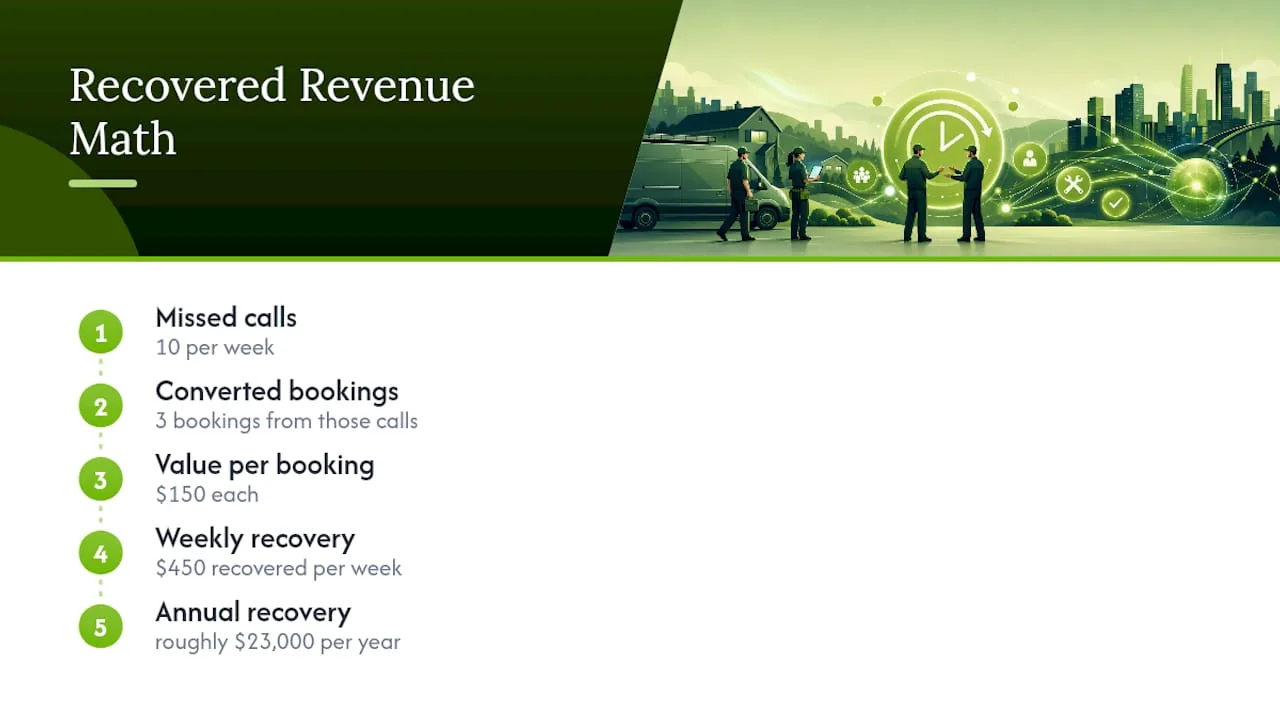
Quick example: if you miss 10 calls a week and even 3 become $150 bookings, that's $450 a week, or roughly $23,000 a year, recovered just from answering the phone.
Watch for hidden costs: setup time, per-minute overages, and integration work if your calendar or practice-management software needs custom connections.
How Do You Roll Out On-Call Coverage Without Disrupting Your Business?
Rolling out emergency on call coverage all at once is how staff and customers both get confused. A phased approach avoids that.
- Weeks 1 to 2: Turn on after-hours call capture and confirm calendar sync is accurate. Nothing else changes yet.
- Weeks 3 to 4: Add confirmation and reminder automation. Track your no-show rate against your baseline.
- Month 2: Expand to overflow or full-hours handling, and train staff on how transferred calls arrive and what context they'll carry.
This staged timeline matches what implementation guides generally recommend: days for a basic setup, a few weeks for full integration. Track answered-call rate and bookings captured weekly, and don't move to the next phase until the current one is stable.
What Legal and Labor Rules Apply to On-Call Scheduling?
If your on call rotation involves staff, not just software, labor law gets involved fast. Under the Fair Labor Standards Act, whether on-call time counts as paid hours depends largely on how restricted the employee is. A technician who has to stay near the shop and respond within minutes is in a very different legal position than someone who just needs to keep their phone charged and can otherwise live their life.
States add their own layers on top of federal rules. Some require a minimum "reporting pay" if an on-call worker gets called in, even for a short job. Others have predictive scheduling laws that require advance notice of on-call shifts, particularly in retail and food service, with penalties for last-minute schedule changes.
For a solo owner or small team, this matters most when you formalize a rotating on call system among employees rather than handling it yourself. Get clear, in writing, on:
- Whether on-call hours count toward overtime calculations
- Minimum pay guarantees if someone gets called in
- How schedule changes get communicated and how much notice is required
None of this is a reason to avoid staff rotation. It's a reason to document your policy before your first dispute, not after. When in doubt, a labor attorney familiar with your state's rules is worth the hour it takes to ask.
What Do Successful On-Call Rotation Rollouts Look Like?
Field-service and medical-adjacent businesses tend to hit the same wall: call volume outpaces the number of people available to answer, especially outside a 9 to 5 window.
A small HVAC company running two trucks, for example, typically can't justify a full-time dispatcher just to catch evening emergency calls. Layering an AI receptionist on top of an existing staff rotation lets the software catch routine bookings and simple questions while a human tech still gets pulled in for anything that sounds like a real emergency. That combination, automation for volume, humans for judgment calls, shows up repeatedly in after-hours answering service comparisons as the balance that keeps both cost and customer experience in check.
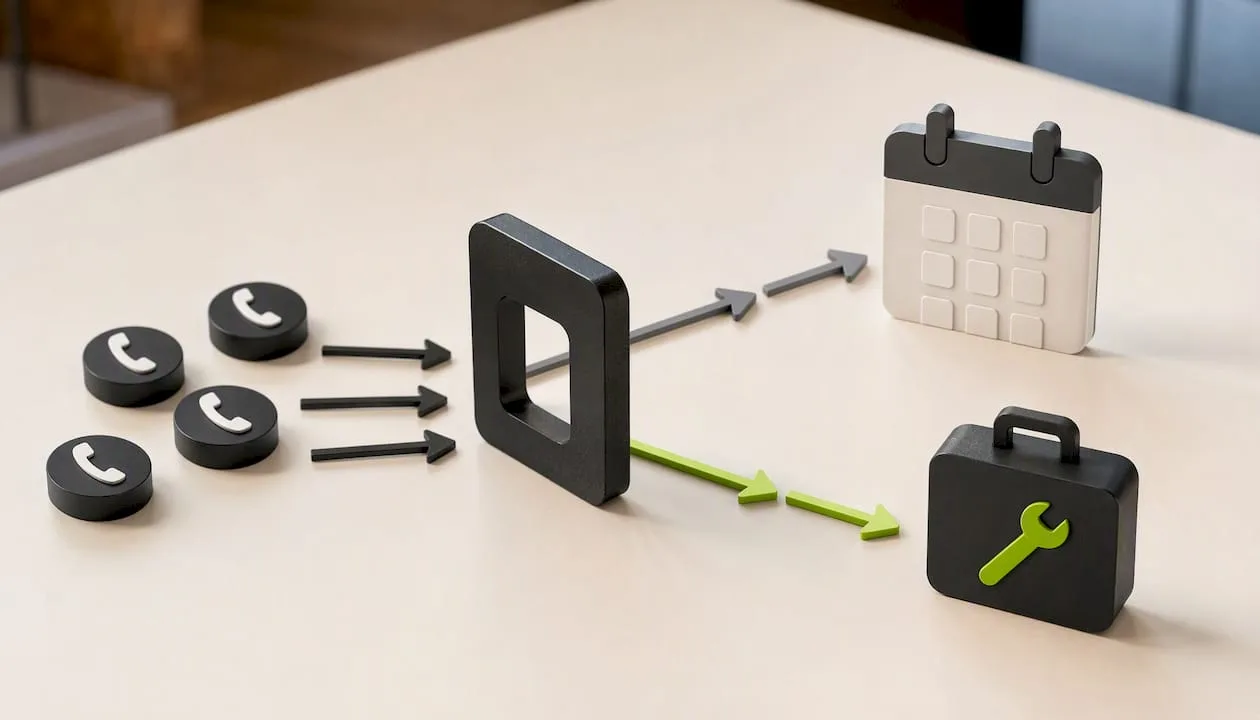
Medical and dental offices tell a similar story. A schedule for medical on-call needs someone (or something) that can take a booking request at 10 p.m. without needing clinical judgment for routine scheduling, while still escalating anything that sounds urgent to an actual provider. The practices that get this right usually start with automated booking capture first and only add live escalation rules once they see what kinds of after-hours calls are actually coming in.
The pattern across these examples isn't complicated: automate the predictable volume, keep a clear human path for anything that isn't.
What's the Minimum Viable On-Call Setup Worth Trying First?
For most small service businesses, the minimum worth testing is an after-hours AI receptionist paired with 48 and 24-hour reminders and one documented escalation contact. That's enough to stop the bleeding on missed calls without overhauling your whole operation. . Keep a human in the loop for sensitive intake, complex diagnoses, or anything involving payment disputes. Automation should catch the routine, not replace the judgment calls that actually need a person.
— Serhii
Getting Started With Automated On-Call Coverage
An AI receptionist can serve as a practical middle ground between hiring a receptionist you can't yet afford and losing bookings to voicemail. Such systems can answer calls around the clock, route urgent calls to a real person with a warm transfer, and log leads into a CRM to reduce missed opportunities.
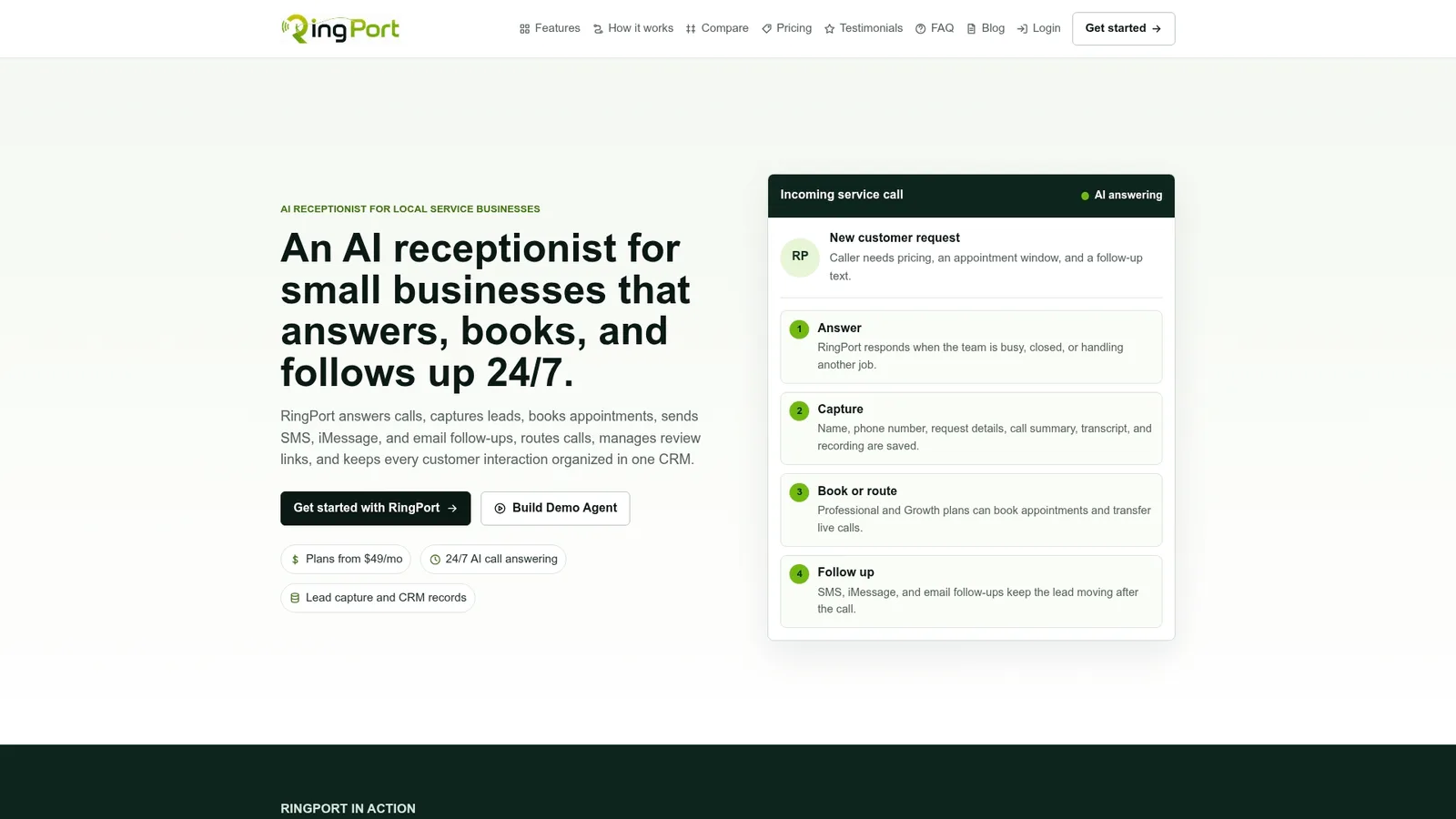
Ringport fits directly into the phased rollout described earlier: turn on after-hours call answering first, layer in automated reminders once that's stable, then expand to full-hours or overflow handling once you trust how it performs. The setup mirrors automated call answering best practices for small service teams, so you're not building the rollout from scratch.
If missed calls or no-shows are costing you real revenue every month, start with RingPort Fast Agent to see how it handles your after-hours calls, or visit the RingPort landing page to compare plans and start a trial.
Sources
- AI Appointment Booking for Small Business (2026 Guide)
- AI appointment scheduling for small business | NetSys


