
1–4 Week AI Receptionist Pilot for Small Service Businesses
Practical playbook to pilot, test, and expand an AI receptionist in 1–4 weeks for small service businesses. Includes a 24–72 hour setup checklist, test...

How many customers are slipping away before you can answer?
Answer 4 quick questions and get a simple missed-call estimate for your business.
Answer with one tap. Contact details come after your result.
Here is the estimate.
Thanks. Your result was received.
Yes, an AI receptionist is a practical fix for most small service businesses, especially if missed calls are costing you bookings. Don't roll it out to your whole phone line on day one. Start with a focused pilot on after-hours or overflow calls, run it for one to four weeks, review transcripts weekly, and expand once accuracy holds. That sequence, not the technology itself, determines whether this works for you.
TL;DR:
- Launch an AI receptionist with a focused pilot on after-hours or overflow calls, testing for one to four weeks before expanding.
- Load a knowledge base of 15 to 25 high-frequency intents and ensure real-time calendar sync to avoid double-booking.
- Confirm integrations, especially calendar and CRM, are working correctly through testing, and establish clear escalation triggers for complex calls.
- Disclose the automated nature upfront and review transcripts weekly during the initial rollout to identify and fix issues promptly.
- Most small businesses succeed by starting with no-code or template platforms and treating the AI as an ongoing system requiring regular maintenance.
Table of Contents
- What Is an AI Receptionist Guide Supposed to Help You Do?
- What an AI Phone Receptionist Handles Well, and Where It Struggles
- No-Code Platforms, Templates, or Custom Builds: Which Should You Choose?
- Step-by-Step Setup: From Goals to Go-Live
- Which Integrations Actually Matter, and How to Test Them
- Writing the System Prompt, Greeting, and Voice Persona
- Running the Pilot: Test Cases, Metrics, and Launch Steps
- What Does an AI Receptionist Cost, and When Does It Pay Off?
- Disclosure, Recording, and Escalation: The Governance Basics
- Keeping It Sharp: Maintenance After Launch
- RingPort in Practice: A Minimal Pilot That Maps to This Checklist
- What Most Owners Get Wrong About This
- Try RingPort Fast Agent for Your First Pilot
- Sources
What Is an AI Receptionist Guide Supposed to Help You Do?
An AI receptionist is software that answers your business phone using speech recognition and a language model instead of a human. It books appointments, answers routine questions, captures lead information, and routes urgent calls to a real person. This ai receptionist guide exists because most owners don't fail at the technology part. They fail at the rollout part: skipping the pilot, dumping too much knowledge into the system at once, or never reviewing what the AI actually said to callers.
Here's a quick-start checklist to get a pilot running in 24 to 72 hours:
- Pick your deployment path. Forward your existing number to the AI service, get a new dedicated number (a DID) for testing, or plan a full port later once you're confident. Forwarding is fastest and reversible in minutes.
- Load 15 to 25 high-frequency intents. Pull these from your most common caller questions: hours, pricing ranges, service areas, booking, cancellation policy. Keep the knowledge base tight and constrained to facts you've approved.
- Connect your calendar and one scheduling tool. Real-time availability sync is non-negotiable; without it you'll double-book within the first week.
- Map a warm-transfer phone path. Decide exactly which number or team the AI rings when a caller needs a human, and confirm that path actually connects during setup, not after launch.
- Run 20 test calls. Cover booking a new appointment, asking about pricing, a hardship or emergency scenario, and a call with poor audio quality to see how the system handles ambiguity.
- Review transcripts weekly. Fix knowledge base gaps as they show up. After 30 days of stable performance, expand the AI's scope to daytime or full-line coverage.
This sequence mirrors what most structured implementation reviews recommend: define goals, choose your method, design the workflow, build the knowledge base, integrate your systems, then test before you ever go live on your main line.
What an AI Phone Receptionist Handles Well, and Where It Struggles
An AI phone receptionist is genuinely reliable at a specific set of repetitive tasks. It gets shaky the moment a call requires judgment, empathy under pressure, or information you never gave it.
Tasks it handles consistently:
- Greeting callers and confirming your business hours and location
- Answering frequently asked questions pulled from your approved knowledge base
- Booking, rescheduling, or canceling appointments against live calendar availability
- Capturing lead details (name, number, service needed) when no one's available
- Taking detailed messages and routing them by urgency
Small and mid-sized businesses miss between 25% and 60% of inbound calls depending on staffing and call volume, and that gap is exactly where an AI receptionist earns its keep. Every missed call is a lead that might call your competitor next.
Statistic Callout: If your business misses even a quarter of its inbound calls and each missed call represents a potential $150 booking, an AI receptionist that closes that gap pays for itself fast.
Under the hood, the system chains together speech-to-text (STT) to transcribe the caller, a language model to detect intent and generate a response, and text-to-speech (TTS) to speak back. Latency under roughly 1,000 milliseconds is what makes a conversation feel natural rather than robotic. Failure modes show up when a caller asks something outside the knowledge base, gets emotional or agitated, or mentions a legal, medical, or billing dispute. Those situations need a warm transfer to a human, not an improvised answer.
No-Code Platforms, Templates, or Custom Builds: Which Should You Choose?
Most small business owners overthink this decision. You're choosing between three paths, and for the vast majority of service businesses, one of them is obviously right.
- No-code platforms let you configure greetings, intents, and integrations through a dashboard, usually live within days. Best for straightforward booking and FAQ handling.
- Template-based vendors offer pre-built workflows for specific trades (home services, salons, medical offices) that you customize lightly. Faster than building from scratch, more tailored than generic no-code.
- Custom builds give you full control over logic and integrations but require developer time, weeks of build, and ongoing maintenance.
Decision criteria that actually matter: how many systems you need to integrate (calendar, CRM, POS), your regulatory exposure (medical offices face more scrutiny than lawn care), and your call volume. A solo plumber taking 30 calls a week doesn't need a custom build. A multi-location medical group with insurance verification might.
Pro Tip: Start with a no-code or template-based platform even if you eventually want something custom. You'll learn what your callers actually ask before you commit to a rigid, expensive build.
For most local service businesses, the fastest path to a working pilot is a template-based vendor tuned to your trade, layered with the no-code flexibility to adjust intents as you learn what callers actually need.
Step-by-Step Setup: From Goals to Go-Live
Building an AI receptionist that actually works follows a specific order. Skip a step and you'll find yourself debugging live, in front of real callers.
1. Define your goals. Decide which call types you're automating first (after-hours, overflow, or both) and what success looks like: fewer missed calls, faster booking, more captured leads. Write down a number, even a rough one.
2. Map caller intents. Pull your last few months of call logs if you have them, or list the ten questions your front desk answers most often. This becomes your knowledge base foundation.
3. Design the workflow. Sketch the greeting, the branches for common intents, and, critically, the escalation triggers. Where does the call go when the AI can't answer confidently?
4. Build the knowledge base. Most platforms let you import your website's FAQ page as a starting point, then you edit for accuracy. Resist the urge to load everything. Start with 15 to 25 intents; a bloated knowledge base actually makes the AI less accurate, not more.
5. Choose your phone path. You have three options:
- Forwarding your existing number to the AI service. Fastest, fully reversible, ideal for a pilot.
- A new dedicated number (DID) you use for testing or a specific line, like after-hours.
- Full porting once you're confident, which moves your main number permanently and typically takes longer to process.
6. Connect your calendar and CRM. This is where most of the real value shows up, and it's covered in depth below.
7. Pre-launch testing. Run at least 20 test calls covering booking, pricing questions, hardship scenarios, and poor audio quality. Confirm your warm-transfer path actually rings a human. Finalize your disclosure phrasing so callers know they're talking to an automated assistant.
A 2 to 4 week rollout window is realistic for a single-location business when you do integrations and testing properly, and running the AI in parallel with your existing receptionist or answering process gives you a much safer cutover than switching cold.
Which Integrations Actually Matter, and How to Test Them
Not every integration deserves your attention in week one. Two connections carry almost all the value.
- Calendar sync is the highest priority. It needs to reflect real-time availability and prevent double-booking, and you should specifically test what happens across time zones and when two callers try to book the same slot seconds apart.
- CRM integration creates a contact record, logs a call summary, and tags the caller's intent automatically. This is what turns a phone call into a trackable lead instead of a note on a sticky pad.
- POS or ordering system connections matter for businesses that take orders or deposits over the phone; confirm the transaction actually posts before you trust it unsupervised.
- Automation hubs like Zapier, Make, or n8n are worth bringing in when your AI platform doesn't natively connect to a tool you rely on. They bridge gaps rather than replace core integrations.
Calendar and CRM connections deliver the most measurable value of any integration category, largely because they eliminate the two most common small-business failures: double-booked appointments and leads that vanish into a voicemail no one checks.
Pro Tip: Test your calendar integration by booking three overlapping appointments on purpose during setup. If any of them succeed, fix the sync before you launch, not after a real customer complains.
Before going live, run a rollback test: temporarily disconnect the integration and confirm the AI fails gracefully (takes a message, offers a transfer) instead of promising a booking it can't actually create.
Writing the System Prompt, Greeting, and Voice Persona
The system prompt is the instruction set that shapes everything your AI receptionist says, and it needs four components: the persona (friendly, professional, matching your brand), the list of approved facts it can share, topics it must never discuss (legal advice, exact medical diagnoses, private customer data), and clear escalation rules for when to transfer.
Your greeting needs to disclose that the caller is speaking with an automated assistant and offer an immediate way out.
That single sentence, spoken upfront, does most of your compliance and trust work at once. Disclosure and an easy transfer option should open every call, not appear buried three exchanges in.
Voice selection matters more than most owners expect. Cheaper TTS voices sound flatter and can undercut trust with callers who are already skeptical of automated systems; a more natural voice usually costs more per minute but reduces hang-ups.
Three prompt templates worth adapting:
- Booking flow: "Ask for the service needed, preferred date and time, then check availability and confirm."
- Lead qualification: "Ask what problem they're trying to solve, capture contact details, and note urgency before ending the call."
- After-hours message: "Confirm we're currently closed, take a detailed message, and state when someone will follow up."
Running the Pilot: Test Cases, Metrics, and Launch Steps
Your pilot should run on after-hours or overflow calls only for the first one to four weeks. That keeps risk low while you gather real data on how the system performs against actual callers instead of scripted tests.
- Run five test scenarios before opening the pilot: a standard booking, a pricing question, a simulated emergency, a call with bad audio, and, if relevant to your customer base, a non-English caller.
- Check transcripts daily for the first week. Look specifically for misunderstood intents, incorrect information given, and any escalation that should have triggered but didn't.
- Move to weekly reviews after week one once you've fixed the obvious gaps. Weekly transcript review during early deployment is what separates a system that improves from one that quietly degrades.
- Track four metrics: answer rate, booking completion rate, transfer rate (how often calls escalate to a human), and a rough customer satisfaction proxy like repeat calls or complaints.
Statistic Callout: Practitioners who treat the AI as a "set it and forget it" tool consistently see conversion rates decline over time as small comprehension errors compound unnoticed. Weekly review during the pilot isn't optional, it's the difference between improvement and slow decay.
Only expand beyond after-hours coverage once transfer rates stabilize and transcript reviews stop turning up new gaps.
What Does an AI Receptionist Cost, and When Does It Pay Off?
Pricing for AI receptionist tools generally falls into three models: flat subscription tiers based on call volume, pure usage-based pricing (per minute or per call), or a hybrid with a base fee plus overage charges. Most small service businesses do better with a subscription tier that includes a set number of minutes, since it makes budgeting predictable.
Several factors drive your actual monthly cost:
- Speech-to-text and text-to-speech processing, which scale with call volume and voice quality
- Language model usage, since more complex conversations consume more tokens
- Telephony fees for the phone number itself and call routing
- Platform subscription fees and any onboarding or setup charges
A simple ROI formula works well here: take your recovered bookings, multiply by your average booking value, then subtract your monthly platform cost. If you're currently missing 20 calls a month and recover even half of them at a $100 average booking value, that's $1,000 in recovered revenue against a subscription that likely runs a fraction of that. A breakdown of typical monthly cost ranges helps you model this against your own call volume before committing. Slower payback tends to happen for businesses with low call volume or very high average handle times where the AI needs more customization upfront.
Disclosure, Recording, and Escalation: The Governance Basics
Skipping governance is the fastest way to turn a helpful tool into a liability. Four rules keep your pilot lawful and trustworthy.
- Disclose immediately that the caller is speaking with an automated assistant and offer a transfer option in the same breath, every single call.
- Follow two-party recording consent rules where your state requires them, and make sure your recording notice is part of the greeting itself, not an afterthought.
- Limit PHI or PII in transcripts unless you have a signed business associate agreement in place, and store any transcripts you do keep securely with restricted access.
- Build explicit escalation triggers, not vague ones: specific keywords like "emergency" or "billing dispute," repeated confusion from the caller, or sustained negative sentiment across several exchanges.
Every trigger should route to a warm transfer to a real person, never to voicemail. A caller escalating a billing dispute who lands in voicemail is worse than if the AI had never answered at all. The full setup checklist and governance order puts disclosure ahead of calendar and CRM integration for exactly this reason: trust comes first.
Keeping It Sharp: Maintenance After Launch
An AI receptionist isn't a one-time setup. It's an ongoing system that needs the same kind of attention you'd give a new hire during their first few months, just lighter over time.
- Review transcripts weekly through your launch period, then shift to biweekly or monthly once volume stabilizes and error rates drop.
- Add new intents as real gaps appear, and lock down answers to pricing and legal questions so the AI never improvises on sensitive topics.
- Assign a script owner and a backup person responsible for updates, and keep a simple change log so you know what was adjusted and when.
- Run a quarterly test-call audit using the same scenarios from your original pilot, and have a failover plan ready in case the platform goes down.
Pro Tip: Put a recurring 30-minute calendar block on your own schedule for transcript review. If it's not scheduled, it's the first thing that slips once the pilot feels like it's working.
RingPort in Practice: A Minimal Pilot That Maps to This Checklist
A working example makes this concrete. RingPort, an AI receptionist built specifically for local service businesses, runs 24/7 automated call answering with smart routing and native calendar and CRM sync, the exact stack this guide has walked through.
A minimal RingPort pilot configuration looks like this:
- After-hours coverage only, running on a secondary phone number rather than your main line
- 15 core intents covering hours, pricing ranges, booking, and service area
- Google Calendar connected for live availability
- Warm transfer wired to a hunt group so escalated calls ring your actual team, not voicemail
RingPort's monitoring approach follows the same logic laid out above: transcript visibility from day one, so the business owner can review what the AI actually said rather than guessing. Solo owners and small teams using this kind of setup report smoother appointment booking and better lead conversion once the pilot moves past its first few weeks, largely because the calendar and CRM sync remove the manual re-entry that used to eat up front-desk time.
What Most Owners Get Wrong About This
The technology is rarely the problem. Owners fail this rollout for one of two reasons: they skip the pilot and go straight to full deployment, or they set it up and never look at a transcript again. Both mistakes come from treating the AI receptionist like a light switch instead of a new team member who needs training and feedback in the first month.
Ownership matters more than platform choice. Someone at your business needs to own the weekly transcript review, at least for the first month, and someone needs a backup plan if that person is out sick. The businesses that get this right treat the first 30 days as a supervised trial, not a set-and-forget installation.
If you're weighing whether to build this yourself or get hands-on help scoping your first pilot, start with a short list of your ten most common caller questions. That single exercise will tell you more about whether you're ready than any feature comparison.
— Serhii
Try RingPort Fast Agent for Your First Pilot
RingPort's Fast Agent is built for exactly the pilot this guide walks through: after-hours or overflow coverage that answers calls, books appointments against your live calendar, and logs every lead straight into your CRM without you touching a spreadsheet. It maps directly to the checklist above, from 15 starter intents to warm-transfer routing, so you're not building a system from a blank page.
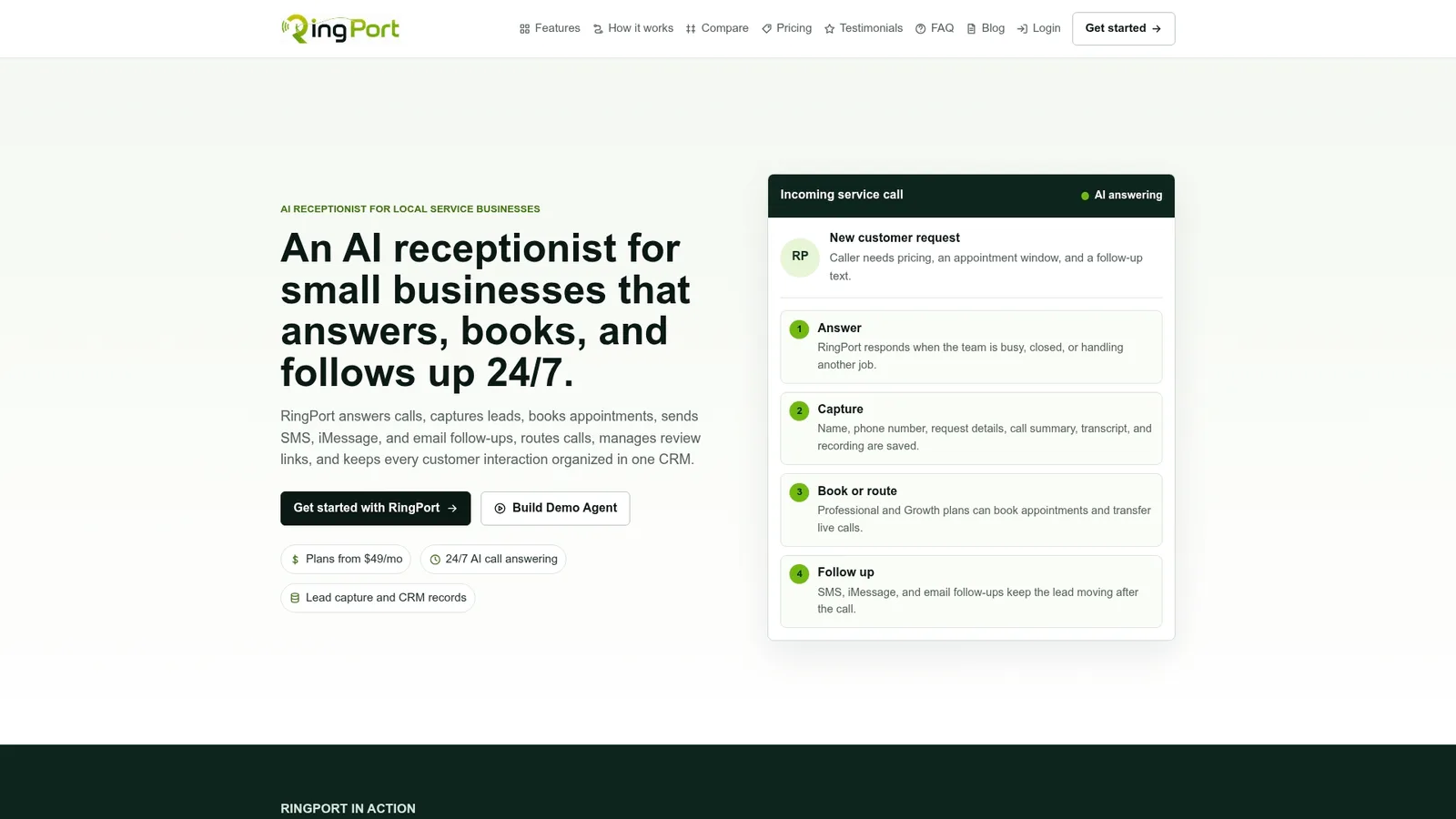
Setting it up doesn't require a developer or a multi-week commitment. Most owners connect their calendar, load their most common questions, and run their first test calls within a day. If you want a second set of hands scoping your workflow before launch, partners like Emergent IT Services support AI automation implementation for businesses that want extra guidance during setup.
Ready to see it running on your own number? Start a Fast Agent trial and have your after-hours pilot live before the week is out.
Sources
- How to Implement an AI Receptionist for Your Business (VOC.ai blog)
- How to Build an AI Receptionist: A Complete Step-by-Step Guide (GetVoIP)
- The Complete Guide to Voice AI Receptionists for US Businesses (PerezCarreno & Coindreau)
- How to Set Up an AI Phone Receptionist - 2026 Checklist (Telecom Audit Guide)


