
Deliverability First Multi Location Call Routing for Local Businesses
A deliverability first checklist for multi location call routing. Includes mandatory fallbacks, STIR/SHAKEN checks, KPIs, CRM routing, and RingPort's real...

How many customers are slipping away before you can answer?
Answer 4 quick questions and get a simple missed-call estimate for your business.
Answer with one tap. Contact details come after your result.
Here is the estimate.
Thanks. Your result was received.
Multi location call routing is the system that sends an incoming call to the right branch, department, or agent based on signals like area code, ZIP code, or time of day. The setup that holds up in practice combines geographic and schedule based rules, backs every rule with a mandatory fallback, and includes ongoing checks on call deliverability and a short list of performance metrics. Skip any one of those pieces and calls start slipping through the cracks.
TL;DR:
- Proper multi-location call routing requires combining geographic, schedule, and fallback rules while continuously monitoring call deliverability and performance.
- ZIP-code routing offers more accurate location detection than area-code routing, especially for mobile numbers, but requires customer prompts for entry.
- Ensuring caller ID authentication through STIR/SHAKEN and maintaining up-to-date blocking lists are critical to prevent call blocking or spoofing issues that reduce answer rates.
- Monitoring KPIs such as answer rate, queue abandonment, fallback frequency, and callback conversion helps identify misconfigurations and improve routing effectiveness.
- Platforms like RingPort automate call answering, routing, and CRM integration, making call management easier for businesses that rely on phone bookings and multi-site operations.
Table of Contents
- How multi location call routing works: geo, DNIS, IVR and schedule rules
- Practical configuration checklist for multi-branch setups
- Call deliverability, STIR/SHAKEN, and compliance that affect routing success
- Monitoring and scaling: the KPIs and alerts to keep routing healthy
- Advanced routing with CRM and caller intent
- Publisher perspective: how RingPort implements the checklist in practice
- What most routing advice gets backward
- A faster way to handle calls across every location
- Sources
- FAQ
How multi location call routing works: geo, DNIS, IVR and schedule rules
Most routing systems lean on a handful of signals to decide where a call goes, and each one has a sweet spot.
Area-code routing is the simplest option. It reads the caller's area code and sends the call to the nearest matching location, which works well when your customers still use local landlines. The catch is number portability and mobile phones: a caller with a 312 area code might be sitting in a completely different state, so area-code routing can misdirect calls when territory actually matters to the outcome.
ZIP-code routing solves that by asking the caller to enter their ZIP through an IVR prompt, which gives you a direct read on physical location rather than a guess based on phone number. CallRail notes that a single location can be mapped to as many as 600 ZIP codes, which is plenty of room for most regional service areas.
DNIS-based routing, meanwhile, routes based on the specific number dialed rather than where the caller is, which is useful when you run separate tracking numbers per campaign or location page.
- Area-code routing: fast to set up, best for landline-heavy audiences.
- ZIP-code routing: more accurate, ideal when service area boundaries matter.
- DNIS/IVR prompts: route by the number dialed or a spoken/keyed response.
- Time-of-day and holiday schedules: should live in one master calendar, not scattered one-off rules, since holiday handling is a common failure point when teams patch in exceptions ad hoc.
Practical configuration checklist for multi-branch setups
Once you know which signals you're using, the actual build follows a predictable sequence.
- Inventory every number and location. List each branch, its area codes, and its ZIP coverage, then assign a fallback destination for any call that doesn't match.
- Build one holiday and schedule calendar. A single source of truth beats a dozen small edits scattered across locations, especially around holidays.
- Name and document every route. Give each rule a clear label, note who owns it, from geo-match to overflow to fallback, so a change six months from now doesn't require guesswork.
- Test every path before launch. Call in as a matched caller, an unmatched caller, an overflow scenario, and an after-hours or emergency scenario, and confirm each lands where it should.
Our guide on automated call answering setup walks through IVR flow basics if you're building prompts from scratch.
Pro Tip: Run your test calls from a phone outside your own office network. Internal test calls often skip the exact carrier path a real customer's call would take, which hides deliverability issues until they show up live.
Call deliverability, STIR/SHAKEN, and compliance that affect routing success
A perfectly configured routing tree still fails if the call never rings through looking legitimate. STIR/SHAKEN is the caller ID authentication framework that carriers use to confirm a call's caller ID hasn't been spoofed, and it directly affects whether your business number gets answered or flagged.
- Verify that every outbound number is properly owned and authorized before it's presented to callers.
- Understand that carriers use SIP response codes, including SIP 603 and above, in analytics-based call blocking decisions.
- Check that your provider maintains and regularly updates its do-not-originate and blocking lists, since the FCC's order on call authentication notes there's no single mandated list and providers exercise discretion, which can accidentally catch legitimate numbers.
- Factor Do-Not-Call rules into your routing logic where outbound or callback flows are involved.
A number that shows up as "Spam Likely" can sink your answer rate before routing logic even matters, according to FCC guidance on call authentication, which explains why providers must offer transparency and remediation paths when legitimate calls get blocked.
Monitoring and scaling: the KPIs and alerts to keep routing healthy
Routing isn't a set-it-and-forget-it system. Cisco's contact-center documentation recommends tracking operational outcomes rather than just connection success, which means watching a handful of numbers on a regular basis rather than assuming the system works because calls connect.
- Answer rate by location tells you whether a specific branch is understaffed or misconfigured.
- Queue abandonment flags wait times that are pushing callers to hang up.
- Transfer rate and fallback frequency catch mapping errors early, since a sudden fallback spike usually points to a carrier outage or a broken route.
- Callback completion and booking or conversion rate measure whether routing is actually producing business outcomes, not just answered calls.
Set alert thresholds on fallback frequency and location outages, and roll out routing-rule changes in stages rather than all at once. Our post on smart call routing and first-call resolution digs deeper into dashboard setup, and speed-to-lead benchmarks covers how callback timing ties into conversion.
Advanced routing with CRM and caller intent
Geography and schedules get most calls to the right place, but CRM data lets you route on who's calling, not just where from. A returning customer with an open service ticket can skip the queue entirely, a VIP account can route straight to a senior rep, and a caller flagged as a recent lead can land with the person who last spoke to them.
- VIP or account-status routing sends high-value callers to a dedicated line or rep.
- Recent-lead routing reconnects a caller with whoever handled their last inquiry.
- IVR keyword or speech signals can redirect based on stated intent, like "billing" versus "service."
- Webhook and API integrations pull CRM context into the call flow in real time, and should fail safely to a geographic fallback if that lookup ever times out.
Clean, up-to-date CRM fields matter here: a routing rule is only as good as the data feeding it.
Publisher perspective: how RingPort implements the checklist in practice
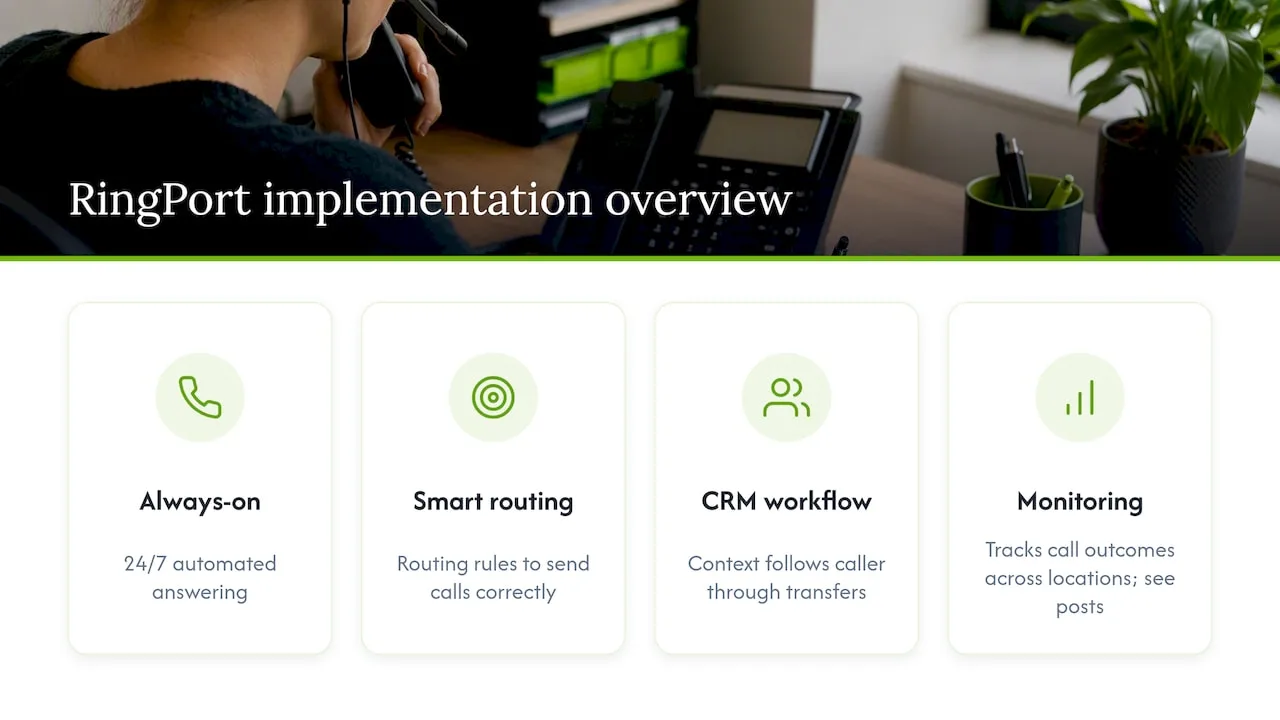
RingPort's approach to multi-location call handling mirrors this checklist directly: 24/7 automated answering, smart routing rules, and CRM-connected workflows that keep context attached to a caller rather than losing it at transfer. Monitoring is built into how the platform tracks call outcomes across locations. For deeper configuration detail, see our posts on local presence dialing and warm transfer versus cold transfer, both written for teams managing calls across more than one site.
What most routing advice gets backward
Most guides on this topic obsess over the routing tree, area codes, ZIP maps, IVR branches, as if getting the logic right is the hard part. It usually isn't. The harder problem, and the one that actually tanks answer rates, is deliverability: a caller ID that looks spoofed, a number that hasn't been properly authorized, or a carrier blocking list that hasn't been updated in months. You can build the most elegant routing tree in the world and still lose calls to a SIP block before the logic ever runs.
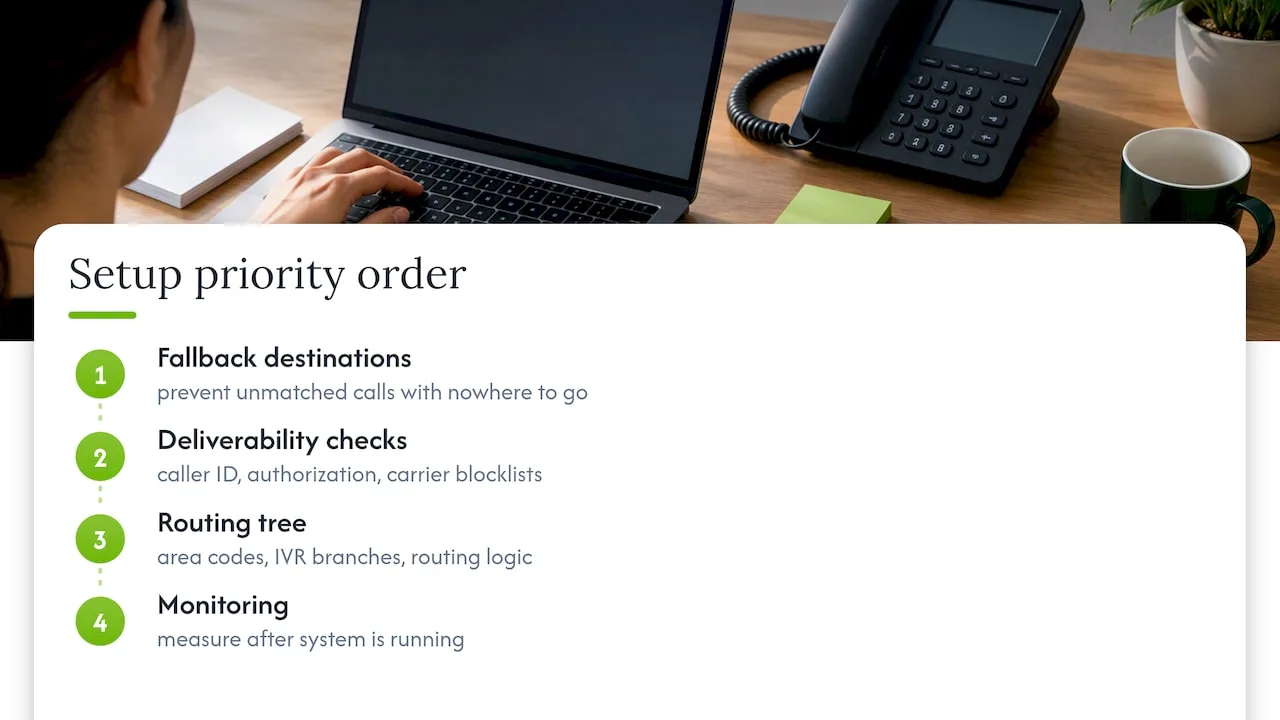
If you're setting this up for the first time, prioritize in this order: fallback destinations first, because an unmatched call with nowhere to go is the single most common failure, then deliverability checks, then the routing tree itself. Monitoring comes last only because you need something running before you can measure it, not because it matters less.
— Serhii
A faster way to handle calls across every location
If building and maintaining that routing tree sounds like more plumbing than your team has time for, RingPort handles the call-answering side directly. It's an AI receptionist built for local service businesses that answers calls 24/7, books appointments, routes callers intelligently, and keeps everything connected to your CRM so no lead gets lost between locations.
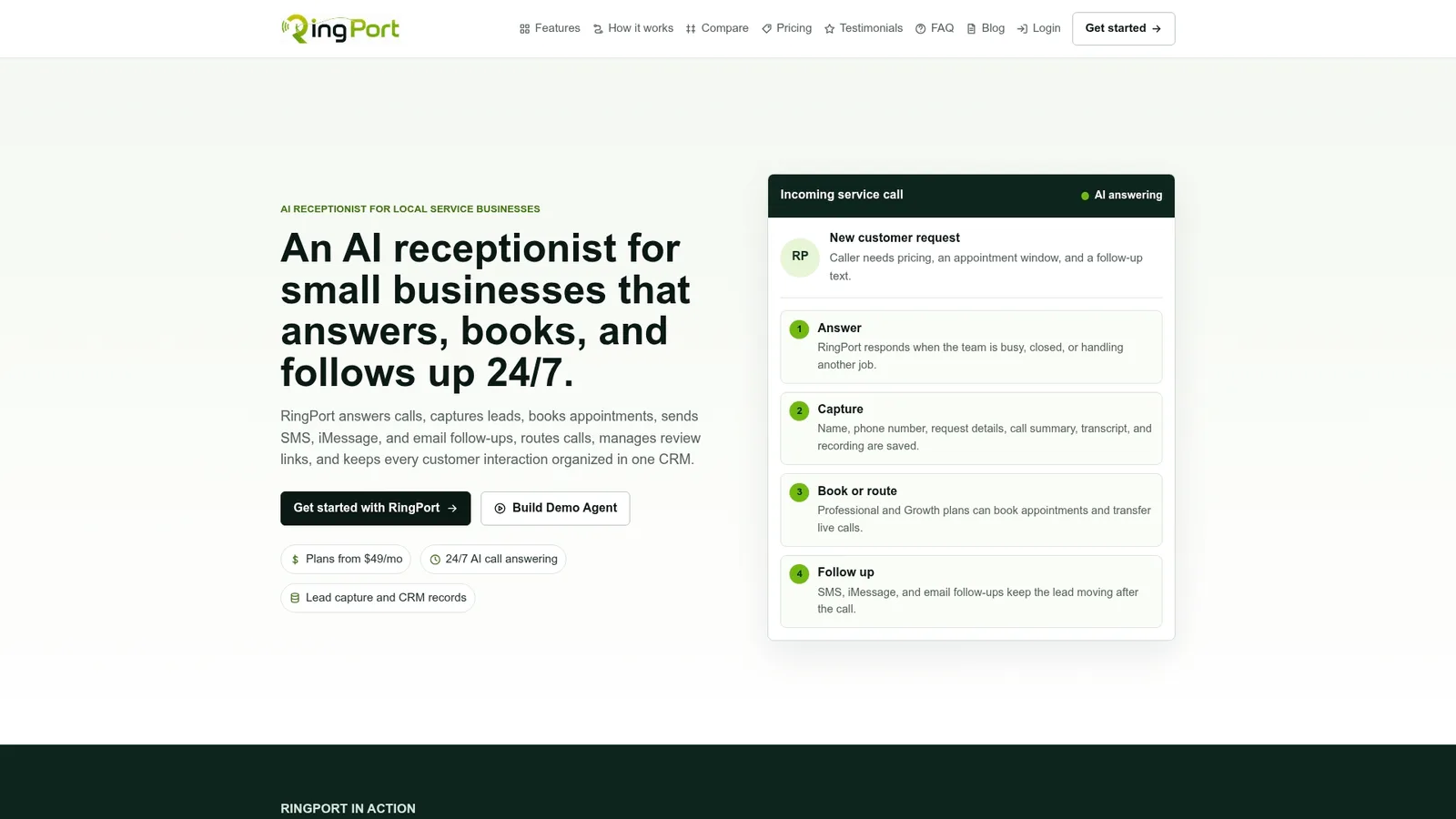
It fits businesses that live and die by phone bookings, home services, salons, medical offices, property managers, and need coverage even when the office is closed or short-staffed.
- 24/7 automated call answering and appointment booking
- Smart routing and transfers across locations or teams
- Built-in CRM, review management, and follow-up workflows
Plans run Starter, Professional, and Growth tiers, with pay-as-you-go add-ons available for extra call minutes. Visit the RingPort landing page to compare plans, or check out RingPort Fast Agent if you want a look at the advanced call-handling features first.
Sources
This guide draws on FCC call authentication guidance, CallRail's geo-routing documentation, and Cisco's call routing configuration guide for routing and compliance details, plus phone number verification practices for deliverability checks and speed-to-lead benchmark data for monitoring context.
- Geo-Routing – CallRail Help Center
- Call authentication | FCC
- FCC 25-15 — Best practices for the implementation of call authentication frameworks
FAQ
What does call routing mean?
Call routing is the process of directing an incoming call to a specific destination, department, or agent based on rules like caller location, time of day, or the number dialed. In a multi-location setup, it decides which branch or team actually picks up the phone.
What is the best call routing platform?
The right platform depends on whether you need vendor-level infrastructure like Cisco's route plans and local route groups or a lighter, business-focused tool. Small service businesses that want routing bundled with answering and booking often use an AI receptionist platform like RingPort instead of building a system from separate pieces.
What is automatic call routing on iPhone?
This typically refers to carrier or device-level call handling features, such as silencing unknown callers or forwarding rules, rather than the business routing systems covered in this guide. Business multi-location routing runs on the phone provider or software platform side, not on the caller's device.
How do I set up call routing?
Start by mapping each location to its area codes or ZIP codes, then build schedule rules for business hours and holidays using one controlled calendar. Add a mandatory fallback destination for unmatched calls, then test each path, matched, unmatched, overflow, and after-hours, before going live.


