
Call Overflow Management: Test Setup in 30 Minutes for Small Teams
Set up call overflow management for small teams: map call paths, set measurable triggers, test callback offers, and ensure TCPA-safe outbound rules.

How many customers are slipping away before you can answer?
Answer 4 quick questions and get a simple missed-call estimate for your business.
Answer with one tap. Contact details come after your result.
Here is the estimate.
Thanks. Your result was received.
Call overflow management routes or handles calls once your team's capacity is exceeded, and the strongest approach for most small businesses combines automated routing with an opt-in callback and clear rules for when a human needs to step in. That mix catches calls without adding headcount. Before you turn it on, test your triggers during a real busy period and check that any outbound follow-up follows consent rules.
TL;DR:
- Set conservative wait-time thresholds initially during peak periods and adjust them based on actual call abandonment and wait times.
- Offer callbacks as an option at the start of the wait and keep the promise window short to maintain caller trust and improve service quality.
- Use defined triggers such as outside hours, queue limits, or no-answer timeouts to automatically route or handle overflow calls effectively.
- Ensure outbound automated messages comply with TCPA by recording consents, promptly processing opt-outs, and treating follow-up calls separately from inbound routing.
- Implement a clear call path map, test all scenarios, and review performance weekly to optimize overflow management without increasing headcount.
Table of Contents
- What call overflow management covers and your available actions
- Overflow triggers and routing policies worth setting
- What the research says about offering callers a callback
- Compliance basics before overflow triggers outbound contact
- A step-by-step rollout checklist for your team
- How RingPort builds these controls into daily use
- Balancing automation with human judgment
- Try the RingPort approach to overflow
- Sources
- FAQ
What call overflow management covers and your available actions
Overflow decisions happen at two points. Pre-queue overflow is the decision made before a call ever joins the queue, based on conditions like closed hours or a queue that's already full. In-queue overflow re-routes a call that has been waiting, once it crosses a wait-time or timeout threshold.
Most systems, including Microsoft's Dynamics 365 overflow model, give you a defined set of actions to attach to each trigger:
- Assign the call to the queue anyway, accepting a longer wait.
- Transfer it to another internal queue or an external number.
- Offer a direct callback instead of holding.
- Send the caller to voicemail.
- End the call with a message.
Which action fires also depends on your routing policy. Longest-idle sends calls to whoever has been free the longest, which keeps things fair across a team. Fixed-order prioritizes specific agents first, useful when one person handles the trickiest cases. Simultaneous ringing pushes a call to multiple lines at once, buying capacity during a spike at the cost of occasionally pulling two people into the same call.
Overflow triggers and routing policies worth setting
Four triggers cover most small-business scenarios: being outside business hours, hitting a work-item or queue-length limit, crossing an average wait-time threshold, and no-answer timeouts on individual calls. Microsoft's overflow documentation treats these as the core conditions that should trigger a defined next action rather than leaving a caller stuck.
Setting the right thresholds takes a bit of testing:
- Start conservative, with a shorter wait-time limit than you think you need.
- Run it through a genuine peak window, whether that's Monday mornings or right after you post a promotion.
- Track two numbers as you go: how long calls actually wait online, and how many callers hang up before reaching anyone.
- Loosen or tighten the threshold based on what those two numbers tell you.
Routing policy adds a second layer of trade-offs. Longest-idle protects fairness among your team, fixed-order protects priority for your best closer, and simultaneous ringing protects raw capacity when call volume spikes faster than staffing can.
Pro Tip: Set your first wait-time trigger at half of what feels reasonable, then adjust upward once you see real abandonment data.
What the research says about offering callers a callback
A callback lets a caller hang up and get a return call instead of holding, and it should generally be offered as an option rather than forced on every caller. Keep the guaranteed window short and say it out loud clearly, since a vague promise erodes trust faster than a short hold would.
A peer-reviewed study of caller behavior at a US commercial bank found that callbacks raised measured service quality under many policies, and callers accepted them at high rates when the guarantee window was reasonable. The same research also found callbacks carry a real switching cost for the caller: offline waiting for a callback felt close to costless compared with sitting on hold, but only when the promised window held up.
Practical takeaways from that evidence:
- Offer the callback as a choice at the point a caller would otherwise start waiting.
- Keep the guarantee window short enough that you can consistently beat it.
- Track your actual callback answer rate and latency so the promise stays credible over time.
Compliance basics before overflow triggers outbound contact
The moment your overflow workflow starts sending an automated call or text on its own, rather than just routing an inbound one, you are in TCPA territory. The FCC's 2024 ruling on robocalls and robotexts restricts prerecorded calls and automated texts absent prior express consent, and it expects revocation requests to be honored promptly, with 10 business days cited as the outer bound for processing an opt-out.
Build these controls in from the start:
- Keep a consent record for every number you might contact with automated outbound messages.
- Process opt-out requests the same day where possible, and never later than the window the FCC expects.
- Run outbound follow-up as a separate compliance workflow from inbound call handling, since the rules that govern them differ.
If texting is part of your follow-up mix, a closer look at TCPA rules for small-business texting is worth the ten minutes it takes to read.
A step-by-step rollout checklist for your team
Getting overflow management right is less about picking fancy software and more about doing the setup work in order.
- Map your call paths. Write down what a normal call looks like and what a peak-hour call looks like, including your primary destination and a backup for each.
- Define your triggers. Decide the exact conditions, closed hours, queue length, average wait, no-answer timeout, that will fire an overflow action.
- Assign an action to each trigger. Some calls should get a callback offer, some should transfer to a backup line, some should go to voicemail, and anything involving safety or a large dollar figure should escalate to a person immediately.
- Configure caller-facing messaging. Tell callers exactly what's happening and how long a callback will take, and connect every call record to your CRM or scheduling tool so nothing falls through afterward.
- Test scripted scenarios. Run a busy-line test, a no-answer test, an after-hours test, and a failed-transfer test before you trust the system with real customers.
- Review weekly. Check abandonment, callback acceptance, and average wait against your thresholds, then adjust.
Pro Tip: Run your after-hours test at the actual time it would happen, not during business hours, since some systems behave differently once the clock rolls over.
A well-mapped routing setup, the kind covered in guidance on smart call routing, makes every later step in this checklist easier because the paths are already documented.
How RingPort builds these controls into daily use
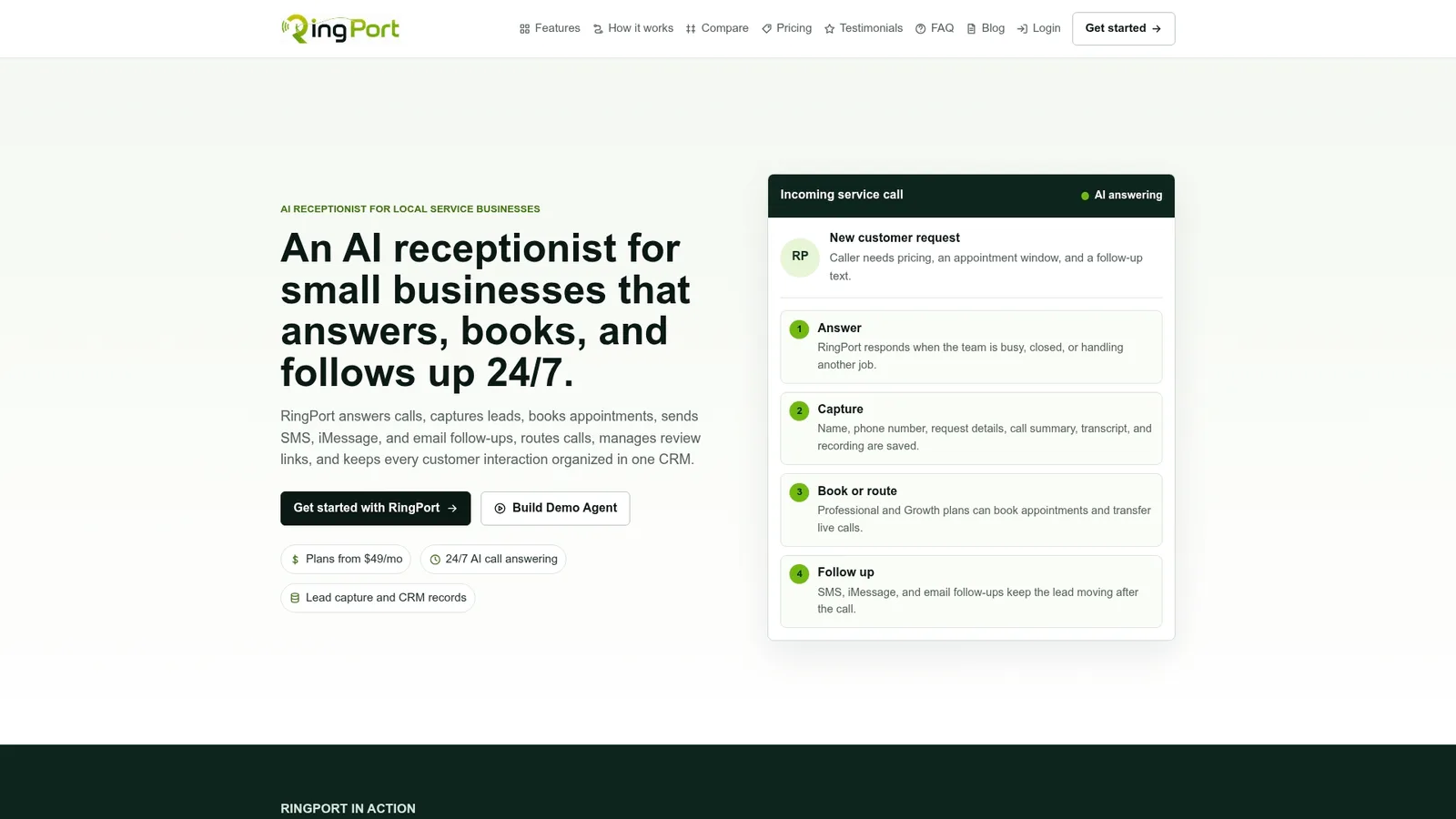
RingPort is an AI receptionist built for local service businesses, and its feature set lines up closely with the checklist above. It answers calls 24/7, routes them using smart rules, and offers callers a callback or a warm transfer to a live team member when the situation calls for a human.
- Automated answering covers the pre-queue decision, so no call goes unanswered outside business hours.
- Smart routing applies the trigger logic from your call-path map without a dispatcher watching a dashboard.
- Warm transfer sends a call straight to a live staff member for the cases that need judgment.
- CRM sync logs every call and booking automatically, closing the loop that a manual system often drops.
Setup notes for the answering and callback pieces specifically are covered in RingPort's guide to automated call answering.
Balancing automation with human judgment
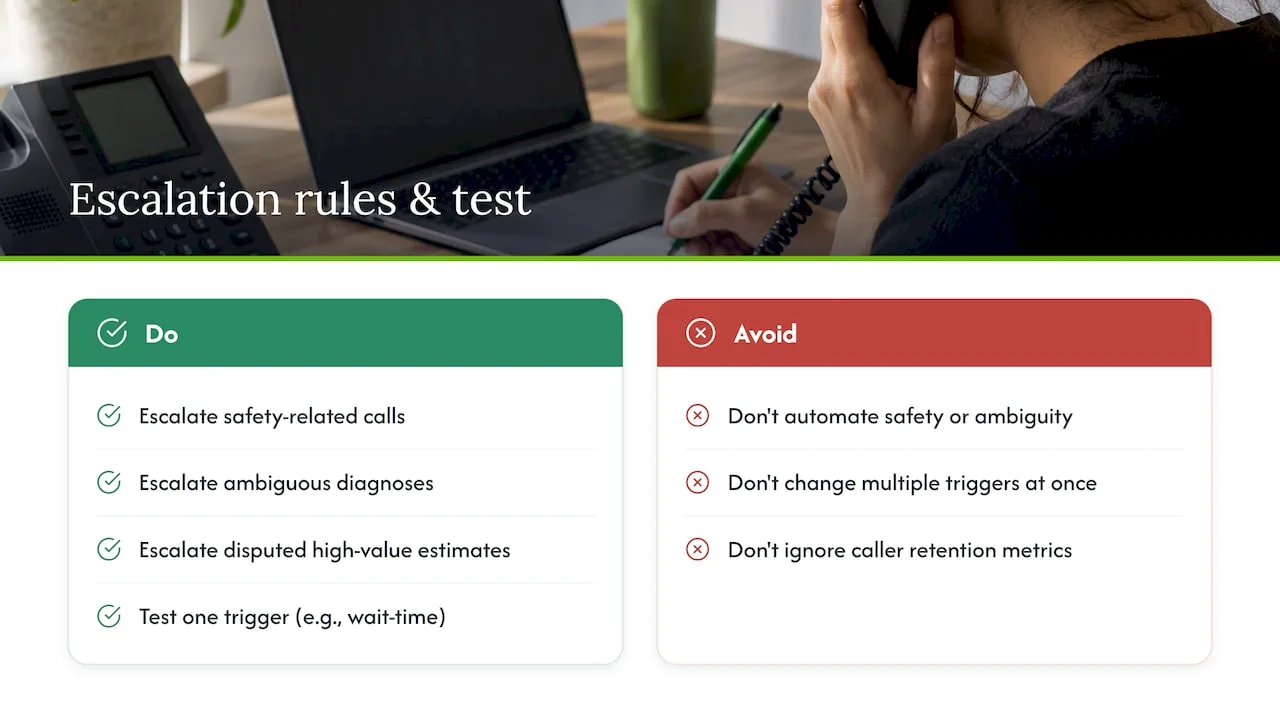
Automation should absorb the routine call volume, but three situations still need a person on the line: anything involving safety, anything where the diagnosis or scope is genuinely ambiguous, and any high-value estimate a caller might question. Get those three escalation rules right and the rest of your overflow setup can run on autopilot.
If you only change one thing this week, pick a single trigger, maybe your wait-time threshold, and run it two ways for a few days to see which version keeps more callers on the line.
— Serhii
Try the RingPort approach to overflow
RingPort combines the routing, callback, and CRM logging pieces from this checklist into one system, so you are not stitching together a phone tree, a callback tool, and a separate CRM update by hand. For a business running lean, that means one setup instead of three.
A quick evaluation takes about 15 to 30 minutes:
- Call your own number during a busy stretch and watch how the routing and callback offer behave.
- Trigger a warm transfer and confirm it reaches a live person cleanly, a workflow detailed on the RingPort Fast Agent page.
- Check that the call and booking details land correctly in your CRM.
Plans start with Starter at $49 per month, with Professional and Growth tiers available as call volume grows. If your setup involves more complex integrations, a managed IT partner can help wire things up on your end.
Sources
- Manage overflow - Microsoft Dynamics 365 Customer Service
- An empirical study of callers’ behavior
- FCC 24-24 ruling on robocalls and robotexts
FAQ
What is call overflow management?
Call overflow management is the set of rules that decide what happens to a call once your team can't answer it right away, whether that's outside business hours or during a busy stretch. Typical actions include transferring the call, offering a callback, sending it to voicemail, or ending it with a message, as outlined in Microsoft's overflow documentation.
Do callbacks actually improve customer satisfaction?
Yes, in many settings a callback raises measured service quality compared with holding, according to a peer-reviewed study of caller behavior. Acceptance stays high as long as the promised callback window is short and reliable, since a broken promise costs more trust than a short hold would.
What triggers should I set for overflow routing?
The main ones to configure are closed hours, a queue-length or work-item limit, an average wait-time threshold, and no-answer timeouts on individual calls. Start with conservative thresholds and adjust them after watching real wait times and abandonment during a peak period.
Is it legal to send an automated callback text?
It depends on consent: outbound automated texts and prerecorded calls fall under TCPA rules, and the FCC's 2024 guidance requires prior express consent in most cases along with prompt handling of opt-out requests. Treat any outbound automated follow-up as a separate compliance workflow from your inbound call handling.
How does RingPort handle call overflow for small businesses?
RingPort answers calls around the clock, applies smart routing rules, and can offer a callback or a warm transfer to a live team member depending on the situation. Call and booking details sync to a CRM automatically, and plans start at $49 per month with the Starter tier.


