
Appointment Reminder Texts That Actually Cut No-Shows
Discover how appointment reminder texts can reduce no-shows using automated SMS, two-way replies, and sync features. Boost client attendance today!

How many customers are slipping away before you can answer?
Answer 4 quick questions and get a simple missed-call estimate for your business.
Answer with one tap. Contact details come after your result.
Here is the estimate.
Thanks. Your result was received.
Use automated two-touch SMS reminders (24 hours plus 1 to 4 hours before) with two-way replies and calendar sync, then paste the templates below into your scheduler today. This setup catches the two moments when clients forget: the day before and the final stretch. Here's your fast start:
- Turn on SMS automation in your booking software
- Enable two-way replies so clients can confirm, reschedule, or cancel by text
- Set timing to 24 hours and 1 to 4 hours before each appointment
- Drop in the copy-ready templates from this guide
Read rates matter here. SMS gets read within minutes far more reliably than email, which is why TextRequest's guide treats speed of reading as the format's biggest advantage for last-minute confirmations. One quick note: if you work in healthcare, keep protected health information out of the message body and route sensitive details to a secure portal instead.
Key Takeaways
Automated two-touch SMS reminders with two-way replies and calendar sync reliably cut no-shows and free up staff time for small service businesses.
| Point | Details |
|---|---|
| Use two-touch timing | Send reminders at 24 hours and again 1 to 4 hours before each appointment. |
| Enable two-way replies | Let clients confirm, reschedule, or cancel by text instead of just reading a one-way message. |
| Sync your calendar in real time | Connect your scheduler to Google Calendar or Office 365 so reminders always match current bookings. |
| Protect client data | Capture opt-in consent, honor STOP replies, and keep PHI out of SMS for healthcare messaging. |
| Automate the whole workflow | Ringport pairs 24/7 call answering with automated SMS follow-up so reminders run without manual work. |
Table of Contents
- Why Appointment Reminder Texts Reduce No-Shows
- How Do You Set Up Automated Appointment Reminders?
- What Should Effective Appointment Reminder Texts Say?
- What Compliance Rules Apply to SMS Reminders?
- How Do Calendar Sync and Automated Replies Work Together?
- How Do You Measure Whether Reminders Are Working?
- How Does an AI Receptionist Change Reminder Operations?
- What Most Businesses Get Wrong About Reminder Texts
- Let Ringport Handle Your Reminders Automatically
- Sources
Why Appointment Reminder Texts Reduce No-Shows
The math is simple: a client who reads your reminder is far more likely to show up, cancel with notice, or ask to reschedule instead of just not showing. That single behavior change is what separates a busy calendar from a profitable one.
Twilio's documentation on programmatic messaging points to SMS as one of the fastest channels for reaching people, and that speed compounds when you're chasing confirmations for tomorrow's schedule. When you add two-way replies, the impact shows up in daily operations too:
- Front-desk staff spend less time on manual confirmation calls
- Day-of schedules become more accurate because no-shows are flagged early
- Open slots from cancellations get filled instead of sitting empty
- Recovered bookings offset the small cost of sending automated SMS appointment reminders
Even a modest drop in no-shows adds up. If a service business books 20 appointments a week and text reminders save even two or three of those slots from going empty, that's real revenue recovered every single week, not just a one-time win.
How Do You Set Up Automated Appointment Reminders?
Getting text appointment reminders live takes less time than most business owners expect. Follow this sequence in your scheduling platform or SMS provider:
- Connect your calendar. Sync your booking system with Google Calendar or Office 365 so reminders always reflect real-time appointment data, not a stale copy.
- Turn on two-way SMS. Enable reply handling so clients can text back "YES" to confirm, "RESCHEDULE" to request a new time, or "CANCEL" to release the slot. Map each keyword to the matching calendar action.
- Set your timing. TextRequest recommends a two-message sequence: one at 24 hours out, one at 1 to 4 hours before. Adjust the second touch based on service type. A haircut might only need a morning-of nudge, while a multi-hour home repair benefits from an earlier heads-up.
- Personalize the message. Use tokens for client name, service, date, and time. Acuity Scheduling's help center notes that character limits and message customization both affect deliverability, so keep tokens short and test how they render.
- Run a live test. Book a dummy appointment and confirm the message arrives, the reply keywords trigger the right action, and your calendar updates automatically.
Setmore's own documentation backs this up, noting that enabling text reminders typically takes just a few clicks once your booking system is connected, with lead-time and personalization settings adjustable from there.
Pro Tip: Test your reminder flow from a staff member's personal phone first, not a work number. You'll catch formatting issues, broken links, or confusing reply instructions before a real client ever sees them.
What Should Effective Appointment Reminder Texts Say?
The best reminder SMS for appointments is short, specific, and gives the client an obvious next step. Here are templates you can paste directly into your system today.
Booking confirmation: "Hi [Name], you're confirmed for [Service] on [Date] at [Time] with [Business Name]. Reply YES to confirm or call [Phone] with questions."
24-hour reminder: "Reminder: your [Service] appointment is tomorrow, [Date] at [Time]. Reply YES to confirm, RESCHEDULE to change, or CANCEL to release your spot."
1 to 4 hour final reminder: "See you soon! Your [Service] appointment with [Business Name] is at [Time] today. Reply if you need to reschedule."
Reschedule request: "No problem! Reply with a preferred day and time, or call [Phone], and we'll find a new slot for your [Service]."
Cancellation confirmation: "Your appointment on [Date] has been canceled. Text or call [Phone] anytime to rebook."
For salons and personal-care businesses, add a light personal touch: "We can't wait to see your new look!" For home service providers, include the technician's name and an arrival window instead of an exact time, since traffic and prior jobs shift schedules. Healthcare front desks should stick to neutral language, no diagnosis details, no treatment specifics, and point clients to a secure portal for anything sensitive.
Keep messages under 160 characters when possible to avoid multi-part billing, and shorten any links with a URL shortener so they don't eat your character budget. TextRequest's read-rate data is the reason short, scannable copy outperforms long paragraphs: people skim texts, they don't study them.
What Compliance Rules Apply to SMS Reminders?
Before you send a single automated text, lock down these basics:
- Capture opt-in consent at the time of booking, and store the timestamp with the record.
- Honor every STOP or opt-out reply immediately and maintain a suppression list so those numbers never get texted again.
- Never put protected health information in an SMS. Use HIPAA-capable platforms with a signed business associate agreement if you're a healthcare provider, and keep clinical details off the text thread entirely.
- If you send high volumes or work in a regulated industry, have a legal review of your messaging program at least once.
Acuity's help documentation recommends recording opt-in status directly in the client profile, which makes audits far simpler if a compliance question ever comes up.
Pro Tip: Add a one-line consent checkbox to your booking form ("I agree to receive text reminders about my appointment") rather than burying it in fine print. It's clearer for clients and cleaner for your records.
How Do Calendar Sync and Automated Replies Work Together?
Real-time calendar sync is what keeps automated appointment alerts accurate. Without it, a canceled appointment might still trigger a reminder, which confuses clients and wastes a text.
When two-way replies are connected properly, a client's "CANCEL" or "RESCHEDULE" response updates the calendar automatically instead of landing in an inbox someone has to check manually. Setmore's documentation on automated text reminders confirms this kind of two-way sync is a standard feature in modern scheduling tools, not a custom build.
- Webhooks can push confirmed appointments into your CRM the moment a client replies YES
- APIs can trigger a post-visit follow-up sequence automatically
- Staff alerts can flag unconfirmed high-value bookings for a personal follow-up call
- Bookings without a valid phone number should default to email reminders as a fallback
How Do You Measure Whether Reminders Are Working?
Track four numbers monthly: no-show rate, confirmation rate, reply response rate, and recovered revenue. A simple ROI formula works for most small businesses: average booking value times appointments saved, minus your monthly messaging cost.
- Test sending the first reminder at 48 hours instead of 24 for appointments with historically high no-show rates
- Try shortening or lengthening your call-to-action wording to see which drives more replies
- Experiment with reply keywords, some audiences respond better to "C" for confirm than a full word
- Watch for reply rates dropping over time, a sign of message fatigue that means it's time to dial back frequency
If confirmation rates start slipping after a few months, TextRequest's guide on SMS best practices points to over-messaging as a common cause, so pull back to a single reminder before adding a third touch.
How Does an AI Receptionist Change Reminder Operations?
Manual reminder systems break down the moment a business gets busy enough to need them most. That's the gap Ringport is built to close for local service businesses.
An AI receptionist that answers calls 24/7, books appointments automatically, and follows up by SMS turns reminders from a task someone remembers to do into a system that runs on its own. Smart routing means urgent calls still reach a human, while routine confirmations and reminders happen without anyone touching a phone.
Fewer missed calls mean more booked appointments, and staff time that used to go toward chasing confirmations gets reallocated toward the work that actually grows the business.
What Most Businesses Get Wrong About Reminder Texts
Most advice on appointment reminder texts stops at "send a text 24 hours before," as if timing alone solves the no-show problem. It doesn't. The businesses that see the biggest drop in no-shows are the ones that treat reminders as a two-way conversation, not a broadcast.
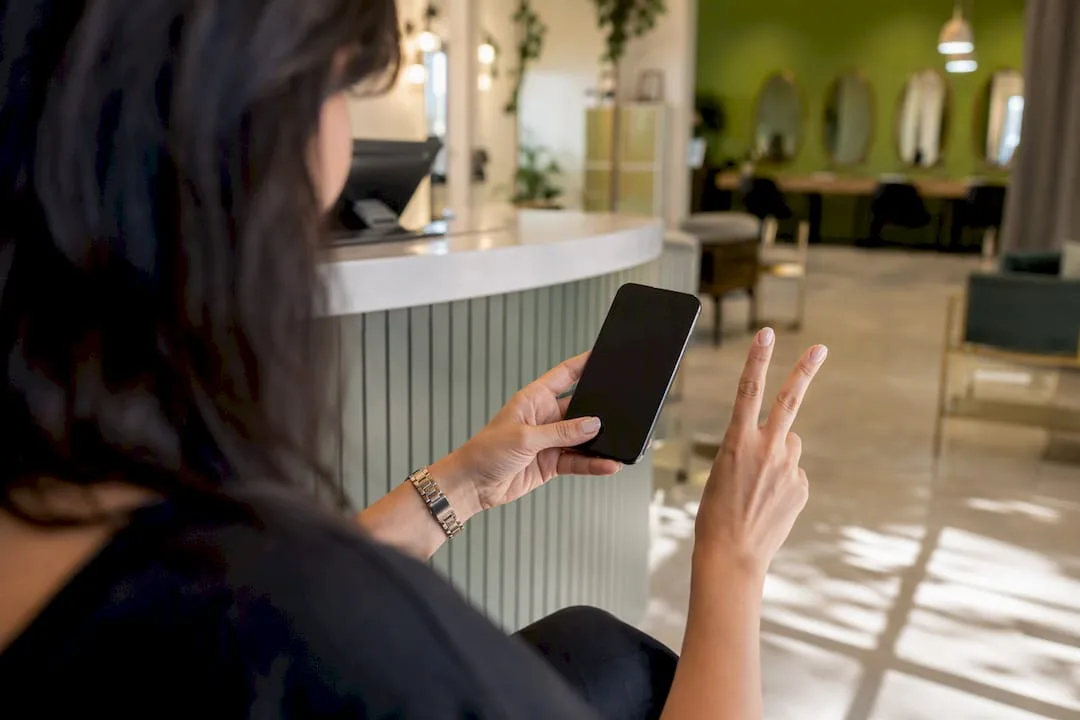
A text that only informs, with no reply option, wastes the channel's biggest strength: SMS lets clients act in seconds. The conventional playbook underrates two-way replies and calendar sync almost every time, treating them as a nice extra instead of the actual mechanism that prevents empty slots.
If you're deciding where to spend your setup time, skip the temptation to write five clever message variations first. Get the reply keywords and calendar sync working correctly before you touch the copy. A plain, slightly boring reminder that syncs perfectly with your calendar will outperform a beautifully written one that doesn't update your schedule when a client cancels.
Let Ringport Handle Your Reminders Automatically
Ringport gives service businesses the reminder workflow this guide recommends, without anyone having to build or babysit it. It runs the two-touch sequence, handles the replies, and keeps your calendar accurate around the clock.
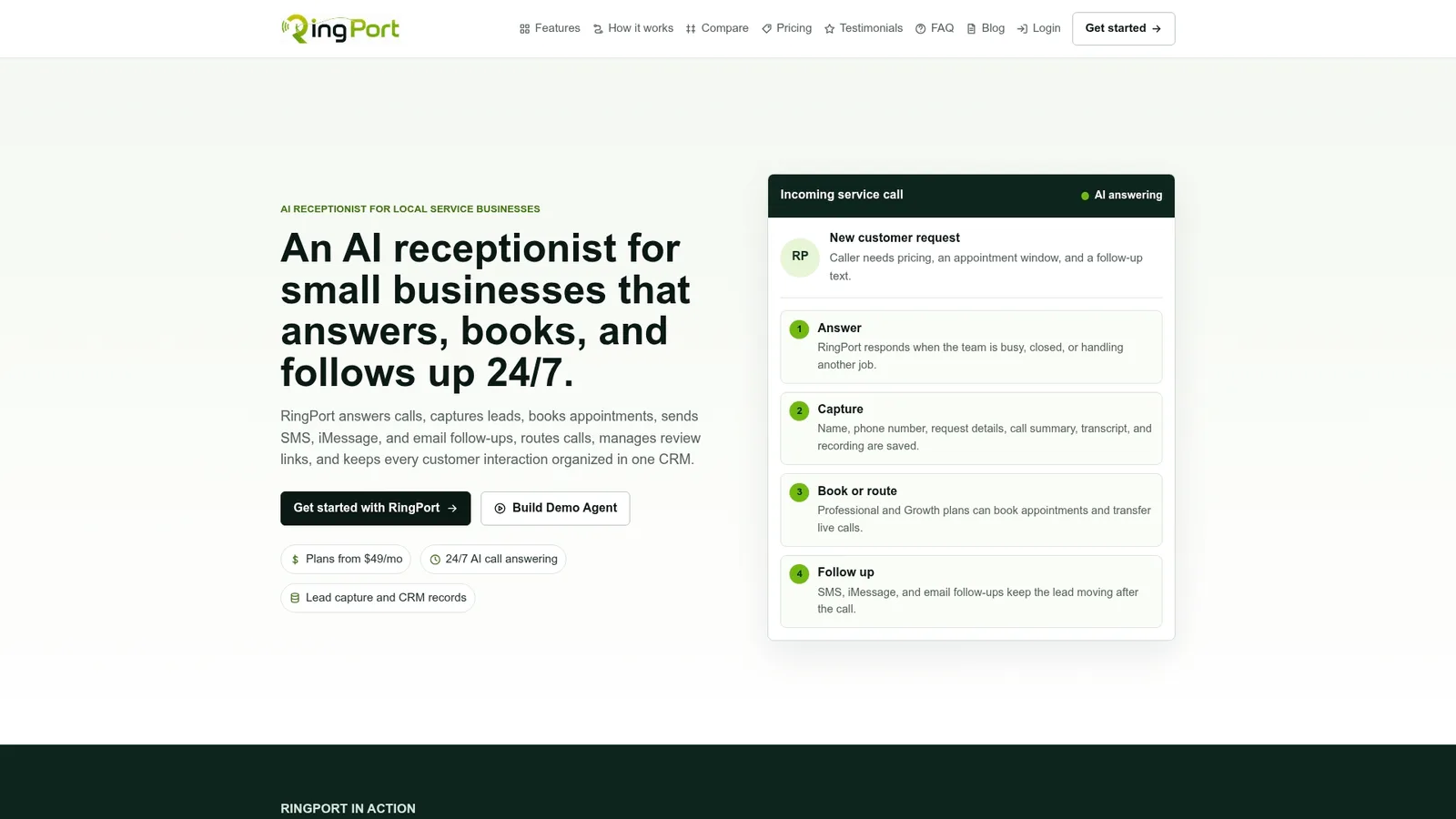
- Two-way SMS replies that confirm, reschedule, or cancel appointments automatically
- Real-time calendar sync so reminders always match your actual schedule
- 24/7 call answering and booking capture, so leads get scheduled even after hours
If chasing confirmations and playing phone tag is eating into hours you'd rather spend on paying work, take a look at Ringport and see how the setup fits your calendar.
Sources
- Twilio
- SMS appointment reminders: The ultimate guide — TextRequest
- Sending appointment reminders via text – Acuity Scheduling Help Center


