Prototype on Zapier, Move to Webhooks: Developers and Small Teams
Prototype on Zapier, then move mission critical automations to webhooks. Includes checklist, reliability tips for developers and small teams.

How many customers are slipping away before you can answer?
Answer 4 quick questions and get a simple missed-call estimate for your business.
Answer with one tap. Contact details come after your result.
Here is the estimate.
Thanks. Your result was received.
Zapier is a no-code automation platform best suited for quick, low-volume workflows you can set up in an afternoon. Webhooks are an engineering pattern: real-time, event-driven data delivery that gives you full control but demands you build and maintain the receiving end yourself. If you need speed to launch and don't touch heavy traffic, start with Zapier. If you need low latency, high volume, or airtight reliability, build with webhooks.
TL;DR:
- Webhooks deliver events instantly and require minimal request overhead, but demand a reliable, secure endpoint and custom retry logic.
- Zapier simplifies setup and error management for low-volume workflows but relies on polling for some triggers, introducing slight delays.
- At high event volumes or when near-instant delivery is critical, building or maintaining webhooks becomes more cost-effective than Zapier's per-task charges.
- The tipping point for migration often occurs around tens of thousands of monthly events or when delays impact customer experience or compliance.
- Managed solutions like Ringport provide call answering and appointment booking without technical maintenance, ideal for small service teams.
Table of Contents
- Webhooks vs Zapier: What a Webhook Actually Does
- How Zapier Uses Webhooks Behind the Scenes
- Zapier vs Webhooks: Comparing the Trade-Offs That Matter
- When to Move From Zapier to Webhooks: A Migration Checklist
- Building Reliable Webhooks: Idempotency, Retries, and Reconciliation
- A Practitioner's Take on Choosing Between Them
- A Managed Alternative When You'd Rather Not Build Either One
- Sources
- FAQ
Webhooks vs Zapier: What a Webhook Actually Does
A webhook is an event-driven HTTP POST sent to a URL you've registered in advance. Something happens (a payment clears, a form gets submitted, a call ends), and the sending system fires a small JSON payload to your endpoint the instant it occurs. No polling, no asking "did anything change yet?" every few minutes. The event pushes itself to you the moment it happens, which is fundamentally different from an API call you initiate.
That immediacy comes with strings attached. Your endpoint has to be publicly reachable over HTTPS, always on, and ready to respond fast. You'll also want to verify HMAC signatures on incoming payloads, so you know the request actually came from the sender and not an impostor. And because webhooks can arrive twice (retries happen), your system needs idempotency, meaning it recognizes a duplicate event and doesn't process it twice.
Pros:
- Near-instant delivery, often under a second from event to receipt
- No wasted requests polling an API that usually has nothing new to report
- Lower load on the sending system compared to constant polling
Cons:
- You own uptime for the endpoint. If it's down, you miss events.
- Retry and reconciliation logic isn't automatic. You build it.
- A public endpoint is one more attack surface to secure.
Pro Tip: *Before writing a single line of production code, spin up a tunnel with a tool like ngrok and point the sender at your local machine. Pair it with a request inspector so you can see the raw payload, headers, and signature on every delivery.
How Zapier Uses Webhooks Behind the Scenes
Zapier is a no-code automation platform that connects thousands of apps through prebuilt triggers and actions, no engineering degree required. You pick a trigger app, pick an action app, map a few fields, and you have a working automation in minutes.
Under the hood, Zapier often relies on the same webhook mechanics described above. Its "Webhooks by Zapier" feature, sometimes called Catch Hook, generates a URL for you instead of asking you to host one. That URL becomes your endpoint. Zapier receives the event, parses it, and hands it to the rest of your workflow. For non-technical users who can't stand up a public server, this removes the single biggest barrier to event-driven automation.
Strengths:
- Setup measured in minutes, not sprints
- A massive app directory covering CRMs, spreadsheets, calendars, and messaging tools
- Managed retries and error handling on many native triggers, so you're not building that logic yourself
Constraints:
- Per-task billing means costs climb with volume, sometimes steeply
- Some triggers poll on an interval rather than pushing instantly, adding real latency for anything that isn't a native instant trigger
- Complex branching logic gets unwieldy and hard to maintain as a Zap grows
Zapier earns its place as a long-term tool for low-volume, non-critical workflows, like syncing a form submission to a spreadsheet or an email follow-up automation. Treat it as a temporary bridge for anything that touches thousands of events a day.
Zapier vs Webhooks: Comparing the Trade-Offs That Matter
The core distinction is who initiates the action. Webhooks push data to you the second an event fires. Zapier, depending on the trigger, either receives a push through its own webhook endpoint or polls a connected app's API on a schedule, sometimes checking every few minutes rather than instantly.
Cost models diverge just as sharply. Webhooks cost you engineering time upfront, then run cheaply at scale since you own the infrastructure. Zapier flips that: cheap to start, but per-task pricing scales with every automation run, so a workflow processing 50,000 events a month can get expensive fast.
Where each approach wins:
- Latency: webhooks for sub-second delivery; Zapier for "good enough within a few minutes"
- Engineering effort: Zapier for zero-code setup; webhooks for full control at the cost of build and maintenance time
- Reliability ownership: Zapier manages retries on many triggers; with raw webhooks, you write your own retry, backoff, and reconciliation logic
- Cost at scale: webhooks stay flat as volume grows; Zapier's per-task model rises with usage
- Failure mode: a Zapier outage affects your automation, not your core system; a webhook endpoint outage means you silently miss events until you notice
Rule of thumb: if a missed or delayed event costs you a sale, a compliance flag, or a customer, build it as a webhook. If a delay of a few minutes is a shrug, Zapier is doing its job fine.
When to Move From Zapier to Webhooks: A Migration Checklist
Ask yourself these questions before deciding where a workflow belongs:
- What's your latency tolerance? If a customer notices a 5 minute delay, that's a signal toward webhooks.
- What's your volume? A few hundred events a month is comfortable Zapier territory. Tens of thousands starts to strain per-task pricing.
- What's your error tolerance? Mission-critical flows (payments, appointment confirmations, compliance logging) need reconciliation and retry guarantees you control.
- Do you have security or compliance requirements that demand data stay inside your own infrastructure rather than passing through a third-party platform?
- Do you have engineering resources to build and maintain an endpoint, or is a small team better served by a managed tool?
The sensible staging path: prototype the workflow on Zapier first, measure real volume and failure rates for a few weeks, then harden only the flows that prove critical or expensive into dedicated webhooks or API integrations. Most teams over-engineer too early and end up maintaining infrastructure for a workflow that ran twice a day.
Pro Tip: Watch your Zapier task count and your support tickets side by side. When task costs start rivaling a developer's hourly rate, or when missed automations start generating customer complaints, that's your migration trigger, not a calendar date.
Building Reliable Webhooks: Idempotency, Retries, and Reconciliation
Every production webhook system needs three things: idempotency, retry logic, and a safety net.
Idempotency means attaching a unique event ID to every payload and checking it at the database layer before processing. If the same ID shows up twice, because a retry fired after a slow response, you skip it instead of double booking an appointment or double charging a customer.
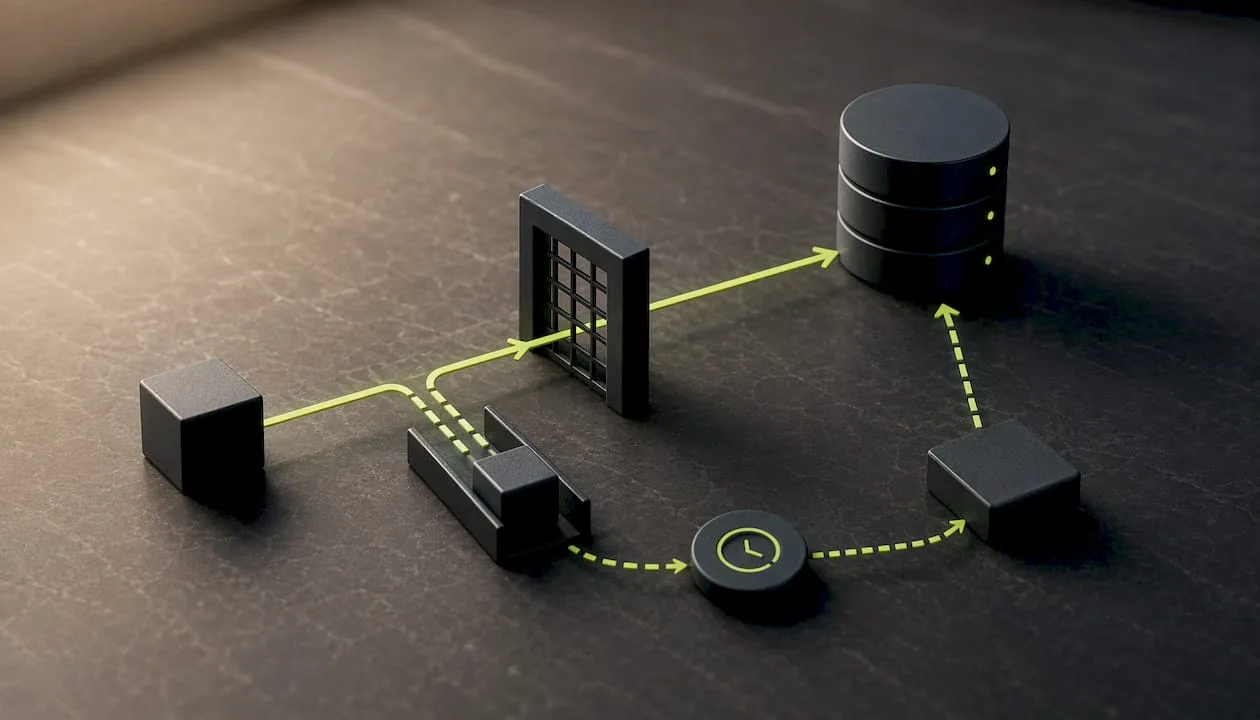
Retries and backoff matter because networks fail. Managed platforms like Zapier often handle this automatically on native triggers. Self-hosted endpoints need their own exponential backoff logic, or you'll lose events silently the moment your server has a bad five minutes.
Reconciliation polling is the safety net. Even a well-built webhook system misses events occasionally, so pairing real-time webhooks with a periodic poll that checks the source of truth catches anything that slipped through.
- Log every incoming payload with a timestamp and event ID
- Use a request inspector during development to replay failed deliveries
- Track delivery latency, retry rates, and reconciliation diffs as ongoing metrics
At high event volumes, a flood of webhooks can overwhelm a single endpoint faster than a comparable polling schedule would, which is why some teams switch to developer-grade webhook infrastructure once traffic climbs past a few hundred events per minute.
A Practitioner's Take on Choosing Between Them
The mistake most teams make isn't picking the wrong tool. It's picking one tool forever. Zapier's role is to prove a workflow works before you invest engineering hours in it. The hidden cost nobody budgets for is the ongoing babysitting a self-hosted endpoint demands, which is exactly why reconciliation polling belongs in your plan from day one, not as an afterthought after your first missed event.
— Serhii
A Managed Alternative When You'd Rather Not Build Either One
If you run a local service business, the honest truth is that neither raw webhooks nor a stack of Zaps solves your actual problem: someone still has to answer the phone, book the job, and follow up. Ringport is built specifically for that gap. It handles 24/7 call answering, appointment booking, and CRM workflows out of the box, with webhook integrations already in place so you don't need to set up your own endpoint to connect your booking calendar to your customer list.
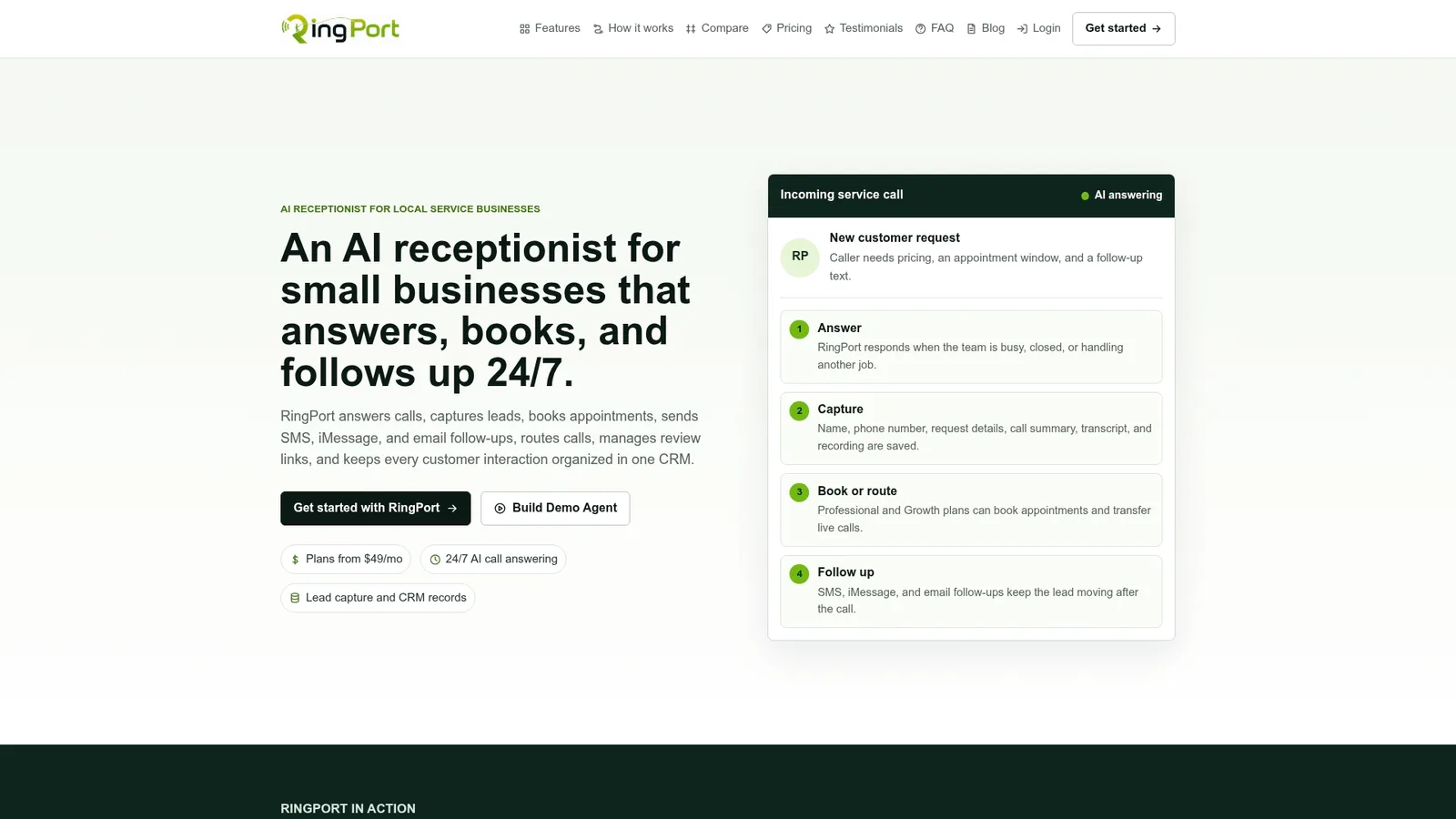
That matters because most solo owners and small teams don't have a developer on staff to maintain retry logic or debug a dropped webhook at 11 PM. Ringport's Fast Agent feature routes and answers calls automatically, and the platform's smart routing and follow-up messaging cover the same ground a custom integration would, without the maintenance burden. Plans start with Starter at $49 per month, scaling up through Professional and Growth as call volume grows. If you've been patching together Zaps to catch missed calls and chase leads, it's worth comparing that setup against what Ringport handles natively. Check current plans and see which tier fits your call volume.
Sources
For hands-on testing, webhookrelay's open-source tools help you inspect and replay payloads locally. For deeper API-versus-webhook reasoning, review the data integration comparison guide and the polling versus webhook decision framework.
- Webhook vs API: What’s the difference? — Zapier
- APIs vs Webhooks: Understanding the Difference for Zapier and Make Automation | Automation Ace
- A Zapier webhooks alternative for developer-grade webhook delivery — Webhook Relay
- Webhooks vs Polling vs API: How to Choose an Integration Pattern — Cesar Ayala
FAQ
What Is the Difference Between a Webhook and Zapier?
A webhook is a raw technical pattern: an event triggers an HTTP POST to your endpoint. Zapier is a no-code platform that often uses webhooks internally (through its Catch Hook feature) but wraps them in a visual interface so you never touch code. Think of webhooks as the plumbing and Zapier as one prebuilt house built on top of that plumbing.
What Are the Disadvantages of Webhooks?
Webhooks put the burden of uptime, security, and retry logic on you. If your endpoint goes down, you miss events silently unless you've built reconciliation polling to catch the gap. They also require ongoing engineering attention that a no-code tool doesn't demand.
Is There Anything Better Than Zapier?
"Better" depends on the job. For high-volume or latency-sensitive workflows, developer-grade webhook infrastructure often outperforms Zapier on cost and control. For service businesses that need calls answered and appointments booked without any building at all, a purpose-built tool like Ringport solves a different problem entirely: it replaces the need for an integration rather than automating one.
What Replaced Webhooks?
Nothing has replaced webhooks; they remain the standard for real-time event delivery. What has changed is the tooling around them: managed webhook endpoints (like Zapier's Catch Hook) and developer-grade webhook infrastructure now handle much of the reliability work that used to require custom code.
How Much Does Ringport Cost?
Ringport's plans start at $49 per month for Starter, with Professional at $149 per month and Growth at $299 per month, plus pay-as-you-go add-ons for extra call minutes and messaging. Exact tier details and current pricing are listed on the Ringport site.