Webhooks: No Code, Dev Checklist and RingPort for Small Businesses
Get webhooks live for your small business using no code tools. Follow seven steps to launch and connect RingPort to automate calls and leads.

How many customers are slipping away before you can answer?
Answer 4 quick questions and get a simple missed-call estimate for your business.
Answer with one tap. Contact details come after your result.
Here is the estimate.
Thanks. Your result was received.
Yes, webhooks are worth setting up: they let your apps talk instantly, pushing updates on payments, orders, leads, and bookings without you or your software constantly checking for changes. Most small businesses can get one running through a no-code integrator in an afternoon, though a developer path gives more control. Either way, treat security and reliability as part of the setup, not an afterthought.
TL;DR:
- Webhooks are ideal for real-time event notifications like payments, orders, and appointments, but are ineffective for bulk data transfers or routine updates.
- Setting up webhooks can be done using no-code tools like Zapier or n8n, or through a developer-only process that involves creating a secure HTTPS endpoint.
- Key security measures include verifying payload signatures with HMAC, guarding against replay attacks, and implementing idempotency checks to prevent duplicate processing.
- Regular testing and monitoring, including initial setup with provider test events and weekly delivery logs, are essential to ensure reliability.
- Starting with one high-value automation, such as lead capture or appointment booking, and fixing common issues like signature mismatch or missed events first, ensures scalable and dependable webhook integration.
Table of Contents
- What Is a Webhook, and How Is It Different From an API?
- When Should a Small Business Actually Use Webhooks?
- How Do You Set Up Webhooks Without Hiring a Developer?
- What Security and Reliability Rules Actually Matter?
- How Do You Test and Monitor Webhooks After Launch?
- What Are Some Quick Webhook Automations Worth Building First?
- How Does Ringport Use Webhook-Driven Events?
- Your First Week: 7 Steps to a Working Webhook Automation
- Start Small, Make It Reliable, Then Scale
- Let Ringport Turn Your Calls Into Automated Events
- Sources
What Is a Webhook, and How Is It Different From an API?
A webhook is an HTTP callback: a small message a service sends automatically to a web address you provide the moment something happens, like a paid invoice or a new form submission. Instead of your software repeatedly asking "anything new yet?" the sender pushes the update to you the second it occurs.
That's the core difference from a typical API request, which usually works the other way around. You ask, the API answers. If you need fresh data, you have to keep asking, a pattern called polling. Webhooks flip that model, and platforms like Stripe, GitHub, Shopify, and QuickBooks all rely on them to notify connected apps about events in real time.
The typical flow looks like this:
- You register a URL with the sending platform (your CRM, payment processor, or booking tool).
- An event happens, like a customer completing checkout.
- The sender fires an HTTP POST with a JSON payload describing what happened.
- Your endpoint returns a quick success response, then processes the details in the background.
APIs still matter for pulling historical records or bulk data. Webhooks handle the "tell me the instant it happens" side of the job.
When Should a Small Business Actually Use Webhooks?
Webhooks earn their keep on events that need a fast reaction, not on jobs that just need data moved around occasionally. A few examples that consistently pay off:
- A payment clears and you want an instant SMS receipt and an accounting update.
- A new order comes in and inventory needs adjusting right away.
- A lead fills out a contact form and your team needs an alert before the lead cools off.
- A customer books an appointment and needs immediate confirmation.
- An inbound call or message arrives and should trigger a follow-up task.
Webhooks are the wrong tool for bulk jobs. Moving a full customer list, running a nightly inventory reconciliation, or syncing thousands of historical records works better with scheduled batch API calls, since webhooks are built for single-event pushes, not high-volume transfers.
A simple rule of thumb: if the value drops the longer you wait to know about it, use a webhook. If you just need the data eventually and in bulk, batch it.
How Do You Set Up Webhooks Without Hiring a Developer?
You have two realistic paths, and neither requires a computer science degree.
No-code path. Most modern business tools, from payment processors to booking software, list a webhook or "instant trigger" option in their settings. You connect that output to a platform like Zapier, Make, or n8n, which then routes the event into your CRM, spreadsheet, or messaging app. Expect the vendor to hand you a webhook URL and a signing secret. Keep that secret private; it is how you verify the message actually came from them and not an impersonator.
Managed relay path. A managed webhook service sits between the sender and your systems, normalizing formats, retrying failed deliveries, and transforming payloads so your endpoint doesn't have to. This is worth considering once you are juggling more than two or three connected platforms, since managed relays reduce the engineering overhead of handling every provider's slightly different payload shape.
Developer path checklist, if your team can edit code:
- Stand up an HTTPS endpoint that can accept POST requests.
- Store the signing secret the provider issues, never hardcoded in a public repo.
- Use the provider's test button or CLI tool to send a sample event before going live.
- Confirm your endpoint returns a 2xx status, then log the payload for review.
- Build a small script or admin page to replay past events during testing.
Pro Tip: Test with the provider's sample payload before connecting real customer data. Most webhook failures during setup come from assuming a field exists in the JSON body when it doesn't.
What Security and Reliability Rules Actually Matter?
The practical risks with webhooks aren't exotic. They are forged requests, duplicate processing, and lost events during downtime, and each has a known fix.
- Verify the payload's signature using HMAC-SHA256 and reject anything that doesn't match, since signing payloads is the standard way providers let you confirm a message is genuine.
- Reject requests with old timestamps to block replay attacks, where someone captures and resends a valid-looking payload later.
- Store each event's unique ID and skip anything you've already processed. This idempotency check is what prevents duplicate accounting entries or double-booked appointments when a provider retries a delivery.
- Return a 2xx response within a few seconds, then handle the actual work asynchronously. Providers that don't hear back quickly will retry the same event, which is how duplicates sneak in.
- Ask your integrator or developer for delivery logs and a retry policy with backoff, plus a queue or dead letter queue (DLQ) option for events that fail repeatedly.
Production webhook systems commonly face five failure modes: duplicate delivery, out-of-order delivery, receiver downtime, slow handling, and payload changes. A relay or queue absorbs most of these before they ever reach your business logic, which is exactly why that feature is worth asking about upfront rather than discovering its absence during an outage.
How Do You Test and Monitor Webhooks After Launch?
Set this up before you trust the automation with real customer data.
Most providers include a test button or a CLI tool that forwards sample events to your endpoint, which is the fastest way to confirm your setup works before a real transaction hits it. Once live, check delivery logs weekly for the first month, and set an alert for repeated failures rather than finding out three weeks later that a whole batch of leads never made it into your CRM.
- Use the provider's test event feature during initial setup.
- Watch delivery logs for failed or delayed deliveries.
- Set up an alert after two or three consecutive failures on the same endpoint.
- Use a DLQ or replay tool to recover events lost during downtime.
- Troubleshoot in order: check the signature, then the timestamp, then the payload shape.
| Issue | Likely cause | Fix |
|---|---|---|
| Signature mismatch | Wrong or outdated secret | Re-copy the current signing secret from the provider dashboard |
| Duplicate records | Missing idempotency check | Store event IDs and skip repeats |
| Missed events after outage | No replay path | Use delivery logs or a DLQ to replay missed events |
| Endpoint timing out | Processing done before responding | Return 2xx immediately, process asynchronously |
What Are Some Quick Webhook Automations Worth Building First?
A handful of flows deliver outsized value relative to the setup effort, and most owners can pick one and have it running within a week; for tailored automation support, consider Emergent IT - AI Automation Solutions.
- Payment received triggers an accounting update and an automatic SMS receipt to the customer.
- Order created kicks off a fulfillment task and adjusts inventory counts without manual entry.
- Contact form lead creates a CRM record, alerts the assigned team member, and schedules a follow-up call automatically. A flow like this pairs well with email follow-up automation, so no lead sits untouched overnight.
- Appointment booked adds a calendar event and sends a confirmation text, echoing the logic behind a solid appointment confirmation text sequence.
One pattern worth knowing: some platforms, notably QuickBooks, send webhook payloads that only include a reference ID, not the full record. You then make a quick follow-up API call to pull the complete details, so build that extra step into your handler rather than assuming every field arrives up front.
How Does Ringport Use Webhook-Driven Events?
Ringport works as the always-on front desk for local service businesses, and webhooks are how it hands off what happens on the phone to the rest of your systems. When a call comes in, an appointment gets booked, or a lead leaves contact details, Ringport can emit that event to your connected tools instead of leaving it trapped in a call log.
Owners using automated call answering report catching leads they used to miss entirely, since the system runs around the clock rather than only during business hours.
Typical events and payloads Ringport can send include:
- New appointment booked, with time, service type, and contact details.
- Inbound lead captured, with name, number, and reason for the call.
- Message received via SMS or iMessage, ready to route into a CRM.
Your First Week: 7 Steps to a Working Webhook Automation
- Pick one high-value event, like new leads or bookings.
- Choose a no-code integrator or a developer path.
- Register your endpoint or integrator URL and save the signing secret.
- Add a signature and timestamp check, or rely on the integrator's built-in auth.
- Return 2xx fast, log event IDs, and check delivery logs.
- Send a test event, then try a replay if the provider offers one.
- Review failures weekly for the first month.
Start Small, Make It Reliable, Then Scale
Pick one automation with a measurable payoff, in saved time or captured revenue, before touching a second one. The pitfalls that sink small business webhook projects are always the same: no signature check, no idempotency, no delivery logs to fall back on when something breaks quietly. Fix those three first, and everything you add afterward gets easier.
— Serhii
Let Ringport Turn Your Calls Into Automated Events
Ringport is the alternative to hiring extra front-desk staff for capturing calls, bookings, and leads around the clock, then feeding them straight into the webhook workflows this article just walked through. Instead of building call handling from scratch, you get an AI receptionist that answers every call, books appointments, and passes lead and booking events into your CRM or messaging tools automatically.
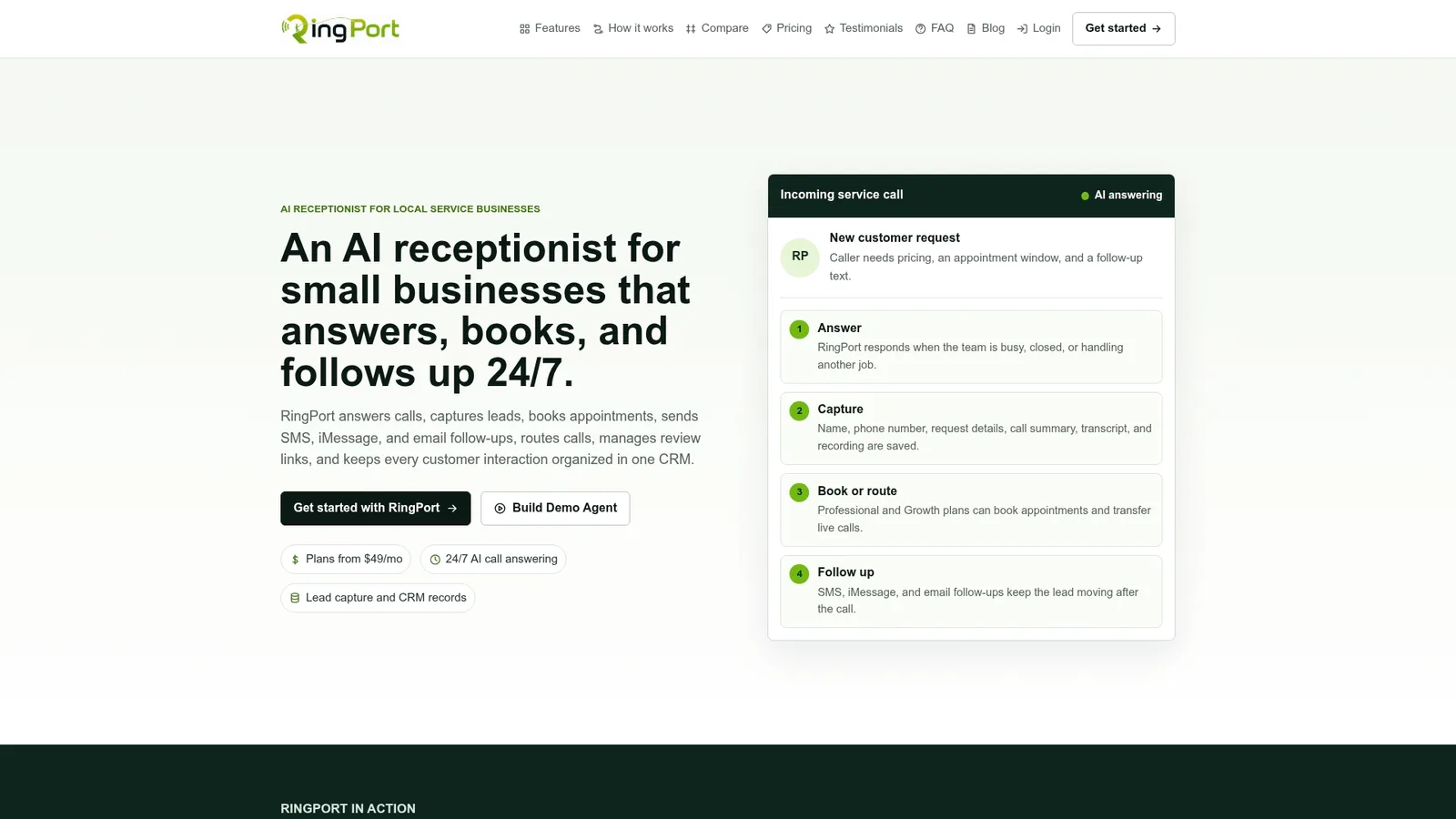
That can mean fewer missed calls after hours, fewer leads sitting in a voicemail box, and a simpler handoff between "someone called" and "someone followed up." Businesses running front desk automation alongside calendar tools like Google Calendar booking tend to see appointments confirmed faster, with less manual back and forth. If your business runs on phone calls and bookings, check out RingPort Fast Agent to see how a turnkey AI receptionist plugs into the automations you already use, or visit Ringport to explore the full platform and start a trial.
Sources
- What Is a Webhook? How Webhooks Work, With Examples
- How to secure webhook endpoints: HMAC
- Webhook error-handling guidance