Keep IVR Menus to 3–5 Options: Best Practices for Contact Centers
Design caller first IVR menus that reduce abandonment. Keep main menus to 3–5 options, offer a clear human off-ramp, test quarterly, and consider an AI...

How many customers are slipping away before you can answer?
Answer 4 quick questions and get a simple missed-call estimate for your business.
Answer with one tap. Contact details come after your result.
Here is the estimate.
Thanks. Your result was received.
Design your IVR around the caller, not your org chart: keep the main menu to a small number of options, generally three to five, give every caller an obvious way to reach a person quickly, and review the analytics often enough to catch problems before they pile up. Anchor that approach to ISO 9241-154 usability guidance, real drop-off data from your platform, and, where staffing gets tight, tools like Ringport that reduce how much IVR you need in the first place.
TL;DR:
- Limiting the main menu to three to five options and sequencing them by call volume improves caller retention and reduces frustration.
- Clear, action-oriented prompts under 30 seconds and immediate human escalation paths lower abandonment rates and enhance user experience.
- Offering language selection upfront and supporting speech recognition with barge-in makes IVR more accessible and reduces friction for all callers.
- Regularly reviewing performance metrics and testing adjustments ensure ongoing optimization of menu structure and prompts.
- Replacing complex menus with AI tools like Ringport can streamline call handling, reduce maintenance, and improve lead capture for small teams.
Table of Contents
- Quick Checklist: Top IVR Menu Best Practices
- Core IVR Design Best Practices Explained
- Testing, Measurement, and Continuous Improvement
- Voice, Tone, and Recording Quality
- Example IVR Scripts and Menu Templates
- When to Simplify IVR With Smart Routing or an AI Receptionist
- What Actually Moves the Needle
- A Simpler Path: Reducing IVR Complexity With Ringport
- Sources
Quick Checklist: Top IVR Menu Best Practices
Print this out and hand it to whoever owns your IVR builder. It's the short version of everything that follows.
- Cap the main menu at three to five options, and keep the tree no more than two levels deep.
- Offer a clear human off-ramp, pressing 0 or saying "agent," plus a callback option during peak call volume.
- Put language selection at the very start of the call, before any menu options play.
- Support both DTMF and speech recognition, allow barge-in, and tune silence timeouts so callers aren't stuck waiting.
- Write prompts that are short, action-first, and recorded in a natural voice, never in marketing language.
- Review performance quarterly, and track abandonment by menu node, transfer rate, and time-to-agent.
Most contact centers already know these rules. Few actually audit against them more than once a year, which is usually when the trouble starts.
Core IVR Design Best Practices Explained
Every rule on that checklist has a reason behind it, and understanding the reason is what lets you adapt it to your own call center instead of copying it blindly.
1. Menu breadth and depth
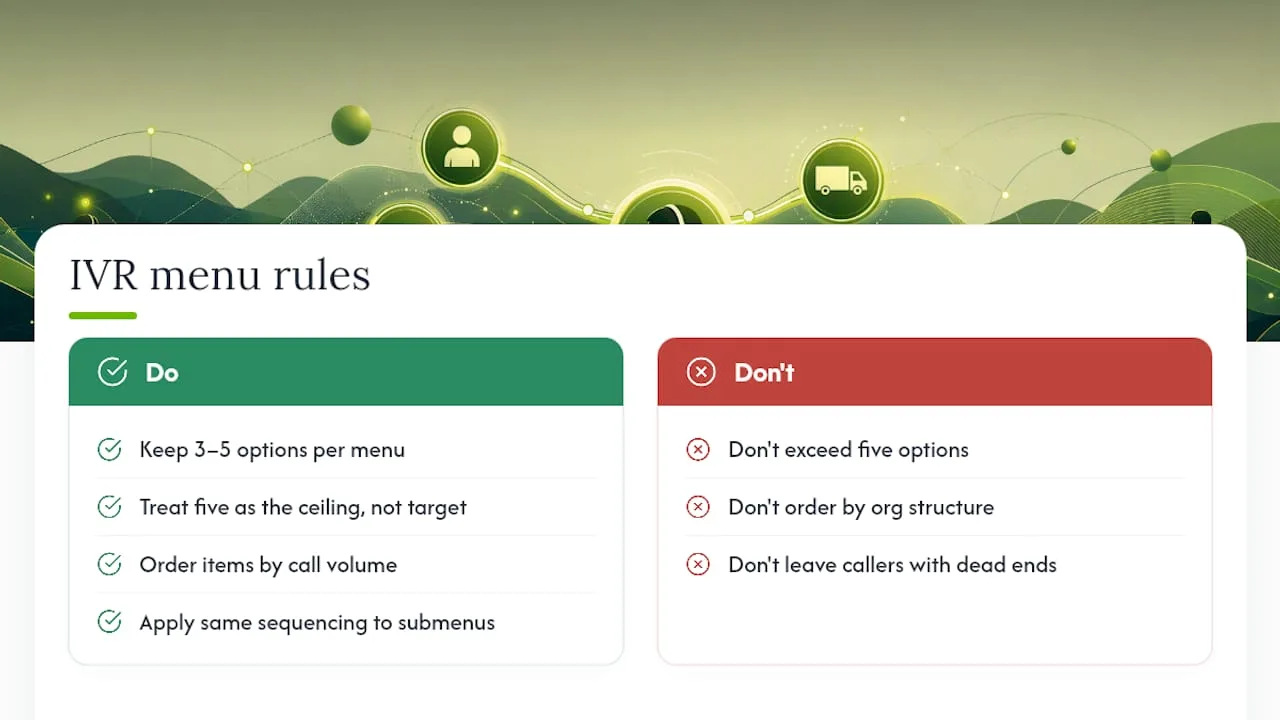
Five options is the ceiling, not the target. Industry consensus favors three to five choices per menu because callers can only hold so many spoken options in working memory before they start guessing. Order those options by call volume, not by department structure. Sipstack's research on IVR design found that sequencing menu items by actual contact volume outperforms organizing them the way your business is structured internally. If billing questions drive 40% of your calls, billing goes first, regardless of where it sits on your org chart. Nest a nested submenu the same way. Always give callers an "other" option so no one hits a dead end with nowhere to go.
2. Wording and prompt length
Lead with the verb. "Press 1 to pay your bill" tells a caller exactly what to do; "For billing inquiries, press 1" makes them do the translation themselves. Cut every phrase that sounds like a slogan or a legal disclaimer. Aim to get callers from greeting to menu options inside about 30 seconds; Sipstack ties longer prompt times directly to caller tune-out and increased abandonment.
Pro Tip: Read your main menu script aloud with a stopwatch running. If it takes longer than the average caller's patience, which is shorter than you think, cut a sentence before you cut an option.
3. Off-ramps and escalation
Human access has to be obvious and immediate, not buried three menus deep. TTEC's research shows that more than 60% of callers prefer speaking with a live associate over any self-service path, so a hidden or delayed escalation path is one of the fastest ways to spike abandonment. Never make a caller repeat the same request to reach an agent that they already gave the system. If your hold estimate runs long, offer a callback instead of dead air.
4. Language and accessibility
Ask for a language preference before anything else plays, not after three menu layers. TechRepublic notes that offering language selection late in the call creates unnecessary friction for callers who could have been routed correctly from the first second. Build in compatibility with telecommunications relay services, and consider slower pacing options for older callers or anyone navigating a hearing or cognitive disability.
5. Input methods
DTMF (touch-tone) is reliable but rigid. Speech recognition feels more natural but needs tuning: your grammars have to recognize regional accents and phrasing variety, and your silence windows need enough buffer that a caller pausing to think isn't mistaken for a dropped call. Allow barge-in on every prompt so returning callers can jump straight to their choice instead of sitting through the full menu every time.
Testing, Measurement, and Continuous Improvement
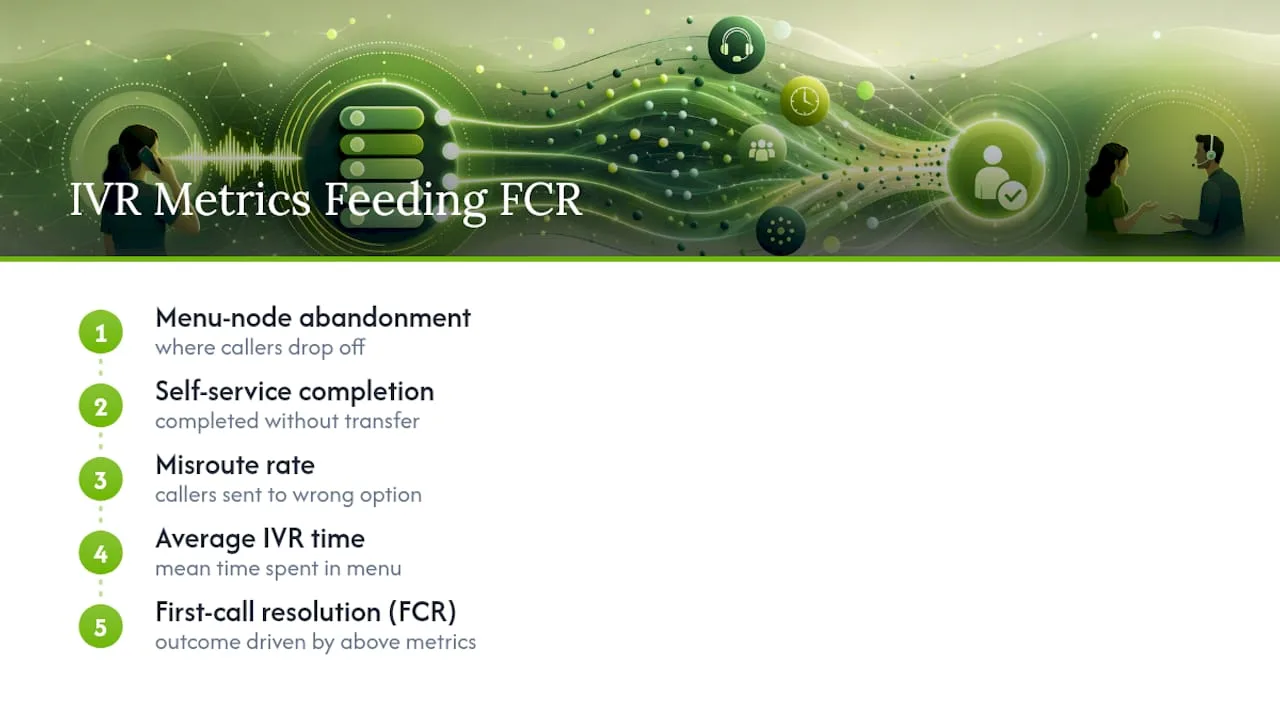
Track five numbers: menu-node abandonment, the percentage of callers who complete self-service without a transfer, misroute rate, average time spent in the IVR, and how all of that feeds first-call resolution. TechRepublic points to unused menu options and specific drop-off points as the clearest signals that a redesign is overdue.
Run small A/B tests on prompt wording or option order before rolling out a full redesign, and pair that with usability sessions using callers who've never used your system. Tag every event so the data is queryable later. Review the whole menu quarterly, fix high-drop nodes immediately rather than waiting for the next cycle, and audit for stale options anytime your business changes hours, locations, or services.
Voice, Tone, and Recording Quality
The voice behind your IVR shapes trust before a caller ever reaches a person. TTEC's research found that a more humanized voice persona, one that sounds like a real associate rather than a machine, measurably reduces unnecessary transfers.
- Pick one consistent persona, warm and competent, and keep every prompt in that same voice.
- Leave short, deliberate pauses after each option so barge-in actually works, and always offer "press to repeat."
- Confirm anything caller-entered (an account number, an appointment time) before moving forward.
- Use text-to-speech for dynamic content like wait times, but keep human or hybrid recordings for the main menu and any critical confirmation.
Skimping on recording quality is one of the most common ways a well-designed menu still feels cheap to the caller.
Example IVR Scripts and Menu Templates
A simple three-option main menu might run: "Thanks for calling. For billing, press 1. For appointments, press 2. To speak with someone, press 0 anytime." A nested version adds one layer: "For service requests, press 1. Now, for scheduling a new appointment, press 1. To reschedule or cancel, press 2."
- Transfer message: set an honest expectation, either a real wait-time estimate or a callback offer, instead of a generic "please hold."
- Do: keep every prompt under two sentences and test it against the 30-second main-menu benchmark.
- Don't: stack more than two menu layers, repeat a caller's request before transferring, or leave a silence window with no re-prompt.
When to Simplify IVR With Smart Routing or an AI Receptionist
Deep menus make sense for large, department-heavy operations. They make far less sense for a five-person service business fielding a mix of appointment requests, billing questions, and emergencies. If your missed-call rate is climbing, your queues are appointment-heavy, or your team is too small to staff multiple lines, that's the signal to simplify rather than add another submenu.
This is where tools like Ringport's automated call answering change the calculus. Instead of routing a caller through three menu layers to reach the right person, an AI receptionist can answer 24/7, handle smart call routing in real time, convert voicemail to text instantly, and hand off to a live person through something like Fast Agent the moment a call needs a human. Pilot the shift on one line first. Track lead capture, abandonment, and time-to-first-answer before and after, and let the numbers tell you whether fewer menu layers actually served your callers better.
What Actually Moves the Needle
That single move fixes more caller frustration than most full IVR redesigns. Automation should shorten the path to help, never lengthen it. The best IVR is the one callers barely notice, because it got them to a person or a resolution fast.
— Serhii
A Simpler Path: Reducing IVR Complexity With Ringport
If your team is spending more time maintaining menu trees than actually talking to callers, the fix isn't a sixth submenu. It's removing layers altogether. Ringport works as an AI receptionist built for local service businesses, answering calls without routing a caller through a maze of options first.
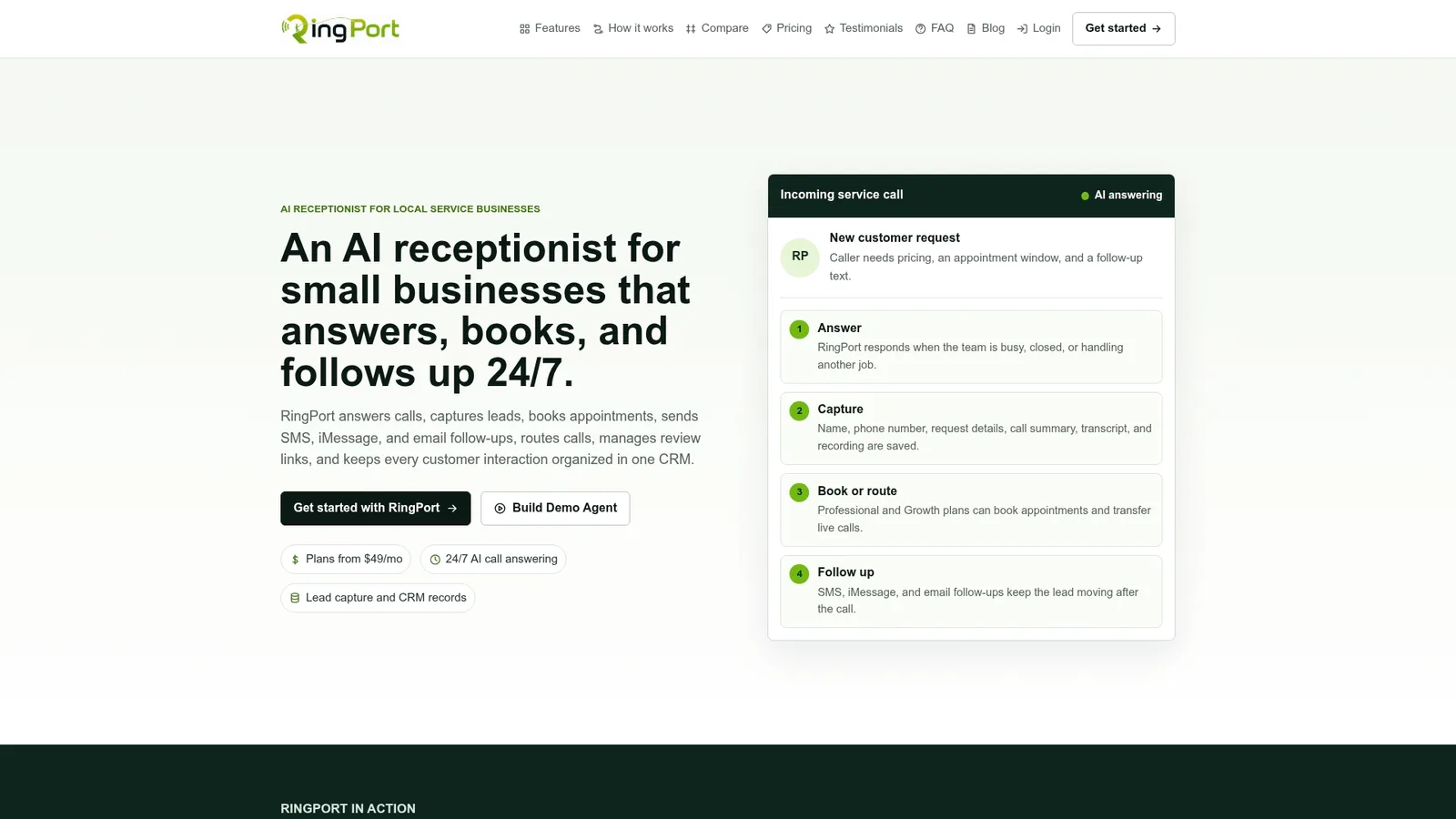
Instead of a caller pressing through billing, then scheduling, then a hold queue, Ringport answers directly, books the appointment, and routes anything urgent through Fast Agent for a quick human handoff. Missed calls get captured as leads instead of voicemails nobody checks until Monday. For a solo owner or a small team that can't staff a multi-queue phone system, that's a meaningfully shorter path from ring to resolution than many IVR redesigns offer. Visit Ringport to see how the setup works for your call volume, and start a trial to compare it against your current menu's abandonment numbers.
Sources
- ISO 9241-154:2013
- Human-Centered IVR Design — Best Practices and Examples | NJ Innovation
- Ten contact center IVR best practices to improve CX | TTEC
- IVR phone tree best practices | TechRepublic