48 Hours to Live Call Overflow Answering for Small Businesses
Deploy AI-first or hybrid call overflow answering, connect CRM and calendar, and stop losing callers. Configure routing and go live in 48 hours.

How many customers are slipping away before you can answer?
Answer 4 quick questions and get a simple missed-call estimate for your business.
Answer with one tap. Contact details come after your result.
Here is the estimate.
Thanks. Your result was received.
Enable an overflow answering layer, either AI-powered or hybrid, that automatically picks up excess calls and books or qualifies leads. This single step stops missed callers immediately. For most small businesses, an AI-first or hybrid setup beats pure live-agent overflow because it scales instantly, costs less per call, and never runs out of "seats" during a rush.
TL;DR:
- AI-first overflow solutions handle most routine calls and scale instantly, reducing missed callers and lowering costs compared to live-agent overflow.
- Proper setup requires configuring call triggers, integrating calendars and CRMs, and testing routing rules within two days for optimal traffic management.
- Tracking key KPIs like abandonment rate, first-contact resolution, and average wait time reveals whether the overflow setup effectively improves caller experience.
- Connecting overflow calls with CRM data minimizes repeat calls and maximizes first-contact resolutions, especially when escalations involve complex issues.
- Small businesses should prioritize AI overflow for routine spikes and adopt hybrid models for complex or high-value interactions to ensure steady lead flow.
Table of Contents
- What Is Call Overflow Answering and Why Does It Matter?
- Live Agents, AI Receptionists, or Hybrid: Which Fits Your Business?
- How Does Overflow Call Routing Actually Work?
- What KPIs Prove Your Overflow Setup Is Working?
- How Do You Choose the Right Overflow Answering Provider?
- How to Set Up Overflow Answering in 48 Hours
- How RingPort Handles Overflow for Local Service Businesses
- What Actually Matters When Picking an Overflow Solution
- Get Overflow Protection Running This Week With Ringport
- Sources
- FAQ
What Is Call Overflow Answering and Why Does It Matter?
Call overflow answering is a backup layer that catches calls your team can't take. It kicks in when every line is busy, when nobody picks up within a set number of rings, or when your call queue hits a certain depth. Instead of routing to voicemail, the call goes to a live agent service, an AI receptionist, or some blend of both, so the caller still gets a real answer.
This is different from after-hours answering, which covers calls outside business hours. Overflow answering covers calls during business hours when you're simply swamped, such as a Monday morning rush at a dental office or a heat-wave week for an HVAC company.
The cost of skipping this step is steep. High wait times and voicemail prompts drive callers to abandon the call rather than wait it out, and each abandoned call is a lead that just called a competitor instead. A few reasons this keeps happening to growing businesses:
- Front desk staff can only handle one caller at a time, no matter how good they are.
- Peak seasons and marketing pushes create call spikes that outstrip normal staffing.
- Voicemail feels like a dead end to most callers, especially new customers who haven't built loyalty yet.
Live Agents, AI Receptionists, or Hybrid: Which Fits Your Business?
Every overflow approach falls into one of four buckets, and each has a different cost and scaling profile.
- Live-agent overflow services route extra calls to a team of trained human agents at a call center. They're strong on empathy and complex problem-solving, but pricing usually scales with call volume and staffing, so an unexpected surge can get expensive fast.
- AI receptionists answer calls with a conversational voice agent that can book appointments, qualify leads, and answer common questions. Because it's software, an AI voice agent can take on unlimited concurrent calls without slowing down, and it typically deploys in far less time than hiring or training people.
- IVR (interactive voice response) menus let callers press or say options to route themselves. IVR is cheap and familiar but frustrates callers who just want to talk to someone, especially for anything outside a simple menu tree.
- Hybrid models use AI to handle routine calls and automatically escalate complex or high-value calls to a live person, complete with the conversation history attached.
For most small service businesses, the rule of thumb is simple: if your call spikes are occasional and mostly routine (scheduling, hours, pricing questions), AI-first overflow is the more cost-effective, faster option. If a meaningful share of your calls involve complicated troubleshooting, sales negotiation, or high-dollar transactions, a hybrid model that keeps a human in the loop for escalations gives you the best of both. Pure live-agent overflow tends to make sense only for businesses with steady, high call volume that justifies dedicated staffing contracts.
How Does Overflow Call Routing Actually Work?
Overflow routing runs on rules, not guesswork. Your phone system (traditional PBX or VoIP) watches for specific trigger conditions and reroutes the call the instant one is met, so nothing depends on someone noticing the phone is ringing off the hook.
- All-lines-busy trigger: every line is occupied, so the next call routes to overflow automatically.
- Ring-no-answer trigger: nobody picks up after a set number of rings, commonly three to five, and the call forwards out.
- Queue-depth trigger: more callers are waiting than your target threshold, so new calls skip the queue and go straight to overflow.
Most VoIP providers let you configure these as conditional forwarding rules in a settings dashboard, no phone hardware required. The bigger technical decision is what happens after the handoff. Basic conditional forwarding and a standalone AI receptionist can be set up in under an hour, but without a CRM or calendar connection, your overflow agent has zero context on who's calling or why. That's the "handoff trap": a caller repeats their name, issue, and history to a second agent who has no idea they already talked to someone. Connecting CRM data to your answering layer closes that gap and materially improves how often the first contact actually resolves the issue.
Before you flip anything on, run a one-line privacy check: confirm your overflow provider encrypts call data in transit and at rest, and get a plain answer on how long call recordings and transcripts are retained.
Pro Tip: Set your ring-no-answer trigger to four rings, not one or two. Answering too fast can feel like a bot ambush, while waiting too long defeats the purpose of overflow protection.
Smart routing rules also matter beyond the initial answer. If you want a deeper look at configuring rules that cut wait time without sacrificing resolution quality, see this guide to smart call routing.
What KPIs Prove Your Overflow Setup Is Working?
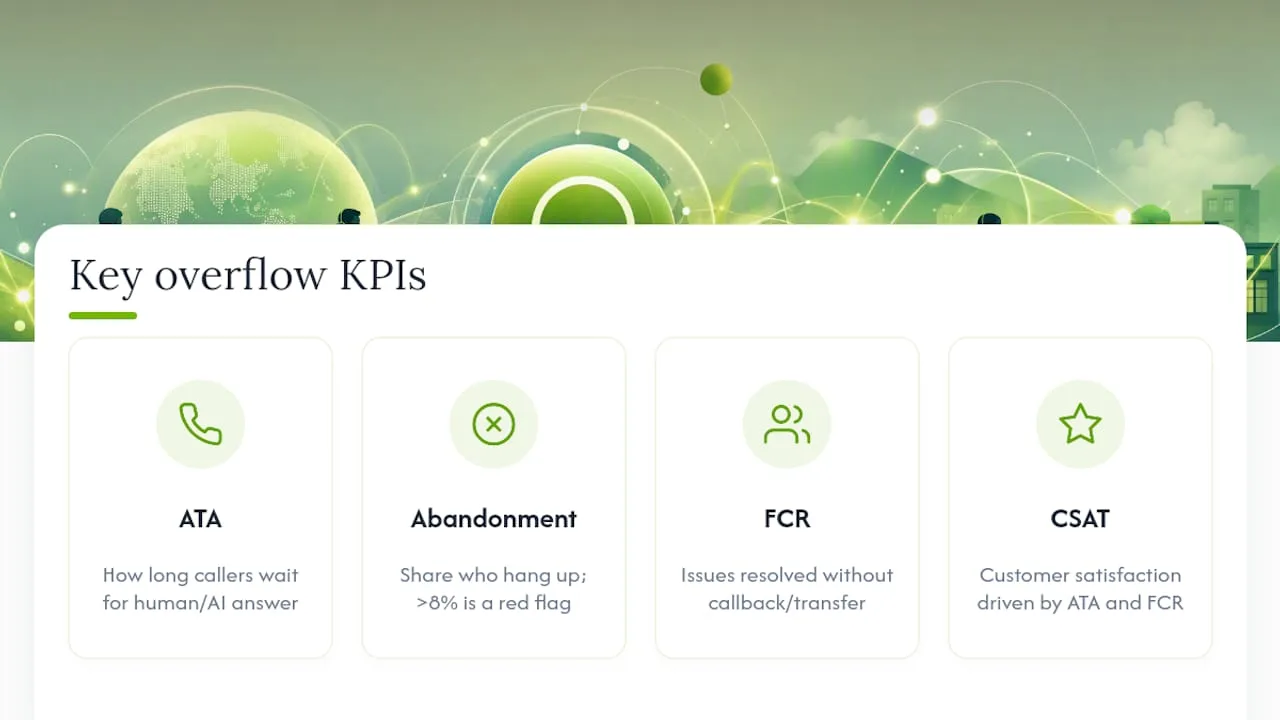
Four numbers tell you whether overflow answering is actually paying off: Average Time to Answer (ATA), abandonment rate, first-contact resolution (FCR), and customer satisfaction (CSAT).
ATA measures how long a caller waits before a human or AI voice picks up. Abandonment rate tracks the percentage of callers who hang up before being answered, and a well-configured overflow layer should keep that rate low to minimize lost calls. FCR measures how often the caller's issue gets resolved without a callback or transfer, which is where CRM integration earns its keep, since agents without caller history resolve fewer issues on the first try. Overflow handling has a measurable, positive relationship with ATA and FCR, and both feed directly into higher CSAT scores.
Quick benchmark: If your abandonment rate sits well above 8% before you launch overflow answering, that's your clearest signal you're losing bookings every single week, not just during rare spikes.
To measure real impact, pull 30 days of call logs before enabling overflow and 30 days after. Compare abandonment rate, average call duration, and how many overflow-answered calls converted into booked appointments or logged leads in your CRM.
How Do You Choose the Right Overflow Answering Provider?
Start with five criteria: integration depth, speed-to-answer SLA, escalation logic, control over brand voice, and pricing structure.
- Integration: Does the provider connect natively to your calendar, CRM, and existing VoIP system, or does someone need to build a custom bridge?
- SLA and speed to answer: Ask for a specific number, like "answered within 3 rings, 95% of the time," not a vague promise of "fast response."
- Escalation rules: Confirm how and when a call gets handed to a human, and whether the transcript and caller details travel with it.
- Brand voice control: Can you edit the greeting script, tone, and common answers, or are you stuck with a generic robotic voice?
- Pricing model: Understand whether you're paying a flat monthly rate, a per-minute rate, or a hybrid, and what happens the month you get a surge of calls.
When you're on a vendor call, ask directly: "What CRM and calendar integrations do you support out of the box?" "What's your average speed-to-answer during peak load?" "Can I see a sample escalation script?" Vague answers to any of those are a warning sign.
Watch for three red flags specifically: no CRM integration path, an SLA phrased in generalities instead of numbers, and per-minute pricing with no cap, which can turn one good marketing week into a shockingly expensive invoice. For background on how pricing models typically shake out for small businesses, this breakdown of virtual receptionist costs is worth a read before you sign anything.
Pro Tip: Ask for a month-to-month term before committing annually. Overflow needs shift as your business grows, and locking in a long contract before you know your real call volume pattern is a common costly mistake.
For businesses trying to size up call-intent data before committing to a plan, a partner resource like Sales Phoenix's customer intelligence tools can help clarify which calls are worth prioritizing for live escalation.
How to Set Up Overflow Answering in 48 Hours
Getting basic overflow protection live doesn't require a big project. Here's a realistic two-day plan.
Day 1: Core setup
- Set your conditional forwarding rules (all-lines-busy, ring-no-answer, queue threshold) in your phone or VoIP dashboard.
- Write a short greeting script that names your business and immediately offers to book an appointment or take a message.
- Connect your calendar so the overflow layer can see real-time availability.
- Run three test calls, one for each trigger type, to confirm routing fires correctly.
Day 2: Refinement
- Build a simple escalation flow: routine questions handled automatically, anything unclear or high-value flagged for a callback or live transfer.
- Confirm caller data (name, reason for call, timestamp) lands in your CRM automatically.
- Test the handoff by calling in yourself and asking a question outside the script, watching how it escalates.
Over the next 30 days, check ATA and abandonment rate daily for the first week, then weekly. Adjust ring counts if calls are escalating too fast or too slow, and rewrite script sections that keep confusing callers. If you're building the escalation ticket for an IT contractor or vendor, copy these four line items directly: forwarding rules configured, greeting script approved, calendar sync tested, CRM field mapping confirmed.
How RingPort Handles Overflow for Local Service Businesses
The AI receptionist is designed specifically for local service businesses, the profile that struggles most with unpredictable call spikes. It answers calls 24/7, so a Saturday morning plumbing emergency or a lunchtime rush at a salon gets the same instant response as a Tuesday afternoon.
A few ways this plays out in daily use:
- Smart call routing sends routine bookings straight to the AI while flagging anything urgent or high-value for a human callback.
- CRM management built into the platform means every caller's history follows them, so nobody has to repeat themselves on a second call, avoiding the handoff trap entirely.
- Automated appointment booking lets the AI check your calendar and confirm a slot in real time, without a human touching the phone.
- Lead capture workflows log every caller's details automatically, so a missed connection during a busy afternoon still becomes a follow-up task instead of a lost opportunity.
Business owners report better lead conversion and steadier appointment flow once overflow calls stop falling through the cracks. If you're weighing warm versus cold handoffs for escalated calls, this guide on warm transfer versus cold transfer is a useful next read.
What Actually Matters When Picking an Overflow Solution
Three rules of thumb hold up across almost every small business I've seen evaluate this. First, go AI-first if your call spikes are intermittent and mostly routine, booking, rescheduling, basic questions, because paying for standby human capacity you rarely use is a waste. Second, go hybrid the moment a meaningful share of your calls involve real judgment calls, high-dollar sales, or anything emotionally sensitive, since that's where a human touch still outperforms a script. Third, never accept an overflow setup without CRM context flowing to whoever answers, human or AI. Skipping that step is the single most common reason businesses feel like overflow "didn't really help."
One more thing worth saying plainly: don't overreact to week one. Use your first 30 days of call data to decide whether you need permanent staffing changes or just better routing rules, not gut instinct from one bad Tuesday. And read every vendor SLA twice, because "fast response" without a number attached usually means slower than you'd like.
— Serhii
Get Overflow Protection Running This Week With Ringport
This platform offers AI-first overflow answering built for local service businesses rather than generic call centers. As an AI receptionist rather than a staffed call queue, it provides 24/7 coverage without hiring, scheduling, or training, and each call includes CRM context.
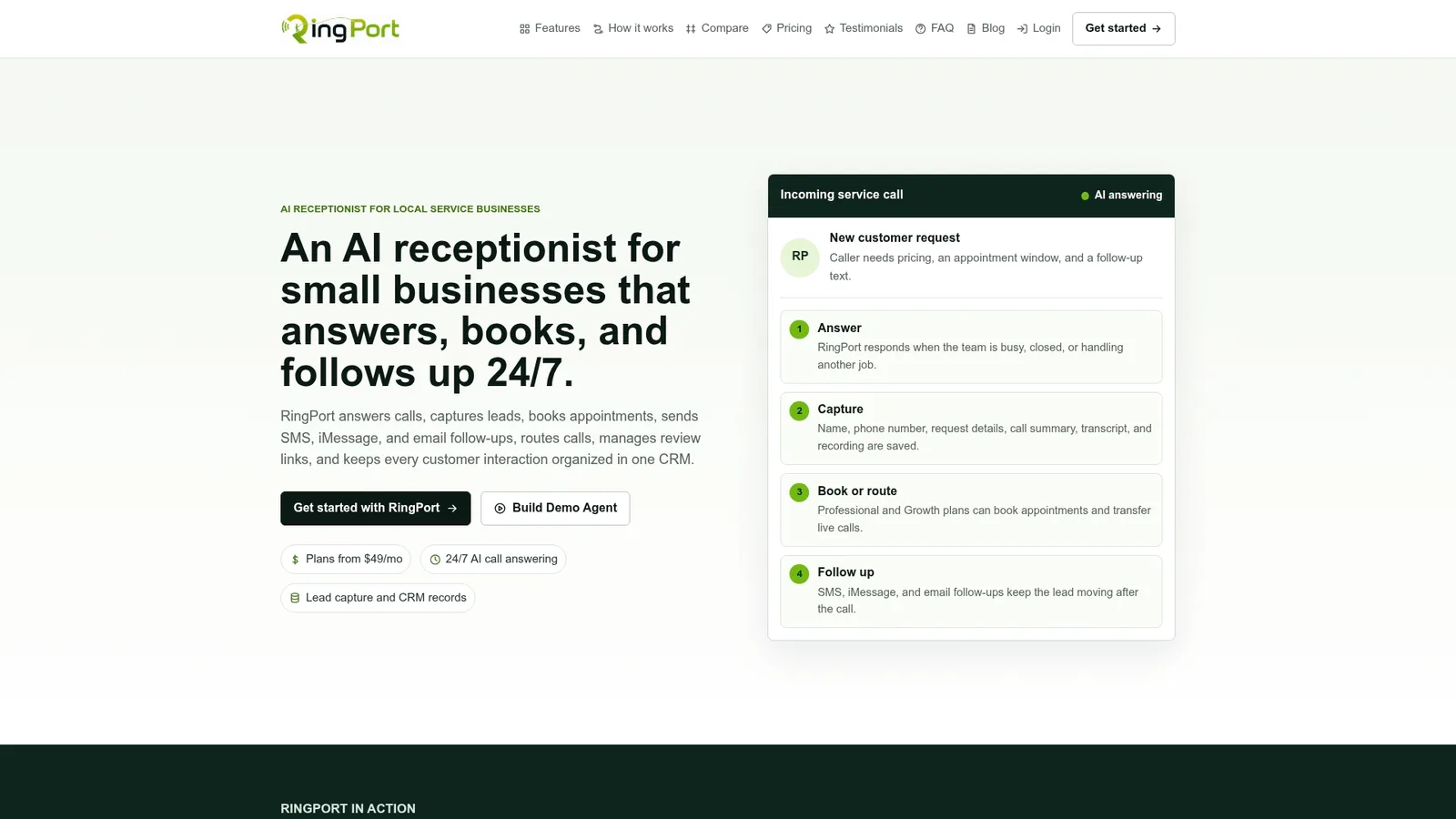
Getting started takes three steps: sign up or request a demo, connect your existing phone line and calendar, then run a handful of test calls to confirm your greeting, routing, and escalation flow sound right before you go live. If you've been losing bookings to voicemail or busy signals, start with RingPort's Fast Agent setup and have overflow protection running before your next rush hits.
Sources
- What is Call Overflow Handling? 4 Reasons Your Call Center Needs it Now — Verint
- What Is Overflow Call Answering and How It Manages High Call Volume — Voice AI hub
- Overflow Call Answering Service: How It Works & When You Need It — VOC.ai blog
FAQ
Is there an app that can answer phone calls automatically?
Yes. AI receptionist apps like Ringport answer calls automatically around the clock, handling scheduling, lead capture, and common questions without a live agent on the line.
How much does an AI call answering service cost?
Pricing typically runs as a monthly subscription tied to call volume, with some providers adding per-minute or add-on charges for extra usage; see the virtual receptionist cost breakdown for typical ranges.
How do I enable automatic call answering on my business line?
Set conditional forwarding rules in your VoIP or phone system dashboard for all-lines-busy, ring-no-answer, and queue-depth triggers, then connect the destination service to your calendar and CRM.
Which automated phone answering service is best for a small business?
The right choice depends on call complexity: AI-first services like Ringport work best for routine bookings and lead capture, while hybrid models add human escalation for complex or high-value calls.